

How to Capture Featured Snippets and PAA Boxes with On-Page SEO

Position 0 is the new position 1. The featured snippet sits above the #1 organic result, the People Also Ask cluster fans the SERP into a half-dozen secondary slots, and on most commercial queries those two surfaces eat the click-through long before a user ever gets near the blue links. Winning them is less about writing better and more about formatting the answer Google already wants to pull. Reformatting, really. This guide walks through the on-page elements that actually trigger snippet extraction, how to reverse-engineer PAA fans for content gaps, and the technical baseline you need to clear before any of it counts.
What Featured Snippets and PAA Boxes Actually Are
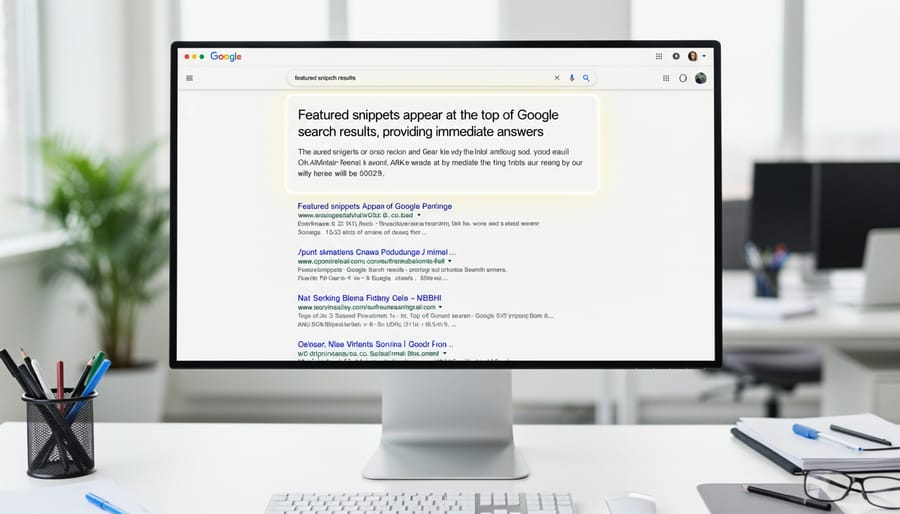
Featured snippets are excerpted answers Google displays at position zero, above organic results, formatted as paragraphs, bulleted or numbered lists, or tables. They pull directly from a ranking page’s content, aiming to satisfy searcher intent instantly. People Also Ask (PAA) boxes appear as expandable questions with brief answers, often stacked below snippets or interspersed in results, generating related queries dynamically as users click.
Quick vocabulary
- Position 0
- The featured snippet slot above the #1 organic result. One URL per query, pulled from the top-ten organic set.
- Paragraph snippet
- A 40 to 60-word block of prose extracted from under an H2 or H3, typical for “what is” and definitional queries.
- List snippet
- An ordered or unordered list lifted from a page’s HTML, typical for “how to” and “best of” queries. 4 to 8 items is the sweet spot.
- Table snippet
- A small table (usually 3 to 4 columns) extracted from a page, typical for “vs” and comparison queries.
- PAA (People Also Ask)
- The expandable question cluster Google injects mid-SERP. Each expansion can pull from a different ranking page.
- Intent fan-out
- The way one seed query spawns five to fifteen PAA follow-ups as users click, mapping the full intent surface around a topic.
Google surfaces these elements when it detects question-based intent or seeks to deliver quick, authoritative answers. Triggers include interrogative keywords (how, what, why), queries implying comparison or process, and searches where structured data signals clear hierarchy. In my experience (and the tracking data backs this up most months), the algorithm favors concise, well-formatted answers bracketed by semantic HTML. Think headings followed by tight paragraphs or ordered lists within 40 to 60 words.
Visually, snippets occupy a bordered box at the top. PAA questions nest vertically with chevron icons. Both feed Google’s zero-click ambition but drive brand visibility and authority signals. Winning them requires treating content structure as a direct ranking input: answer one question per subsection, front-load the answer immediately after the heading, and use schema markup to reinforce context. Each snippet claimed compounds your domain’s topical authority, making subsequent snippet wins easier and strengthening the editorial credibility that attracts durable backlinks.
The On-Page Elements That Win Snippets
Question-Targeting Headers and Content Structure
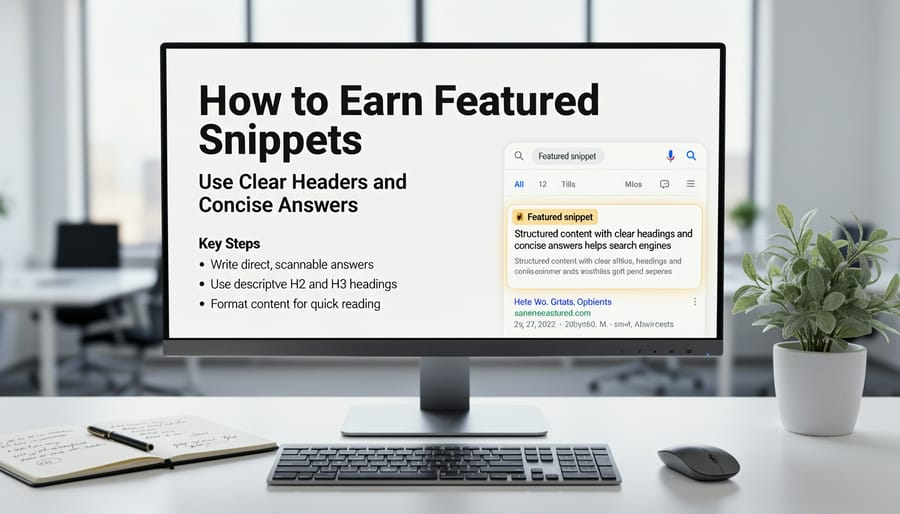
Structure your H2 and H3 tags as direct questions that mirror how users search. Instead of “Content Organization Best Practices,” write “How Do I Organize Content for Featured Snippets?” This alignment signals to search engines that an answer follows immediately.
Place the answer in the first 40 to 60 words directly under each question header. Use paragraph text for definitions, numbered lists for steps, and bullet points for options or features. Match the format to the query type. “How to” earns list snippets, “what is” wins paragraph boxes, comparison queries favor tables. Mostly. There’s the odd outlier where Google pulls a paragraph for a “how to” query, but you can’t plan around outliers.
| Snippet type | Query pattern | Format that wins | Length target |
|---|---|---|---|
| Paragraph | “What is X” / “Why does X matter” | Tight definitional prose under an H2 phrased as the query | 40 to 60 words |
| List (ordered) | “How to X” / “Steps to X” | Numbered list, each item a verb-led action | 4 to 8 items, <65 chars each |
| List (unordered) | “Best X” / “Types of X” / “Examples of X” | Bullet list, equal-weight items | 4 to 8 items, <65 chars each |
| Table | “X vs Y” / “X comparison” | 3 to 4 column matrix with clear headers | Stay under 4 columns for mobile |
Break answers into discrete chunks. Lead with the core response, then expand with supporting details in subsequent paragraphs. Each H3 should address one sub-question, creating a scannability ladder that helps both readers and crawlers parse your structure. Honestly, for most teams this is the discipline that separates pages that earn snippets from pages that just rank.
Avoid burying answers mid-paragraph or forcing users to read preamble. The header asks, the next sentence answers, and everything below supports or clarifies. This disciplined structure increases snippet eligibility while improving time-on-page for human visitors who can locate information at a glance.
Pro tip
Test different question phrasings against the live PAA results. If PAA shows “Why does X matter?” but your header reads “The Importance of X,” rewrite to match query syntax. Google’s extraction is matchier than people give it credit for.
Concise, Direct Answer Formatting
Google extracts snippet content most reliably when you format answers in tight, scannable blocks. Aim for paragraph answers of 40 to 60 words placed directly under H2 questions. That length fits most featured snippet boxes without truncation and signals completeness. State the core answer in the first sentence, then add one or two supporting details. We had a definition snippet truncate at 47 words on mobile once, which was a useful reminder that the upper bound is softer than the lower bound.
For list-based queries, use numbered lists when order matters (steps, rankings, chronological sequences) and bulleted lists for equal-weight items (features, benefits, types). Keep each list item to one or two short sentences. Google prefers lists with 4 to 8 items, longer lists often get truncated.
Comparison tables work well for “versus” queries and product evaluations. Structure them with clear column headers and row labels, limiting width to three or four columns so mobile rendering stays clean. Use plain language in cells, no jargon or dense paragraphs.
The header asks, the next sentence answers, and everything below supports or clarifies.
Place your best-formatted answer high on the page, ideally within the first two scrolls. Wrap definitions in concise sentences using the query term explicitly: “On-page SEO optimization is the practice of…” rather than starting with pronouns or indirect phrasing.
Test each format by asking, can someone read this aloud in under ten seconds and understand the full answer? If not, trim further. Then trim again. The goal is instant clarity that both users and Google’s extraction algorithms can parse without ambiguity.
Schema Markup for Enhanced Eligibility
Google prioritizes three structured data types when selecting featured snippets: FAQ schema for question-answer pairs, HowTo schema for step-by-step instructions, and Q&A schema for community-driven threads. Implement FAQ schema when your page addresses multiple common questions in discrete blocks, each question becomes a potential snippet candidate.
HowTo schema works best for process-oriented content with clear sequential steps. Include supply lists, tools, and time estimates to maximize snippet real estate. Add JSON-LD script to your page’s head or immediately after the opening body tag, schema markup placement affects crawl priority and entity binding.
Note
Validate markup with Google’s Rich Results Test before publishing. Google doesn’t guarantee snippets for marked-up content, but properly structured data lifts eligibility against unstructured equivalents. Combine schema with concise answer paragraphs (40 to 60 words) positioned directly below each heading for maximum impact.
Keyword Placement and Query Matching
Place your primary keyword in the title tag, the first 100 words of body copy, and at least one H2 header. Search engines weight these zones heavily when matching queries. Use the exact phrasing users type (check autocomplete and PAA boxes) rather than forcing awkward repetition. Google understands synonyms and context through entity salience signals.
Position secondary keywords in subheadings and image alt text to cover related search intents without keyword stuffing. Front-load sentences with target terms when natural, since users and crawlers scan left-to-right and top-to-bottom. Match question-based queries (who, what, how) with clear answers in opening paragraphs to capture featured snippets.
Reverse-Engineering PAA Boxes for Content Gaps
Okay, this is the single highest-leverage exercise on the page. Maybe the single highest-leverage exercise in this whole guide. Start by exporting the PAA boxes already ranking in your niche. Open an incognito browser, search core queries, and record every question that appears. Tools like AlsoAsked or manual collection work equally well, the goal is volume and variety across ten to twenty seed keywords.
The capture playbook
Next, cluster the questions by theme. Print or paste them into a spreadsheet, then group overlapping intents. If “What is keyword density?” and “Does keyword density still matter?” appear together, they belong in the same content module. Patterns emerge quickly, three to six themes typically account for 80 percent of PAA volume in a given subtopic.
Build a single authoritative page that answers each cluster. Use descriptive H2 or H3 headings phrased as questions, then deliver concise, factual answers in the following paragraph. This mirrors how Google extracts snippets and signals comprehensive coverage. Each module should stand alone but connect logically to the next, forming a cohesive topic cluster strategy that keeps users on the page.
Add FAQ schema to the question-and-answer modules. Wrap each pair in structured data so search engines can parse and potentially feature your content in multiple PAA positions. Roughly doubles your visibility without duplicating effort (we’ve seen one page hold three PAA slots simultaneously off a single FAQ block, though that’s the ceiling not the average).
Monitor which questions trigger your page in search results. Use Search Console’s Performance report filtered by query type, or track PAA appearances with rank-tracking tools that log question boxes. If a question consistently shows your competitor instead, update your answer with more specificity, recent data, or a clearer definition.
Refresh the page quarterly. PAA boxes shift as user behavior evolves, so repeat the export process, identify new questions, and fold them into existing sections or create new modules. This iterative approach keeps content aligned with live search demand and sustains snippet eligibility over time.
Technical On-Page Factors That Influence Snippet Selection
Google filters snippet candidates through a strict baseline screen. If your page fails core technical SEO factors, it won’t appear in position zero regardless of content quality.
Page speed matters because Google prioritizes user experience. Pages that load in under 2.5 seconds for Largest Contentful Paint pass the first Core Web Vitals threshold. Slow pages rarely get pulled for snippets because Google won’t recommend content that frustrates mobile users.
Mobile usability is non-negotiable. Over 60% of searches happen on phones, so responsive design, readable fonts without zooming, and tap targets spaced at least 48 pixels apart are table stakes. Google’s mobile-first indexing means it evaluates your mobile version when choosing snippets.
HTTPS provides the security signal Google requires. Non-secure pages are penalized in rankings and virtually excluded from featured snippet consideration. The padlock icon signals trustworthiness to both algorithms and users.
Core Web Vitals measure loading performance, interactivity, and visual stability. Pages scoring Good across Cumulative Layout Shift, First Input Delay, and Largest Contentful Paint get preference. In most cases (not all, the correlation breaks down for very low-volume long-tail), these metrics directly correlate with snippet selection rates in competitive queries.
Watch for
Crawlability ensures Google can access and parse your content. Blocked resources, broken JavaScript rendering, or robots.txt restrictions prevent indexing. If Googlebot can’t read your answer cleanly, it can’t extract it for snippets. Run Screaming Frog or the URL Inspection tool on every snippet-targeted page before you start optimizing the prose.
Fix these foundational issues before optimizing content structure. A perfectly formatted answer on a broken page wins nothing.
Testing and Measuring Snippet Performance
Start by confirming whether you own the snippet. Google Search Console’s Performance report shows queries where your page appears in position one but with a different click-through rate than typical top results, a signal that a featured snippet sits above you. Filter by queries, sort by impressions, and look for high-impression, low-CTR terms. Rank tracking tools flag snippet ownership directly, letting you monitor when you win, lose, or share position zero.
To test which answer format performs best, create variants of your target section, one with a numbered list, another with a table, a third with a concise paragraph. Publish them on separate URLs or rotate them weekly on the same page. Compare snippet win rates and organic traffic in Search Console after each change. Google typically refreshes snippets within days of a content update, so you’ll see shifts quickly. Document which structures trigger snippet selection for your keyword clusters.
When you lose a snippet, audit the winning page. Check whether competitors added more detailed steps, clearer formatting, or newer data. Refresh your content by expanding definitions, updating statistics, tightening list items to under 50 words each, or adding a summary table. Republish and request reindexing via Search Console’s URL Inspection tool to accelerate the crawl. Snippets favor recently updated content that directly answers the query in the first 100 words.
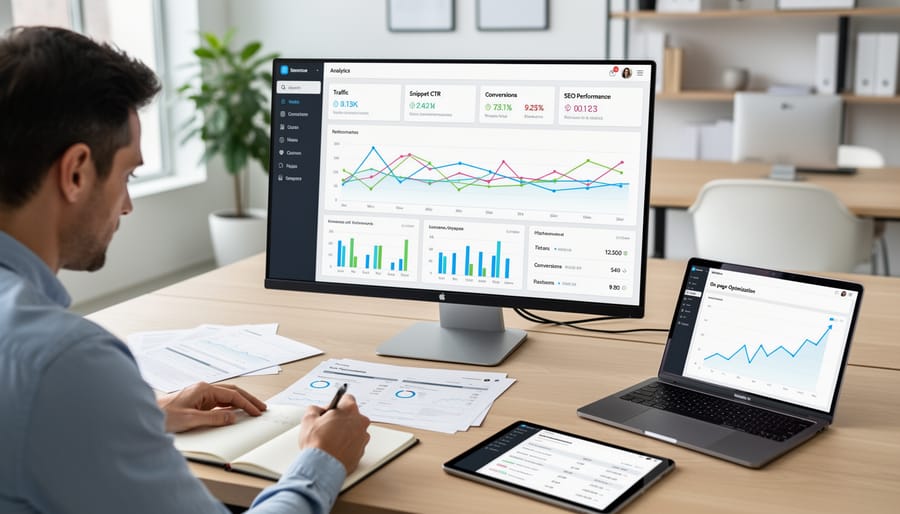
Track snippet tenure over time. Set up weekly automated rank checks for your target queries and log snippet changes in a spreadsheet. If you lose snippets within 30 days, your content likely lacks depth or clarity compared to the new winner. Or, sometimes, it’s just a core update doing its thing. If you hold them for months, your format and answer quality are probably solid, so focus energy on new snippet opportunities instead.
Common Mistakes That Kill Snippet Chances
Most snippet failures happen before you even write a word. They’re structural problems that Google reads as noise.
Writing long, meandering paragraphs instead of tight, direct answers buries your main point below the 50-word threshold Google typically extracts. Start with the answer in one sentence, then expand if needed.
Answering the question you want to answer rather than the one users actually ask misses user intent entirely. If someone searches “what is schema markup,” don’t open with “Schema markup has evolved significantly since 2011.” State what it is first.
Vague headers like “Overview” or “Introduction” tell Google nothing. Use question-based headers that match search queries: “How long does SEO take?” beats “Timeframe considerations” every time.
Walls of text on mobile kill readability and snippet eligibility. Google prioritizes mobile-first indexing, so if your answer requires horizontal scrolling or appears as a dense block on smaller screens, you’re out. Test every snippet-targeted section on an actual phone.
Lists without clear hierarchy confuse extraction algorithms. Use proper HTML tags, ordered lists for steps, unordered for options, and keep each item under 65 characters when possible.
The pattern: Google rewards clarity, structure, and directness. Complexity loses.
Putting It to Work
Snippet optimization isn’t a campaign, it’s a posture. Some pages are built for position 0 and the work pays back tenfold. Others will never get there and the formatting overhead is just wasted attention. Knowing which is which is most of the job.
✓
Worth optimizing for snippets
- ›Pages already ranking in positions 1 to 5 for a snippet-eligible query
- ›“How to” / “what is” / “vs” queries with a visible snippet or PAA slot
- ›Topics where the current snippet holder is thin or outdated
- ›Question-driven informational keywords with steady search volume
- ›Pages already passing Core Web Vitals on mobile
✗
Skip snippet work for
- ›Pages sitting outside the top 10 (extraction won’t reach you)
- ›Transactional / commercial-intent queries with no snippet showing
- ›Brand-name navigational queries
- ›YMYL queries where Google’s bias is toward heavyweight authorities
- ›Pages with unresolved Core Web Vitals or crawl issues
Build it into your workflow selectively. Flag the pages already ranking in positions 1 to 5 for snippet-eligible queries, then queue those for the formatting pass. Editable, contextual backlinks reinforce the authority signals that help pages earn and defend featured snippets over time.
Try it this week
Pick one page ranking in positions 2 to 5. Reformat it for snippet capture.
-
1
Open Search Console. Filter to pages with impressions but below position 1. Pull the target query for each. -
2
Search each query in incognito. Note the snippet format Google is pulling and the URL it’s pulling from. -
3
Rewrite your H2 as the exact query, place a 40 to 60 word answer in the matching format directly underneath, wrap it in FAQ schema, and request reindexing.
Position 0 is the new position 1. The query is already telling you what Google wants, the only question is whether you ship the format that matches.
Related guides
- Schema Markup Placement, Where JSON-LD goes in the DOM and why placement affects entity binding.
- Information Gain and Entity Salience, The on-page signals search engines actually read when ranking semantically-rich content.

