

How Internal Link Graphs Transform Topic Clusters Into Search Magnets

Honestly, topic clusters are really an information-architecture problem dressed up as a content one. You build a pillar page for the broad query, you build cluster pages for the narrower ones, and you wire them together with internal links so the whole thing behaves like a connected subgraph instead of a pile of unrelated URLs (or at least that’s the goal on paper; in most of the clusters I’ve audited, the wiring is the part that quietly falls apart). When the wiring is right, search engines read the cluster as a single topical surface and route equity through the pillar. When it’s wrong, you get orphans, dangling spokes, and pillar pages that rank for nothing because nothing on the site actually points at them. This post walks the link graph itself. What to inspect, what to fix, and how to tell whether you need a refactor or just a few patches.
What Topic Cluster Architecture Actually Looks Like
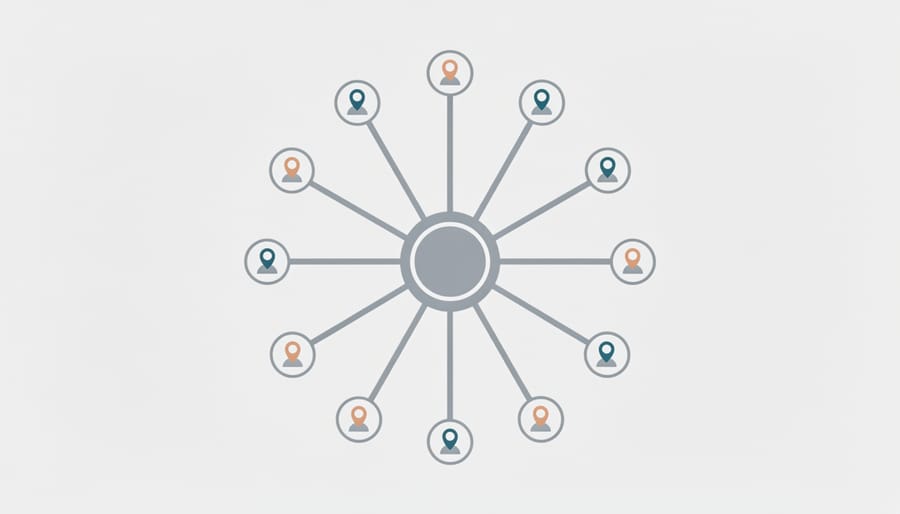
Quick vocabulary
- Hub (pillar)
- The central node of a cluster. Broad, comprehensive, typically the page you want to rank for the head term.
- Spoke (cluster page)
- A child node addressing one narrow subtopic. Connected to the hub by an inbound and outbound edge.
- Cluster
- The hub plus all of its spokes treated as a single topical surface. The unit search engines evaluate, not individual URLs.
- Link equity
- The authority a page can pass through outbound links. A pillar with many inbound internal links has more equity to distribute downstream.
- PageRank flow
- The conceptual model for how equity moves along edges in the link graph. Nofollow, internal anchor variety, and link position all influence the flow rate.
- Orphan
- A node with zero inbound internal edges. Discoverable only via sitemap or external link. Effectively invisible to PageRank.
- Depth
- The number of clicks from the homepage to a given page. Depth above three usually correlates with weaker crawl frequency and ranking.
A pillar page is the central hub, broad, comprehensive, targeting a high-volume head term like “content marketing” or “email automation.” Expect 3,000 to 5,000 words covering the topic at a survey level, with sections that branch naturally into subtopics. Cluster content zooms in. Each page tackles one narrow question or use case the pillar introduced, typically 800 to 1,500 words. A pillar on “SEO strategy” might link to clusters on “keyword research tools,” “schema markup,” or “local pack optimization.” The pillar offers breadth and context, clusters deliver depth and information gain on specifics. Both link bidirectionally, pillar to cluster for detail, cluster back to pillar for authority, creating a semantic loop search engines recognise as topical expertise.
A cluster is a directed subgraph. Search engines don’t read your pages, they read the edges between them.
Centralized Versus Distributed Cluster Topology
Not every cluster needs to look like a wagon wheel. There are, broadly, two viable topologies, and the choice has architectural consequences that bite you later if you pick the wrong one. Or rather, three if you count the pure mesh, but pure mesh almost never holds up under audit.
| Dimension | Centralized (pure hub-and-spoke) | Distributed (mesh) |
|---|---|---|
| Graph shape | One pillar, many spokes. Lateral edges rare or absent. | Pillar still present, but spokes also link laterally to 2 to 4 neighbours. |
| Equity concentration | Heavily on the pillar. Spokes inherit a smaller, even share. | More even across the cluster. Pillar still dominant, but not by as much. |
| Best when | You want the pillar to rank for the head term and clusters to capture long tail. | Multiple spokes have meaningful search volume and you want them to rank individually. |
| Failure mode | Spokes feel isolated. Readers bounce instead of exploring sideways. | Lateral link soup. Equity dilutes, crawlers struggle to identify the pillar. |
| Audit signal | Pillar has 20+ inbound internal links from cluster pages, spokes have 1 to 2. | Pillar still leads on inbound count, but spokes average 4 to 6 inbound each. |
In my experience, most teams default to centralized without realising it, and that’s usually fine for thin clusters of 5 to 8 spokes. Once a cluster grows past 12 spokes, the pure hub-and-spoke shape starts to feel airless to readers. Actually, scratch that, “airless” is the symptom; the real problem is that readers run out of next-step links and bounce. That’s the point where you cautiously introduce lateral links, not before.
Pro tip
Before you add lateral edges, count the pillar’s inbound internal link count in Ahrefs Site Audit. If it’s under 12, the pillar isn’t authoritative enough yet to survive distributing equity sideways. Fix the inbound count first, mesh later.
How Semantic Relationships Define Your Clusters
Effective clusters form around semantic relationships between subtopics, not arbitrary keyword lists. Start by analysing search intent overlap, if queries share the same underlying question or goal, they belong in the same cluster. For example, “best CRM for small business” and “affordable CRM tools” address the same need through different phrasing.
Keyword families emerge when you group variants by parent concept. All “email marketing automation” queries nest under a broader “marketing automation” pillar, while “drip campaign setup” and “email segmentation tips” become distinct cluster pages supporting that pillar. (Though I’d argue “drip campaign setup” is borderline, it could just as easily live as a section of the segmentation page. Boundary decisions like that are where the architect’s judgment actually matters.)
Map these groups against your user journey stages. Awareness content (“what is content marketing”) clusters separately from decision content (“content marketing agency pricing”). This prevents mixing incompatible intents on a single page and creates logical pathways that mirror how real visitors research topics. The result, clusters that feel intuitive to users and legible to search engines.
Real Topic Cluster Examples Across Industries

SaaS Example: Project Management Software Cluster
A project management software site might anchor a pillar page on “project management tools” that explains core methodology and software selection criteria. From there, cluster pages target specific features and use cases. One covers Gantt chart software and timeline visualisation for deadline-driven teams, another explains Kanban board tools for agile workflows, and a third dives into time tracking integrations for billing and productivity analytics. Additional clusters tackle team collaboration features like real-time commenting and file sharing, and a dedicated pricing-models comparison helps buyers evaluate freemium versus enterprise tiers.
This structure lets the pillar rank for broad searches while clusters capture long-tail queries like “best Kanban tool for remote teams” or “project management software with built-in time tracking.” Backlinko’s topic-cluster overview documents the same pattern across SaaS audits, the pillar carries the head term, the spokes harvest the tail, and the cluster as a whole outperforms isolated pages on the same topics.
E-commerce Example: Running Shoes Buying Guide Cluster
A running shoe retailer builds a pillar page titled “How to Choose the Right Running Shoes” that addresses gait analysis, fit principles, and activity matching. The hub links to focused clusters, one explaining pronation types (neutral, overpronation, supination) with product recommendations, another comparing trail versus road shoe features, and a third breaking down sizing across major brands like Nike, Brooks, and Asics. Additional spokes cover injury prevention through proper footwear and seasonal buying guides.
Each cluster article links back to the pillar and cross-references related clusters, pronation guides link to injury prevention, terrain pieces reference sizing differences. This is the topology I see go wrong most often in e-commerce (one footwear retailer I audited had spokes averaging 11 sibling links and a pillar with just 6 inbound, basically inverted). The lateral links proliferate until every cluster page has 8 to 10 sibling links and the pillar’s authority drains. Keep the lateral count low and the cluster holds together.
B2B Services Example: Content Marketing Strategy Cluster
A B2B content marketing agency might anchor its SEO strategy around a comprehensive pillar page titled “Content Marketing Strategy: Complete Guide for B2B Teams.” This hub resource defines frameworks, outlines common challenges, and links to specialised cluster pages that drill into execution details.
Cluster articles address tactical questions. “How to Build an Editorial Calendar for Multi-Stakeholder Approval” walks through workflow templates and approval automation. “Distribution Channel Mix for Technical Audiences” compares LinkedIn, industry forums, email nurture sequences, and paid syndication ROI. “Conducting a Content Audit: Step-by-Step Checklist” provides spreadsheet templates and gap analysis criteria. “Measuring Content Marketing ROI Without Attribution Tools” offers proxy metrics for teams lacking enterprise analytics. “Content Team Structure: In-House vs. Agency vs. Hybrid Models” benchmarks headcount ratios and skill matrices.
Each cluster solves a discrete problem marketers face weekly, while the pillar establishes topical authority across the broader strategy domain. Internal links flow naturally when discussing interconnected workflows like calendar planning and distribution timing.
Local Business Example: HVAC Services Cluster
A local HVAC contractor builds a pillar page covering “HVAC Services” that addresses seasonal comfort, system types, and common homeowner questions. Supporting cluster pages target specific services, air conditioning repair (diagnosing refrigerant leaks, compressor failures), furnace maintenance (annual inspections, filter schedules), duct cleaning (allergen removal, airflow optimisation), energy efficiency upgrades (smart thermostats, zoned systems), and emergency service (24/7 availability, rapid response protocols). Each cluster page links back to the pillar and cross-references related services, duct cleaning mentions efficiency upgrades, repair pages link to maintenance contracts.
Local businesses often compete on proximity alone, but a well-structured cluster demonstrates expertise across the entire service spectrum, improving rankings for “near me” searches while educating homeowners before they call.
Educational Example: Python Programming Tutorial Cluster
A Python programming tutorial site builds its pillar page around “Learn Python Programming,” then creates satellite clusters for foundational topics, data types (strings, integers, lists, dictionaries), control flow (for loops, while loops, conditionals), functions (definitions, arguments, return values), and popular libraries (NumPy, Pandas, Requests). Each cluster links back to the pillar and cross-references related concepts, the functions cluster links to the data types page when explaining parameters, for example.
Project-based tutorial clusters (build a web scraper, automate spreadsheets, create a Discord bot) demonstrate real applications while linking to relevant fundamentals. A debugging-techniques cluster addresses common errors, stack traces, and print statement strategies. This structure helps learners navigate from basics to practical skills while signalling to search engines that the site comprehensively covers Python education at multiple skill levels.
Internal Linking Graph Sculpting Techniques
Bidirectional Linking Between Pillar and Clusters
Two-way links create a closed loop, pillar pages link down to cluster posts, and every cluster links back to its pillar. This mutual reinforcement tells search engines the pillar is the authoritative hub, while clusters expand depth on subtopics. Bidirectional linking probably passes equity in both directions (the “probably” is doing some work there, the exact mechanics aren’t documented) and helps crawlers understand content hierarchy without relying solely on site structure. Moz’s original write-up on the topic-cluster model framed this loop as the defining feature of the architecture, and that framing has held up.
Note
Bidirectional doesn’t mean symmetric. The pillar typically links to a cluster page once, in the section where that subtopic is introduced. The cluster page links back to the pillar two or three times, in the intro, the conclusion, and one mid-body reference. Asymmetry is fine, it just needs to be intentional.
Start with contextual anchor text that describes what the target page covers, “seasonal content planning tactics” beats generic “click here.” Vary anchor phrases across clusters to reflect different angles while maintaining topical coherence. If your pillar covers content strategy, clusters might link back using “comprehensive content strategy guide” or “content strategy framework” depending on context.
Avoid exact-match repetition, instead, lean on semantic relevance and entity salience to signal topic relationships. Place pillar links high in cluster introductions where they naturally orient readers, and weave cluster links into pillar sections as specific examples or deep dives. Each link should answer, what will I learn there that I can’t get here?
Lateral Cluster-to-Cluster Links for Depth
Cluster pages can link directly to each other when they share overlapping subtopics or prerequisites, think of a “content calendar tools” page linking to “SEO keyword research” within the same content marketing cluster. This lateral linking deepens your site’s semantic graph without forcing every click through the pillar.
The key risk, diluting authority if you overdo it. Limit cross-cluster links to two or three highly relevant connections per page, prioritising relationships where one page provides necessary context or next-step guidance for the other. Use descriptive anchor text that signals why the detour matters.
Lateral links are seasoning, not the dish. Three relevant ones per page, no more.
So here’s the practical rule. Link laterally only when the relationship is strong enough that a reader would otherwise open multiple tabs. If you’re linking just because two pages live in the same category, skip it. The goal is building utility-driven pathways, not exhaustive cross-references that muddy crawl priority and confuse users about hierarchy. For mapping these connections, visual tools like mind maps or spreadsheet matrices help you audit whether lateral links serve reader journeys or just bloat your link graph.
Controlling Link Equity Flow with Strategic Placement
Strategic link placement shapes how authority flows through your cluster. Position your pillar-to-cluster links early, ideally within the first two paragraphs, so search engines and readers quickly grasp the relationship. Contextual links mid-content work best when they directly support the point you’re making, not as isolated lists. Conclusion links can reinforce the cluster connection but shouldn’t be your only implementation.
Volume matters. Aim for 2 to 4 internal links per 1,000 words to maintain natural flow without triggering over-optimisation flags. Each link should serve the reader first, does it genuinely expand on the topic, or are you stuffing keywords? Search engines evaluate on-page signals holistically, so forced anchor text patterns hurt more than they help.
Watch for
Anchor text that repeats verbatim across 20+ cluster pages. Even when the destination is correct, mechanical repetition is the cheapest tell of an automated cross-link script. Vary the phrasing, or accept that the cluster will look templated to crawlers that compare anchor distributions.
Use descriptive anchor text that previews the destination content. “Learn more” wastes equity, “conversion rate optimization tactics for SaaS” tells both users and crawlers exactly what awaits. Vary your anchors across the cluster to avoid repetitive patterns that look algorithmic rather than editorial.
Mapping Your Link Graph for Maximum Impact
Tools for Visualizing Internal Link Structure
Three tools cover most of the visualisation work. Screaming Frog SEO Spider crawls your site and exports internal link data as CSV files, revealing which pages link where and spotting orphaned content. Useful for auditing existing structures before optimisation. Ahrefs Site Audit generates visual link graphs and anchor text reports, showing link depth and identifying weak connections between pillar and cluster pages in minutes. Custom spreadsheet methods let you manually map relationships in tools like Google Sheets, creating simple matrices that show which clusters link back to pillars. Low-tech but effective for smaller sites or when you need full control over categorisation.
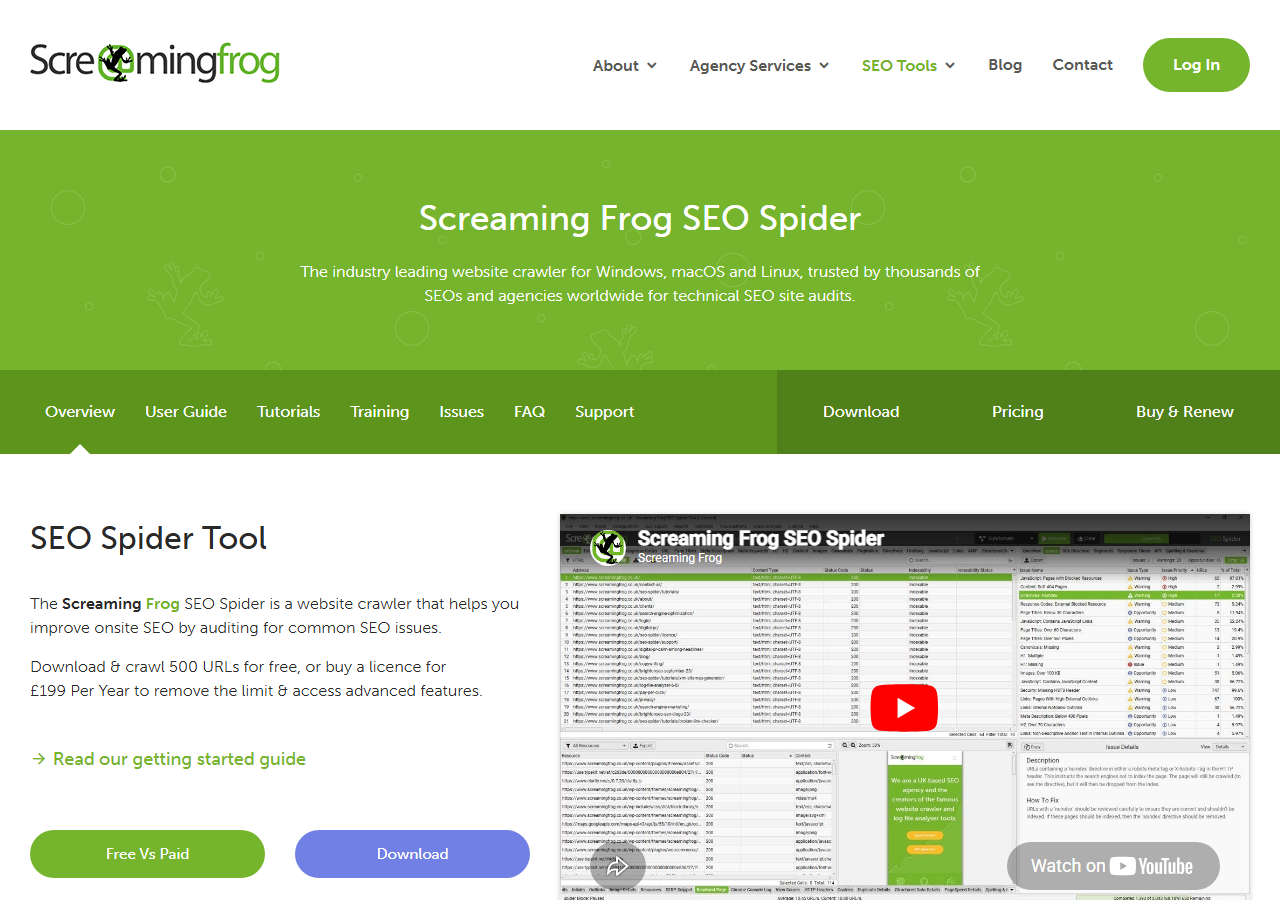
Visualisation turns abstract linking strategy into actionable repair lists. The point isn’t to admire the graph. It’s to spot the missing edges.
The Cluster Audit Workflow
Most cluster audits collapse into the same four steps, regardless of the tool you use. The order matters more than the tool choice.
Cluster audit workflow
Step 3 is where most teams stop, and it’s also where most clusters quietly fail. The matrix tells you which edges are missing, but it doesn’t tell you which missing edges actually matter. That’s what step 4 is for. Well, partly. Depth and orphan status are the two signals that correlate with ranking impact, not raw inbound count, though you’ll want the inbound count handy when you start prioritising fixes.
Identifying Orphan Pages and Link Gaps
Orphan pages, content with no internal links pointing to them, dilute cluster authority and confuse search engines. Run a crawl using Screaming Frog or Sitebulb to spot pages receiving zero or few internal links from your cluster. Export your link graph and filter for pages matching your topic but missing connections to the pillar. Common culprits, older blog posts written before you adopted the cluster model, or standalone guides that never got woven into the hub-and-spoke structure.

Quick fix, add contextual links from the pillar page to orphans, and from orphans back to the pillar and related cluster pages. Prioritise pages with existing traffic or strong backlinks, they’ll pass the most equity once reconnected. For link gaps, map expected relationships (every cluster page should link to the pillar, related subtopics should cross-link) then audit what’s missing. A simple spreadsheet comparing intended vs. actual links reveals weak paths fast.
Refactor or Patch? Diagnosing the Cluster
Okay, so once you have the audit data, the question that actually matters is whether the cluster needs a topology refactor or just a handful of patched edges. These are different interventions with different costs. Getting this call wrong (refactoring when you should patch, patching when you should refactor) is the most common failure mode I see across the SaaS and B2B clusters I’ve worked on.
⟲
Refactor the cluster when
- ›The pillar has fewer inbound internal links than 60% of its spokes.
- ›Lateral links between spokes outnumber pillar-back-links.
- ›Two or more pages compete for the same head term inside the cluster.
- ›Orphan rate is above 20% of cluster pages.
- ›Average click depth from homepage to spokes is 4 or higher.
✓
Patch the links when
- ›The pillar is well-linked, but a few specific spokes are orphans.
- ›Anchor text is generic (“learn more”, “click here”) on otherwise sound edges.
- ›Lateral cross-links are missing between 2 to 3 obviously related spokes.
- ›Click depth is fine, but the pillar’s outbound links live below the fold.
- ›The topology is right, only a handful of edges are wrong.
Truth is, most clusters need patches, not refactors. Refactoring a 30-page cluster takes weeks of editorial work, retitling, restructuring, sometimes consolidating pages. Patching takes an afternoon. You add the missing edges, you rewrite a few anchors, you redeploy. For most teams (and I’ve seen this play out on probably a dozen cluster audits now), run the audit, build the patch list first, and only escalate to refactor if the patch list looks like 40+ edges or if the topology issues in the left column are present.
Caveat
The depth-4 threshold is a rule of thumb, not a hard cutoff. Some legitimate clusters on very large sites run deeper because of category nesting. If depth is 4 but every cluster page still has a direct edge from the pillar, the cluster is fine, the depth is just a function of the broader site IA, not the cluster itself.
Topic clusters succeed when content strategy and link architecture work in tandem. The examples above show that effective clusters aren’t built by simply grouping related posts, they require deliberate hub-spoke relationships, consistent internal linking to pillar pages, and content that genuinely answers interconnected questions. A pillar page without supporting cluster content lacks depth, cluster content without intentional links back to the pillar loses SEO power.
Try it this week
Audit one cluster. Build the matrix. Decide refactor or patch.
-
1
Pick one pillar page. List every spoke you intended it to have. Don’t crawl yet, just list. -
2
Run Screaming Frog or Ahrefs Site Audit on that URL set. Export the internal link table. Count inbound edges per page. -
3
Apply the refactor-vs-patch decision card above. Ship the patch list this week, schedule the refactor if the data demands it.
One audit beats a quarter of guessing. The cluster is either a graph that holds together, or it isn’t, the export tells you which.
Related guides
- Information Gain and Entity Salience, the on-page signals that pair with internal linking to define topical authority.
- Managed Link Building, when external backlinks are the bottleneck on cluster performance rather than internal structure.

