

Historical WHOIS Records Reveal Who Really Owned That Domain

A current WHOIS lookup tells you who owns a domain right now. The historical record tells you who’s owned it across the past 10–15 years, and that’s where link forensics actually lives. Snapshot by snapshot, you can see when ownership transferred, when nameservers shifted en masse across a network, and when a clean domain quietly became a PBN node. And that last one is the pattern that costs people rankings. This guide walks through how to read those records, the tools that surface them, and the signals that flag a backlink is about to cost you.
What Historical WHOIS Data Actually Shows You
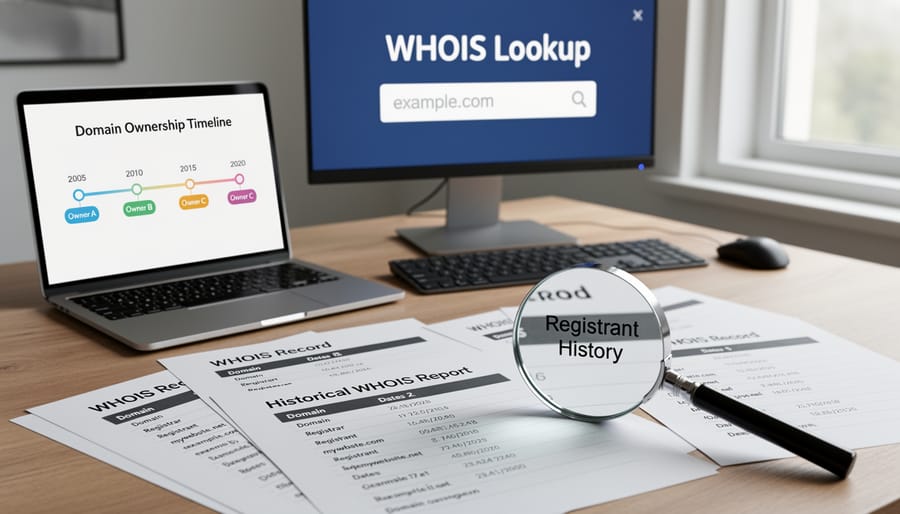
Historical WHOIS records preserve snapshots of a domain’s registration details at specific moments in time. Each snapshot typically includes the registrant’s name and contact information (though most fields have been redacted from public WHOIS since 2018, when ICANN’s Temporary Specification for gTLD Registration Data aligned the system with GDPR), administrative and technical contacts, registration and expiration dates, nameserver assignments, and the domain registrar.
Quick vocabulary
- WHOIS
- The public registration record for a domain, registrant identity, registrar, nameservers, and registration/expiration dates.
- Registrar
- The company through which the domain was registered (Namecheap, GoDaddy, Google Domains, etc.). Distinct from the registrant.
- Registrant
- The person or organization that legally owns the domain. The key field for ownership forensics.
- Nameserver
- The DNS server pair routing the domain. Shared nameservers across “independent” sites are one of the strongest PBN fingerprints.
- gTLD redaction
- Since 2018, ICANN’s GDPR-aligned policy hides most registrant fields from public WHOIS lookups on .com / .net / .org and other generic top-level domains.
Most commercial WHOIS history services maintain records reaching back 10–15 years, with coverage varying by top-level domain (your mileage will vary by TLD, .com is well-covered, ccTLDs less so). Popular domains accumulate dozens or hundreds of snapshots, while obscure domains may have sparse historical data. Archives generally capture changes when crawlers detect updates or when users manually query a domain.
A typical historical record appears in plain text format showing fields like “Registrant Name: John Smith,” “Name Server: ns1.hostingcompany.com,” and “Created Date: 2012-03-15.” You’ll see these fields shift across snapshots. A nameserver change usually signals a hosting migration, while registrant changes reveal ownership transfers that might indicate a domain sale or corporate restructuring (or, more often than not, a quiet handoff to someone repurposing the domain).
Snapshot by snapshot, you can see when nameservers shifted en masse across a network, and when a clean domain quietly became a PBN node.
The granularity matters for forensic work. Comparing snapshots from 2015 versus 2023 reveals whether a domain shifted from a legitimate business to a link-farm operator, or whether it maintained consistent ownership. Registration dates help you distinguish aged domains from recently registered ones repurposed for spam, while nameserver patterns can expose networks of related sites sharing infrastructure.
Why Ownership Changes Matter for Link Forensics
Spotting PBN Networks Through Ownership Patterns
Historical WHOIS records reveal ownership fingerprints that expose coordinated link schemes. When multiple domains share identical registrant details, same name, email address, or company, they’re likely controlled by a single operator. This pattern is the clearest signal for spotting PBN networks, where dozens or hundreds of sites masquerade as independent sources while funneling authority to a target domain.
Tools like DomainTools and WhoisXML API let you pivot from one domain to discover entire portfolios registered under matching credentials. SEO professionals use this technique to audit their backlink profiles, identify risky inbound links before manual actions hit, and investigate competitors’ link-building tactics. Even privacy-protected domains leave breadcrumbs through hosting patterns, nameserver clusters, and registration date sequences that historical data exposes, Google has been clear that its spam policies treat link schemes designed to manipulate ranking as a violation regardless of how well the network is masked.
Identifying Domain Drop Catches and Content Pivots
Domain ownership transfers often mark the moment a trusted resource becomes a spam operation. When a site changes hands, new owners sometimes pivot entirely, abandoning original content to deploy link farms, PBNs, or malware distribution networks. Historical WHOIS reveals these transitions through registrant name changes, shifted nameservers, or altered contact information clustering around a single date. Backlinks that once boosted your authority can instantly become liabilities if the linking domain drops and gets repurposed for manipulation.
Run quarterly audits comparing current WHOIS data against historical snapshots for domains linking to your site. Sudden ownership changes paired with content shifts signal it’s time for cleaning up toxic links through disavowal. Watch for bulk registration patterns, when dozens of expired domains transfer to identical registrant details, you’ve likely found a link network. Not “probably.” Found.
Vetting Domains Before Acquisition
Before buying a domain, pull its ownership timeline to spot red flags that current listings won’t show. Frequent registrant changes, especially clustered transfers within a few months, often signal previous use in spam networks or link schemes. Check if the domain briefly belonged to known spam registrants or sat parked under privacy services for years, both suggest reputational baggage search engines may still associate with the address. (Google’s John Mueller has repeatedly noted that a domain’s prior penalties and content history can carry forward into how it’s evaluated after a transfer.) A clean, stable ownership history from a single entity indicates lower risk, while gaps between registration periods reveal if the domain expired and potentially hosted malicious content during downtime. Tools like DomainTools or WhoisXML API archive these records, letting you verify the seller’s claims and avoid inheriting penalties or blacklist entries that could throttle your site’s visibility from day one.
Pro tip
Pair a five-year ownership timeline with the domain’s archived homepage in the same window. Open WHOIS history on one screen and the Wayback Machine on the other, the visual gap between “what changed on paper” and “what changed on the page” exposes pivots that either tool alone would miss.
Tools That Surface Historical WHOIS Records
Four classes of tool surface historical WHOIS data, and they pair with different audit workflows:
| Tool | Coverage | Best for | Trade-off |
|---|---|---|---|
| DomainTools | Late 1990s → today, daily snapshots | Reverse WHOIS, pivoting from one domain to every domain ever registered to the same email or organization | Enterprise pricing |
| WhoisXML API | 6+ billion records | Bulk pipeline audits, JSON over REST, billed per query | Less interactive than DomainTools’ UI |
| Wayback Machine | Free, patchy by domain | Pairing ownership change dates with visual site evolution in the same interface | WHOIS capture is incidental, not systematic |
| Ahrefs / Majestic / Semrush | Bundled into existing backlink tools | Inline registrant flags during routine link reviews, forensics inside the workflow you already use | Less depth than dedicated WHOIS archives |
DomainTools and WhoisXML API
DomainTools maintains one of the largest commercial WHOIS archives, indexing ownership changes since the late 1990s with daily snapshots and correlation tools that map registrant patterns across thousands of domains. Reverse WHOIS searches let you find every domain ever registered to a specific email address or organization, the fastest way to surface a hidden network from a single suspect domain.
WhoisXML API offers RESTful endpoints for bulk historical lookups, delivering structured JSON responses suitable for automated link audits or database integration. Their archive covers over 6 billion records, billed by query volume, which makes it the practical choice when you want to score thousands of referring domains in a pipeline rather than spot-check a handful by hand.

Internet Archive and Free Alternatives
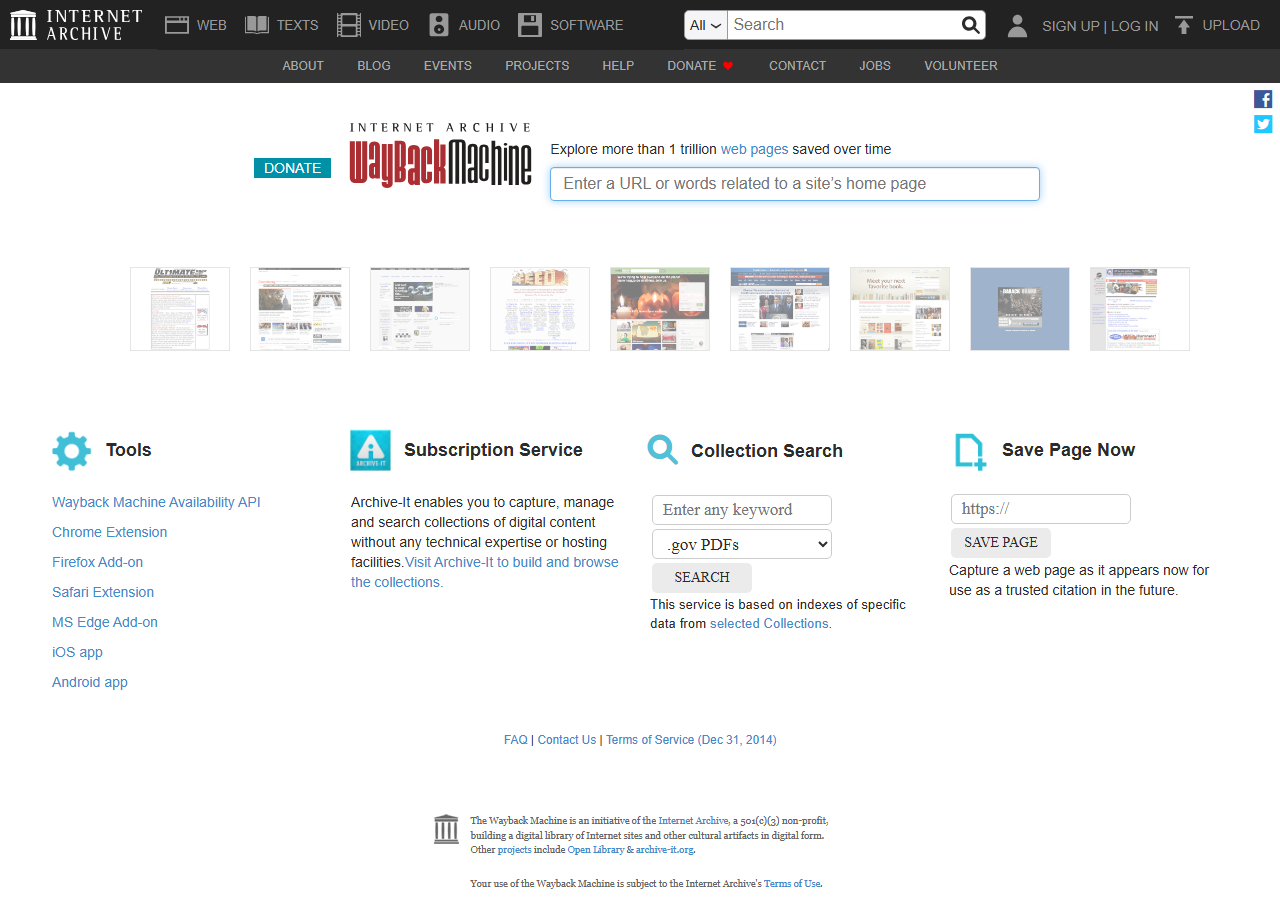
The Internet Archive’s Wayback Machine occasionally captures public WHOIS records alongside website snapshots, offering a serendipitous way to spot-check ownership changes for domains you’re already researching. Coverage depends on whether the Archive’s crawlers happened to save WHOIS data during their visits. Patchy, but free. Honestly, the real value is pairing ownership history with visual site evolution in one interface: you can see the registrant change in March 2019 and watch the homepage flip from a regional pharmacy to a thin affiliate site, well, a thin affiliate site dressed up as a regional pharmacy, in the same window.
Several registrars including Namecheap and GoDaddy display limited historical snapshots (typically 30–90 days) in their public lookup tools, useful for verifying recent transfers or confirming current registrant details before outreach. These won’t reveal multi-year ownership patterns, but they catch fresh changes paid tools sometimes miss.
SEO Platforms with Built-In WHOIS History
Several enterprise SEO platforms now bundle WHOIS historical data directly into link analysis features, saving auditors from juggling separate tools. Ahrefs shows registrant changes on its backlink timeline, flagging when a linking domain switched owners, useful for spotting expired domains repurposed as private blog networks. Majestic’s Historic Index pairs ownership records with citation flow trends, helping you correlate traffic drops with registrar transfers. Semrush integrates basic WHOIS snapshots into its Backlink Audit module, surfacing red flags like recent ownership churn on suspect referring domains.
The advantage isn’t the data itself, it’s that ownership forensics now lives inside your existing audit workflow, which means you’ll actually use it on every review rather than only when something looks suspicious enough to warrant opening a separate tool.
How to Interpret Ownership Change Patterns
Normal Versus Suspicious Transfer Indicators
The same six signals tell two very different stories depending on the pattern they form:
| Signal | Clean ownership | Suspicious pattern |
|---|---|---|
| Change frequency | Single change at acquisition; stable for months or years after | Three or more registrant changes within six months |
| Privacy proxy | Consistent, either always public, or the same proxy service throughout | Sudden swap to WhoisGuard / Domains By Proxy right before a link campaign begins |
| Jurisdiction | Matches the supposed business location | Bouncing between Panama, Seychelles, or other privacy-friendly jurisdictions without justification |
| Contact details | Stable email, address, and phone number across updates | Disposable emails, address mismatches, phone numbers rotating with each update |
| Tech contact + nameservers | Stable, independent of registrant changes | Moving in lockstep with registrant transfers, often the cleanest network footprint |
| Outbound-link velocity | Link profile grows gradually with editorial coverage | Hundreds of outbound links added in the same window as an ownership change |
Here’s the thing, the frequency matters as much as any single signal. A privacy-service adoption on its own means little. Three registrant changes in six months while the domain gains hundreds of outbound links signals manipulation. Three changes in six months. That’s the red flag. Historical lookups reveal these patterns that current WHOIS snapshots miss entirely.
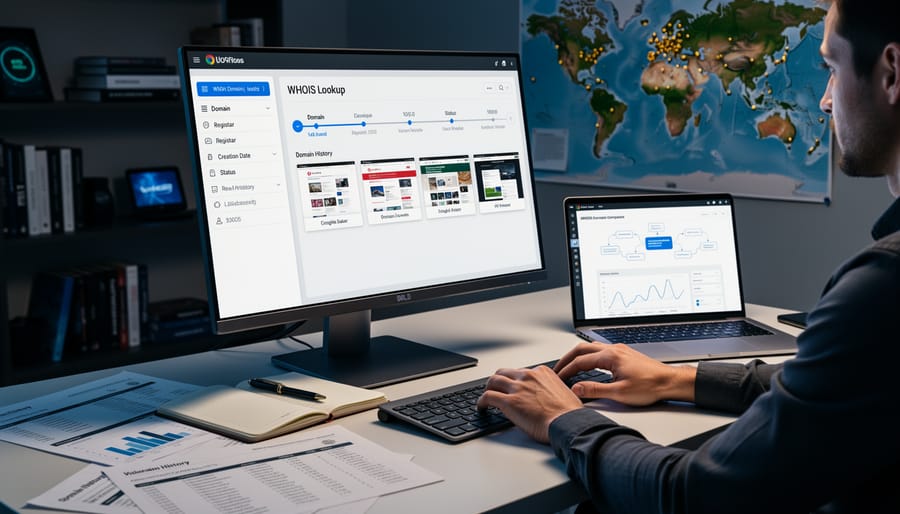
Cross-Referencing with Internet Archive Snapshots
WHOIS records tell you who owned a domain and when it changed hands, but they don’t reveal what was actually on the site during those periods. Cross-referencing ownership shifts with Internet Archive Wayback Machine snapshots closes this gap, letting you confirm whether a domain pivot coincided with a content overhaul, spam redirect, or complete site repurposing.
Cross-reference workflow
Start by identifying ownership change dates in your historical WHOIS data. Then query the Wayback Machine for snapshots just before and after each transition. If a domain changed hands in March 2019, compare February and April captures to see if the homepage topic, language, or business model shifted. Sudden pivots from pharmacy affiliate content to a SaaS landing page, or from a Japanese blog to an English directory, flag potential link quality risks or SEO inheritance issues.
Pairing domain registrant changes with visual site history reveals whether backlinks pointing to a domain still align with its current purpose, or if you’re inheriting link equity from an entirely different niche.
Bulk cross-referencing is tedious but essential for large link audits. Export WHOIS change dates, script Wayback Machine API calls, and flag domains where ownership and content changed simultaneously, those warrant manual review before trusting inherited authority.
Common Forensic Use Cases for SEOs
Auditing Your Existing Backlink Profile
Not all backlinks age gracefully. Domains that once hosted legitimate content can be sold, abandoned, or repurposed for spam, turning quality links into liabilities. Running a historical WHOIS lookup on your linking domains reveals ownership changes that coincide with drops in quality or sudden shifts toward unrelated niches. Compare current registrant data against snapshots from when you earned the link. If ownership transferred and the site now hosts thin affiliate content, link farms, or redirects to unrelated pages, you’ve identified a disavowal candidate (at least, that’s what I’ve seen on most audits). Regular checks help you monitor linking domains proactively, catching problems before algorithm updates penalize your site. Pair WHOIS data with backlink monitoring tools and periodic manual reviews to maintain a clean profile. For most teams managing large portfolios, this becomes essential hygiene.
Investigating Competitor Link Sources
Historical WHOIS data reveals whether competing sites share ownership patterns that suggest coordinated link networks. When multiple domains pointing to a competitor show identical or sequential registrant details, name servers, or IP addresses across time, you’re likely looking at a private blog network rather than earned editorial links.
Note
Quarterly is a starting cadence for auditing your own profile. If you’re tracking a competitor with 500+ referring domains, monthly batches catch ownership pivots before Google’s algorithm cycles do, most core updates land 4–12 weeks after a noticeable backlink-profile change shows up in third-party tools.
Start by collecting backlink domains from competitor analysis tools, then batch-query their historical registration records. Look for clusters sharing registration emails, postal addresses modified by single digits, or simultaneous ownership transfers. These patterns indicate deliberate link schemes that search engines may eventually devalue.
Cross-reference ownership timelines with link acquisition dates. If backlinks appeared shortly after domain registration by the same entity, they’re likely placed rather than earned, signaling lower trust value for modeling your own approach.
Putting Historical WHOIS to Work
Historical WHOIS lookup shines when you’re evaluating high-value link prospects, investigating suspicious link networks, or performing due diligence before acquiring a domain. It’s overkill for routine backlink monitoring or low-stakes editorial outreach where current ownership tells you enough.
✓
Worth the effort for
- ›High-value link prospects you’re vetting
- ›Suspicious link networks you’re investigating
- ›Due diligence on a domain acquisition
- ›Authority that looks mismatched with content quality
- ›Disavow decisions on dubious sources
✗
Skip it for
- ›Routine monthly backlink monitoring
- ›Low-stakes editorial outreach
- ›Cases where current ownership tells you enough
- ›Bulk-checking every referring domain on a schedule
- ›One-off content publishing where speed beats forensics
Truth is, ownership forensics is a tool you should use strategically. Run historical checks when a domain’s authority seems mismatched with its content quality, when you’re disavowing links from dubious sources, or when considering a domain purchase with existing backlinks. I’d argue the effort pays off in these scenarios because ownership changes often explain sudden quality drops, reveal hidden PBN connections, or surface red flags that current WHOIS data conceals.
Build it into your workflow selectively. During regular link audits, flag domains exhibiting unusual patterns like expired content, dramatic niche shifts, or unexplained authority spikes. Queue these for historical investigation rather than checking every backlink. Batch your queries to stay within free tool limits and focus on links that materially impact your profile.
Try it this week
Pick five questionable backlinks. Trace their ownership history.
-
1
Open Ahrefs or Majestic. Sort referring domains by DR descending, then filter to ones older than three years. -
2
Pick the five that look “off”, niche mismatch, sudden traffic drops, unexplained authority spikes. -
3
For each, pull historical WHOIS plus a five-year Wayback timeline. Flag domains where ownership and content shifted in the same window.
Document the verdicts. This week’s intuition becomes next quarter’s auditing rule, and the difference between catching a link liability early and explaining a ranking drop after Google has already priced it in.
Related guides
- Spotting Expired Domains, Weekly process for surfacing topic-relevant expired domains before competitors find them.
- PBN Links vs Guest Posts, When private blog networks beat editorial outreach (and when they don’t).
- Archive Contents Hold Digital Fingerprints, reading a domain’s archived pages for the ownership and intent signals WHOIS records alone miss.


Comments (5)
the 3 changes in 6 months rule saved me 4k on a .ca domain last month, seller was claiming long term stewardship and the WHOIS log told a totally different story. screenshotted the proof right then. worth its weight in coffee
DomainTools at $99/mo feels like infra for agencies not solo ops. anyone found a workable free alternative beyond the limited public lookups?
For solo work I usually start with the free DomainTools public lookup plus Wayback plus Ahrefs anchor history, that catches maybe 80% of what the paid Historical WHOIS view shows. The paid tier is worth it once you’re vetting 5+ domains a month, below that it’s hard to justify the line item.
what about domains that have had WhoisGuard or similar privacy the entire life. thats most of the cheap expired inventory and the history is just a string of Domains By Proxy entries. useful at all or noise?
came back to this twice. the framing of WHOIS as identity continuity not identity verification clicked on the second read. most explanations treat WHOIS like an identity check which it obviously isnt anymore