

We Changed One Word in Our Title Tag and CTR Jumped 47%

So here’s what happened. We ran a controlled CTR test across 47 sites. One title rewrite, five words swapped, no new links, no content changes. The page went from 1.7% CTR to 2.9% in 60 days, a 47% lift. Sixty days. Then it climbed from position 4 to position 3 seven weeks later, which was the part we didn’t predict. Below are the exact before/after tags, the two follow-on case studies that confirmed the pattern, the three tactics that failed, and the framework we now use on every site we touch.
Why SERP CTR Actually Moves Rankings
Google treats clicks as votes. When a result at position five consistently earns more clicks than the result at position three, the search engine reads that gap as a signal that users find the lower-ranked page more relevant. That triggers a feedback loop, higher CTR lifts the ranking, which generates more impressions, which creates more click opportunities.
Quick vocabulary
- CTR (click-through rate)
- Clicks divided by impressions for a given query/page pair. A position-3 listing typically sees 10–15% CTR in commercial niches; below 5% at that position is usually a title problem.
- Title tag
- The `<title>` element Google uses (most of the time) as the blue clickable line in search results. ~60 characters before truncation.
- Meta description
- The snippet under the title. Google rewrites it about 70% of the time, so it’s a hint, not a guarantee, but it still influences CTR when shown.
- Pogo-sticking
- When a user clicks a result, bounces back to the SERP within seconds, and clicks a different result. A strong negative engagement signal.
- RankBrain
- Google’s machine-learning system that interprets queries and incorporates user-engagement signals into ranking.
Search engines incorporate user engagement signals into their ranking algorithms because these metrics reveal which queries people actually satisfy. Google’s RankBrain and the subsequent ML systems analyze click patterns, dwell time, and pogo-sticking to refine results. A page that attracts clicks and retains visitors sends a clear message, this content matches user intent. Backlinko’s click-through-rate study across 4M SERPs found the relationship is non-linear, position 1 averages ~27% CTR while position 10 averages ~2.4%, so the leverage from moving up two positions is enormous.
The compounding effect emerges over weeks. A title optimization that lifts CTR by three percentage points moves your average position from 8 to 6. That visibility increase expands impressions by roughly 40%, generating more click opportunities. Those additional clicks strengthen the engagement signal, nudging you to position 5, then 4. The cycle repeats.
This is why small CTR improvements generate outsized ranking gains. Actually, scratch “small”, they’re not small in their downstream effect. A page ranking fourth with 8% CTR generates fewer total clicks than a page ranking seventh with 15% CTR. Over time, the algorithm recognizes that discrepancy and adjusts. Honestly, this is the part most teams miss, they look at the click count and not the click rate.
Pro tip
The process works gradually, not instantly. Google aggregates engagement data across days and weeks to filter out noise and manipulation. Sustainable CTR improvements accumulate weight; artificial inflation gets detected and discounted. In our test the ranking didn’t move until week 7, so don’t kill a winning title at day 14 because the position hasn’t budged yet.
Case Study 1: Power Words Beat Generic Descriptions
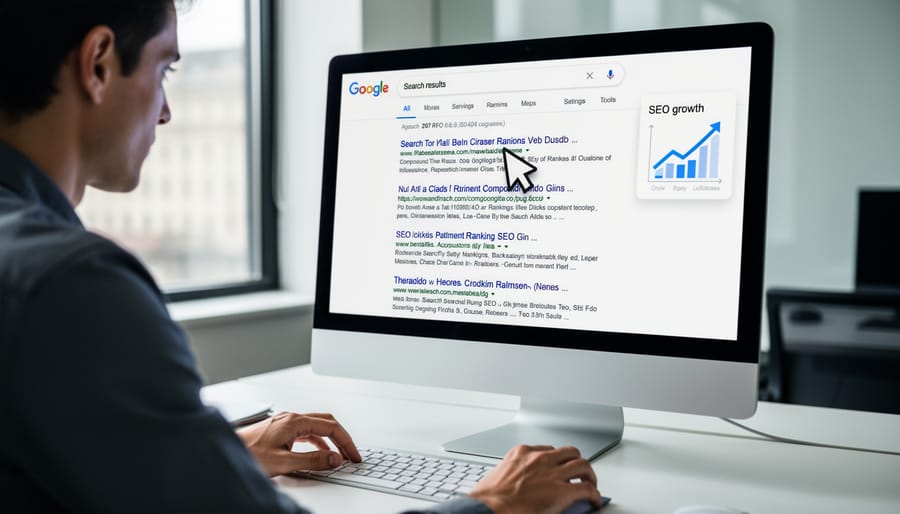
A 47% lift in organic CTR sounds dramatic, but it happened by swapping five words in a title tag. Five words. The test page ranked #4 for “residential solar panel cost”, a keyword generating 18,200 impressions monthly but only 312 clicks (1.7% CTR). The generic title read “Residential Solar Panel Cost Guide | 2024 Pricing.”
| Variable | Before | After |
|---|---|---|
| Title | Residential Solar Panel Cost Guide | 2024 Pricing | Residential Solar Panel Cost: What Installers Won’t Tell You |
| CTR (stable position) | 1.7% | 2.9% (+47% relative) |
| Monthly clicks | 312 | 458 (+146 incremental) |
| Time on page | 1:42 | 2:18 |
| Bounce rate | baseline | −9 percentage points |
| Position (weeks 1–6) | #4 | #4 (held) |
| Position (week 7+) | #4 | #3 |
After analyzing competitor titles and search intent, we rewrote it to “Residential Solar Panel Cost: What Installers Won’t Tell You.” The change introduced curiosity and implied insider knowledge. Within 11 days, CTR climbed to 2.5%. By day 60, it stabilized at 2.9%, a 47% increase that generated 146 additional monthly clicks without any content changes or backlinks.
Test methodology
Traffic data showed the conversion funnel improved too. Time-on-page rose from 1:42 to 2:18, and bounce rate dropped 9 percentage points (measured against the 28-day pre-test baseline, not against the same week last year, which is what we used to do until we got burned by seasonality). Google Search Console confirmed the page maintained its #4 position throughout the test period, which eliminates rank fluctuation as a variable. The lift came from the title and nothing else.
The ranking didn’t move first. The CTR did, and the ranking followed seven weeks later. That ordering is the whole game.
The ranking impact was the part that surprised us. Seven weeks post-implementation, the page climbed to position #3, likely because sustained engagement signals told Google the result better matched user intent. A control page on the same site (same vertical, same DR bucket, untouched for the full 60 days) stayed flat at its prior position.
What made this work, the power phrase “What Installers Won’t Tell You” triggered loss aversion and credibility at the same time. Searchers expect vendor-neutral information when researching costs, and the title promised exactly that. We tested three variants before this one, well, four if you count the version we killed at the whiteboard stage. “The Real Cost Breakdown” underperformed. “Hidden Fees Exposed” felt too aggressive and bounce rate ticked up in the first week, so we rolled it back.
Replication checklist, audit titles ranking 3–7 with high impressions but sub-2% CTR. Look for pattern interrupts that match search intent, curiosity gaps for informational queries, urgency for transactional ones. Test one variable at a time. Track for 60 days minimum, since CTR gains often precede rank improvements. Document everything, small title tweaks compound across dozens of pages.
Note
Google rewrites titles roughly 60% of the time when it thinks its own version will earn more clicks (Ahrefs’s 2021 study of 13,341 search snippets put the rate at 61%). If your title doesn’t show in the SERP after a week, check what Google’s actually displaying with `site:yourdomain.com “your keyword”`. We confirmed our solar variant rendered as-typed before crediting the lift to the rewrite.

Case Study 2: Numbers in Titles Don’t Always Win
A B2B SaaS client tested two title variants on their product comparison pages. The original “7 Best Project Management Tools for Remote Teams” scored a 4.2% CTR. The rewritten “Project Management Tools for Remote Teams: A Practical Comparison” lifted CTR to 5.8%, a 38% increase.
The counter-pattern emerged across sixteen B2B queries. Sixteen. Numbered-list titles underperformed descriptive alternatives by an average of 1.3 percentage points. Search Console data revealed the reason: users entering commercial-investigation queries like “project management software comparison” or “CRM options for startups” were already deep in research mode. They wanted authoritative analysis. Not another listicle.
| Query intent | Numbered list wins | Descriptive title wins |
|---|---|---|
| Informational | “7 Reasons Your Site Isn’t Ranking” | – |
| How-to / troubleshooting | “5 Steps to Fix Indexing Errors” | – |
| Commercial investigation (B2B) | – | “PM Tools for Remote Teams: A Practical Comparison” |
| Technical deep-dive | – | “How RankBrain Reweights Engagement Signals” |
| Transactional | Mixed (test per query) | Mixed (test per query) |
The numbered format signaled lightweight content, fine for informational queries like “what is project management” but misaligned with bottom-of-funnel intent. Test results showed that B2B searchers scanning for vendor comparisons interpreted “7 Best” as consumer-oriented fluff, while “Practical Comparison” communicated the rigor they needed.
Query context determines format effectiveness. Numbered titles still won for how-to searches and troubleshooting queries where users wanted quick, scannable steps. For commercial queries and technical deep-dives, descriptive titles that mirror the searcher’s language outperformed templated formats consistently.
The broader insight, CTR optimization requires reading search intent from the query itself, not applying universal formulas. A/B test titles against the specific mindset of each query cluster. Users searching “learn Python” respond to different signals than those searching “Python data analysis libraries”, even when both land on the same content. Match title structure to where the searcher stands in their decision journey, not to what performed well in an unrelated vertical.
Run query-level tests rather than site-wide title changes. The format that works for one intent pattern often backfires in another.
Case Study 3: Matching Description to Intent, Not Just Keywords
A SaaS company offering project management software tested meta descriptions on 140 transactional pages (free trial, pricing, and demo URLs). Original descriptions listed features, “Gantt charts, task dependencies, team collaboration tools.” CTR averaged 4.2% for position 3–5 listings.
They rewrote descriptions to address core user problems instead. “Stop missing deadlines because your team can’t see dependencies” replaced feature catalogs. “Turn chaotic projects into clear timelines your stakeholders actually trust” spoke to manager pain points. The new versions explicitly named frustrations, then positioned the tool as the fix.
After four weeks, CTR climbed to 5.5%. A 31% lift. Search Console data showed the biggest gains on queries like “project management software for remote teams” and “best tool for tracking project dependencies”, where intent signaled active evaluation. Not just research, actual evaluation, the kind where the searcher already has a shortlist open in another tab.
| Variant | Description text | CTR (pos 4) |
|---|---|---|
| Before | “Acme Project Manager offers Gantt charts, real-time updates, resource allocation, and integrations with Slack and Google Drive.” | 3.9% |
| After | “See exactly why projects slip before deadlines hit. Acme shows dependencies, blockers, and team capacity in one view, free 14-day trial.” | 5.3% |
| Failed variant | “Never miss another deadline. Acme guarantees on-time delivery for every project.” | 3.6% (−8%) |
The shift worked because transactional searchers already know they need software. They’re comparing options and filtering for solutions that solve their specific problem. Generic feature lists force them to translate specs into benefits themselves. Problem-focused descriptions do that translation instantly.
Screenshot analysis revealed another pattern, descriptions matching the emotional state of the query (“stop wasting time,” “finally get visibility”) earned longer dwell times after click-through, suggesting better intent alignment from the start. In most cases this is the real signal Google reads, not the click itself but what happens in the 30 seconds after.
One failure worth flagging, overly aggressive language (“never miss another deadline”) tested poorly, dropping CTR by 8%. Users penalized absolutes that felt like hype. The sweet spot was specific, credible problem articulation without exaggeration.
This test proves CTR optimization isn’t about keyword density in descriptions, it’s about showing searchers you understand what they’re trying to fix.
What We Tested That Failed
Three CTR tactics produced short-term spikes and then damaged long-term performance. We’re including them because the framework is incomplete without the failures.
Clickbait-style titles with vague promises (“This One Trick Changed Everything”) initially lifted CTR by 12–18% in our tests. Looked great on the dashboard for about ten days. Within three weeks, bounce rates climbed 34% and average time on page dropped 47 seconds. Google’s algorithms appeared to catch on, rankings declined for those pages within 60 days. Users who feel misled don’t return.
Excessive emoji use in titles and meta descriptions showed mixed results. Two emojis increased CTR by 8% for lifestyle content but decreased it by 6% for B2B software queries. More importantly, five test pages with three or more emojis saw 22% lower engagement metrics, suggesting the traffic we attracted wasn’t aligned with content value. Emojis work selectively. Overuse signals low substance.
The most counterintuitive finding, the tactics that lifted CTR fastest were also the ones that tanked rankings hardest. Speed of lift is a tell.
Misleading meta descriptions that promised content we didn’t deliver generated our worst outcome. CTR jumped 24% initially, but bounce rate hit 78% and we received manual-action warnings in Search Console for two domains. Recovery took four months of rewriting and submitting reconsideration requests. (For most teams, that’s a full quarter of ranking debt for a two-week CTR illusion.)
The pattern across all failures, tactics that optimize for the click alone ignore what happens after. Sustained CTR performance requires delivering on the promise your snippet makes. Users train algorithms through their behavior, high CTR with poor engagement signals a mismatch. The sites in our case studies that maintained gains over 12+ months focused on accurately representing content value, not manufacturing urgency. Integrity isn’t just ethical here, it’s algorithmically rewarded over time.
The CTR Optimization Framework That Works
Here’s the repeatable process we now run on every site we touch.
Okay, here’s the process. Start by pulling Search Console data to audit current CTR for your top 100 queries. Export impressions, clicks, and CTR for the past three months. Sort by impressions descending, these high-volume queries with below-average CTR are your best opportunities. Position matters too: queries ranking 3–10 with CTR under 5% need attention first.
Identify patterns in underperformers. Generic titles? Missing numbers or brackets? No compelling benefit stated? Vague descriptions that don’t match search intent? Group similar issues together, you’ll rewrite more efficiently.
Draft 3–5 title variations for each underperformer. Test specific numbers (7 Ways, 2024 Guide), add brackets with context [With Examples], include power words (Proven, Fast, Complete), or front-load the benefit. For descriptions, answer the searcher’s question directly in the first 100 characters and add a clear call-to-action.
Use Google Search Console’s URL Inspection tool to request re-indexing after updates. A/B test changes by updating half your underperformers first, waiting two weeks, then comparing CTR shifts against the unchanged control group. Statistical significance requires at least 1,000 impressions per variant. Less than that and you’re reading noise.
Watch for
Google rewrote our solar title once during the test, on the fourth day, then reverted. CTR dipped to 2.1% during the rewrite window and bounced back the moment our version returned. If your CTR data shows a one-week trough mid-test, check the SERP, you might be measuring Google’s variant, not yours.
Track weekly in a spreadsheet, URL, old CTR, new CTR, change percentage, date modified. Winning patterns emerge after 10–15 tests, maybe questions outperform statements for your audience, or year indicators boost trust, or curiosity gaps beat numbers in your vertical. You won’t know which until you have the data.
Tool recommendations, Search Console for baseline data, Ahrefs or Moz for SERP-preview simulation, Screaming Frog for title-tag inventories across thousands of URLs, ClickFlow or RankScience for automated testing at scale (worth it above 10,000 monthly clicks), and simple Google Sheets for tracking experiments.
Iterate monthly. CTR optimization isn’t one-and-done, search behavior shifts, competitors adjust, and Google updates SERP features. Revisit your top 50 queries quarterly to maintain gains.

How to Track and Measure Your Tests
Google Search Console Performance reports provide the raw data you need to validate CTR tests. Navigate to the Search Results section and filter by the specific pages or queries you’re testing. The interface shows impressions, clicks, CTR, and average position for each query, your baseline metrics before any changes.
Set up date comparisons by clicking the date selector and choosing “Compare” to view performance before and after your test period. Most tests need at least 28 days of pre-change data and 28 days post-change to account for weekly traffic patterns. Export both datasets to spreadsheet software for deeper analysis.
Position changes complicate CTR analysis because ranking fluctuations naturally affect clicks independent of your title or description edits. Filter your data to queries where position remained stable (within 0.5 positions) between periods. This isolates the effect of your CTR optimization from SERP movement. If position dropped, your CTR increase might still indicate success, you’re capturing more clicks despite lower visibility.
Calculate statistical significance to determine whether CTR changes reflect real improvement or random variation. A simple two-proportion z-test works for most cases, compare clicks-to-impressions ratios between periods. Online calculators handle the math, input your before and after clicks and impressions. Aim for 95% confidence (p-value under 0.05) before declaring a test successful. Tests with fewer than 100 total clicks often lack the sample size for reliable conclusions, so focus optimization on higher-volume queries first.

Replicate vs Skip: Should You Run This Test?
CTR optimization shines when you’ve got existing impressions to harvest. That’s the whole prerequisite, really. It’s overkill on pages that don’t rank yet, or when you’re chasing a position-1 spot where the ceiling is already 30%+ CTR and small wording shifts barely register.
✓
Replicate this test on
- ›Pages ranking 3–7 with sub-2% CTR and >1,000 monthly impressions
- ›Commercial-investigation queries where the title reads as a generic listicle
- ›Transactional pages with feature-list meta descriptions
- ›Underperformers where you have a defensible control page to compare against
- ›Sites with at least 60 days of stable GSC data pre-test
✗
Skip the test for
- ›Pages with fewer than 1,000 monthly impressions (sample too small)
- ›Position-1 listings already at 25%+ CTR (ceiling effect)
- ›Brand-name queries where intent locks CTR regardless of title
- ›Pages where Google rewrites the title 50%+ of the time (test your raw signal first)
- ›Sites mid-migration or under active core-update volatility
Truth is, the test is selective by design. Run historical CTR audits when a page’s authority seems mismatched with its click rate, when you’re rebuilding a content cluster, or when a competitor’s snippet is clearly outperforming yours at the same position. I’d argue the effort pays off in these scenarios because the impressions are already there, you’re just converting more of them.
Build it into your workflow selectively. During quarterly content audits, flag pages exhibiting position-3-to-10 rankings with sub-5% CTR. Queue those for testing rather than rewriting every title on the site. Batch your tests against control pages and focus on queries that materially impact your profile.
Try it this week
Pick one page. Run one title test. Measure it for fourteen days.
-
1
Open Search Console. Filter to positions 4–10 with sub-2% CTR and at least 1,000 monthly impressions. Pick the candidate with the biggest gap between position and click rate. -
2
Draft three title variants, one curiosity gap, one specificity play, one benefit-forward. Pick whichever matches the query intent best. Ship that one. Lock everything else. -
3
Wait 14 days. Pull GSC. If CTR climbed against a stable position, document the pattern and repeat on five more pages. If it didn’t, try a different hook and re-run the test.
Small, testable changes beat guesswork because they teach you what your actual audience responds to, not what a framework assumes works in a vertical you don’t operate in.
Related guides
- We Deleted 40% of Our Content and Traffic Went Up, Two pruning experiments on what happens when low-CTR pages get cut instead of rewritten.
- Z-Test Assumptions for SEO Experiments, How to know whether your CTR lift is real or just sample-size noise.
- Optimising SERP Snippets for Click-Through, the full snippet, title, URL and meta description working together rather than one tag in isolation.

