

Prospecting Videos That Actually Get You Link Placements

Record a 60-90 second screen-share walkthrough of a target site, narrate the exact page you want a link on, and the prospect knows you’re not blasting a list. That’s the whole pitch for prospecting videos. They turn cold outreach into a warm intro because editors can see the effort before they have to commit to anything. In my experience the lift is usually real on mid-tier blogs and resource pages where a human still reads the inbox, and basically zero on enterprise publishers with a contributor portal. This guide breaks down when video earns the reply, how to script and batch-record without burning a full afternoon, and what to skip so the format keeps its edge.
What Prospecting Videos Are (And Why Email Alone Isn’t Enough)
Prospecting videos are short, personalized video messages, typically 30 to 90 seconds, recorded and sent to site owners alongside or instead of traditional text-based niche edit pitches. You record yourself on camera, address the recipient by name, reference something specific about their site, and explain why a link placement makes sense for their audience before asking.
Video outreach vocabulary
- Loom
- Browser-extension screen recorder that captures screen + webcam bubble and generates a shareable unlisted link instantly. The default tool for video prospecting.
- Sub-90s pitch
- A prospecting video kept under 90 seconds, the threshold where the average editor will still hit play instead of skipping.
- Personalization layer
- The portion of the pitch that proves you researched this specific prospect, naming a recent post, citing a chart, or referencing the exact page you want linked.
- Screen-share annotation
- Pointing at, scrolling through, or hovering over a specific section of the prospect’s page while you narrate why it’s a fit, the signal that you actually opened the site.
- View analytics
- Per-recipient view duration and rewatch data exposed by Loom and Vidyard, used to prioritize follow-ups with engaged prospects.
Email alone struggles because site owners receive dozens of identical template pitches daily. Most get deleted unread, and the average editor I’ve talked to admits they don’t read past the first line on cold pitches. Text can’t convey tone, sincerity, or effort, so even well-written messages feel transactional. A video instantly proves you invested time researching their site, not blasting a mail-merge list. Seeing a face and hearing a voice triggers different cognitive processing than scanning lines of text, and the research mostly backs the intuition, Backlinko’s outreach study of 12 million emails found that personalized messages saw response rates almost a third higher than non-personalized ones, and video is the densest personalization signal you can send.
This matters for niche edit link building because you’re asking someone to edit existing content, a higher-friction request than accepting a guest post. Video lowers psychological resistance. Or at least lowers it for the editors I’ve worked with. Recipients perceive you as a real person solving a mutual problem, not another spam operator running outreach that never converts.
The format forces you to be concise and genuine. You can’t hide behind corporate jargon or vague flattery when speaking directly to camera. (I’ve watched myself re-record an opener four times before realizing the script was the problem, not the take.) That constraint improves message quality and increases reply rates in most cases compared to text-only approaches.

The Vetting-First Framework
What to Show While You Vet
Keep your prospecting video tight and purpose-driven. Open with a five-second intro stating your name and site, then jump straight into specifics: mention the exact page or article you reviewed, why it caught your attention, and one or two concrete quality signals you’ve already identified, traffic estimates from Similarweb, domain authority via Moz, topical relevance, or editorial standards. This proves you did the homework before hitting record and aren’t mass-blasting generic pitches.
Video lowers psychological resistance. Recipients perceive you as a real person solving a mutual problem, not another spam operator running templated outreach.
Aim for 60 to 90 seconds total. Show your screen if it helps illustrate fit, but don’t linger on unnecessary tabs or ramble through your process. The goal is demonstrating genuine interest and saving both parties time by surfacing deal-breakers early. Videos generally work best when paired with smart prospecting frameworks that filter opportunities upfront, so you’re only recording for high-potential placements. End with a direct question or next step, invite a quick reply if they’re open to discussing a link, then stop recording.
Pro tip
Pin the prospect’s page in your browser before you hit record, and have a second tab open to your own article. The cursor jumping between the two tabs while you narrate “your post here, my post here, here’s how they connect” is the single highest-signal moment in a prospecting video. Editors who skim the first 20 seconds will still catch that movement.
Reading the Response (Or Lack of One)
A fast, substantive reply signals a partner who takes their site seriously. Look for responses within 48 hours that directly address your proposal, whether it’s pricing, content guidelines, or technical specs for the placement. Warm, professional tone matters, site owners who engage with questions or offer alternatives often deliver smoother collaboration than those sending terse, template-style approvals.
Red flags include silence beyond a week without follow-up, vague commitments (“we’ll get back to you”), or immediate demands for payment without discussing placement details. If an owner can’t articulate where the link would live or seems unfamiliar with their own content, quality is suspect. Slow replies paired with incomplete answers suggest you’re not a priority, reconsider investing time in that relationship. Response quality often predicts how reliably they’ll honor your niche edit placement strategy once terms are agreed. Trust clear communication over enthusiastic but hollow promises. Every time.
Recording Setup That Doesn’t Waste Your Time
You need three things: screen recording software, a modular script, and a batch workflow that lets you personalize without starting from zero each time.
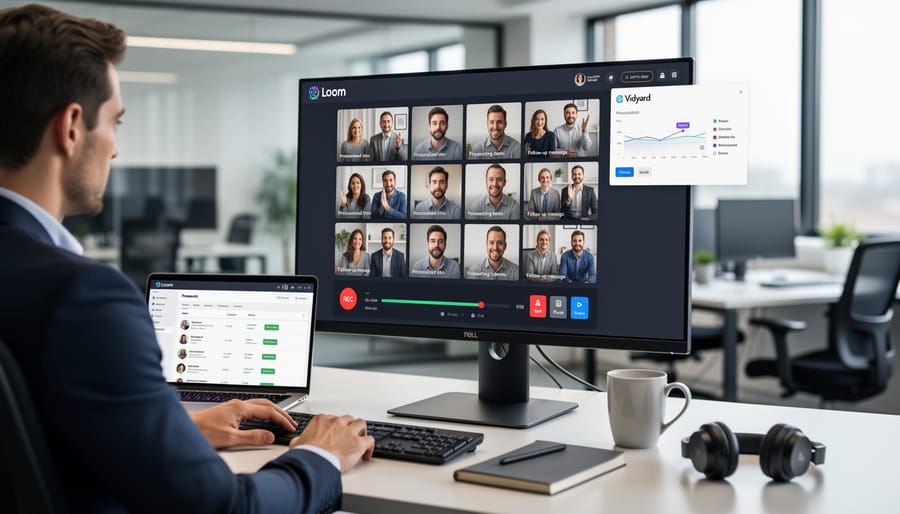
Loom and Vidyard are the go-to tools because they record your screen and camera simultaneously, generate shareable links instantly, and track who watches. Both offer free tiers sufficient for prospecting. Loom feels lighter for quick recordings, Vidyard adds CRM integrations if you’re scaling. Install the browser extension, test your audio once, and you’re ready. (One war story, I once recorded eight videos in a row with my mic muted because I’d swapped headsets between calls. Test the audio.)
Record, personalize, send workflow
Script in modules, not monoliths. Write a 15-second intro template you can personalize with the recipient’s name and one specific observation about their site. Follow with 30-45 seconds of pre-recorded analysis that applies to multiple prospects in the same niche, explaining your content angle or the link opportunity you’ve identified. Close with a 10-second call-to-action. This structure lets you batch-record the middle segment once, then quickly re-record personalized bookends for each prospect.
Batch your sessions. Group prospects by niche or page type so your middle segment stays relevant across 5-10 videos. Record all intros and outros in one sitting while context is fresh. You’ll spend 2-3 minutes per video instead of 5-7.
Name files clearly and keep a simple spreadsheet linking video URLs to recipient names. When you’re recording ten videos in a row, you will forget who got which link.
The goal is repeatable speed without feeling robotic. Modular scripting makes that possible.
What to Say (And What to Skip)
Start by referencing something concrete you noticed on their site, a recent post, a resource page, or a chart that relates to your content. This proves you did the homework and positions your video as a natural continuation of their existing work, not a cold blast.
State your intent in one sentence: you’re exploring whether a link between your article and their page makes sense. Skip vague requests to “connect” or “collaborate.” Your goal is a specific editorial link, so name it.
| Element | Videos that convert | Videos that get deleted |
|---|---|---|
| Opener | “Hi [Name], saw your post on [topic]” within five seconds | “Hope you’re doing well” + 20 seconds of corporate intro before the point |
| On-screen proof | Cursor lands on the exact paragraph you want to edit | Generic homepage scroll, no specific page reference |
| Length | 60-90 seconds, every second earning its place | Over 2 minutes, with throat-clearing and process talk |
| Ask | One specific link request, named target page, ten-second reply ask | “Would love to chat about a partnership” with no concrete next step |
| Tone | Conversational, bullet-driven, one or two filler words OK | Reading a teleprompter verbatim, eyes locked off-camera |
| Compliments | One specific observation (“your breakdown of anchor distribution was thorough”) | “I love your site” with zero specifics, reads as template filler |
End with a question or lightweight reply trigger. Ask if they’re open to reviewing your piece, or whether their resource page is actively maintained. Make replying take ten seconds, not ten minutes.
What kills response rates? Pitching your product or service before establishing relevance. Your video is about link fit, not lead generation. If you open with “We help SaaS companies scale content,” well, with anything that sounds like a pitch deck opener, you’ve already lost the editor.
Note
Editors I’ve talked to almost universally cite the same tell: anyone who opens with a generic “love your blog” gets archived without reply. The specific observation, even a small one, is what separates “skim past” from “skim, hit reply”. That distinction holds across niches I’ve prospected in.
Avoid excessive compliments. Saying “I love your site” without specifics reads as template filler. One concrete observation, “Your breakdown of anchor text distribution in the August post was thorough”, earns more trust than a paragraph of praise.
Don’t script every word. Bullet points keep you conversational and let you adjust tone on the fly. Rehearse your hook and close, then talk through the middle naturally.
Compare your approach to outreach templates that work: both rely on relevance first, clear intent second, and friction-free next steps. Video just adds the signal that you invested time in this one person, not a list.
Sending and Tracking Your Videos
Embed videos as linked thumbnails rather than large attachments, most email clients block autoplay and heavy files trigger spam filters. Host on YouTube, Loom, or Vidyard, then insert a clickable image preview that opens the video in a browser tab. This keeps your email lightweight and trackable.
Subject lines matter. Test plain, curiosity-driven options: “Quick question about [their site]” or “Noticed [specific detail] on [domain]” outperform generic pitches. Avoid “video,” “link,” or anything promotional in the subject. Your goal is a conversation opener, not a broadcast.
Track who watches and for how long. Platforms like Vidyard and Loom show view duration and rewatch behavior, signals of genuine interest. Honestly, this is where the video format starts paying you back, you stop guessing which prospects are worth a follow-up. Prioritize follow-ups with prospects who watched more than 50 percent, they’ve invested attention. Send a short text reply referencing a detail from the video to prove you’re human and attentive.
For low engagement, wait three to five days, then follow up with a condensed version of your pitch in plain text. Some prospects just prefer reading. If they skip both, move on, forcing contact damages your sender reputation and wastes time better spent on responsive leads.
Why it works: View analytics turn guesswork into prioritization, letting you focus energy where interest exists.
For: Link builders managing high-volume outreach who need efficient qualification signals before investing in relationship-building calls or detailed proposals.

When Videos Don’t Make Sense
Prospecting videos lose their edge in three scenarios. First, when you’re running automated outreach at scale, recording dozens of personalized videos contradicts the efficiency you’re chasing, and recipients can spot the mismatch between custom video and templated pitch copy. Second, when a site publishes clear submission guidelines or a contributor page, ignoring written instructions to send unsolicited video signals you didn’t do basic research. Third, when working through API-driven placement services that handle vetting and insertion programmatically, the platform already filters quality and manages relationships, so adding video introduces unnecessary friction without improving outcomes. In each case, the video becomes performative rather than functional. Save the effort for genuine one-to-one prospecting where demonstrating your attention to their specific content and audience creates measurable advantage. Video works when it replaces friction. When it adds friction, stick to concise written outreach or let the system do its job.
Recording sixty videos a month is, candidly, a job. If that’s not where you want a marketer’s hours going, our managed link building offering handles the prospecting layer end-to-end, including the video pitches on the campaigns that actually warrant them. The vetting framework, the scripts, the send-and-track loop, the re-pitch cadence, all of it sits on our side. Your team gets the placement report and the time back.
✓
Worth the effort for
- ›Mid-tier blogs and resource pages with a single human editor reading the inbox
- ›Niche edit pitches, where the request is higher-friction than a guest post
- ›Sites with under 50 referring domains, where personalization is noticed and rewarded
- ›High-value, individually researched placements you actually want long-term
- ›Re-pitches to prospects who ignored your first text-only attempt
✗
Skip it for
- ›Automated, high-volume outreach where speed beats personalization
- ›Large publishers with formal submission queues or contributor portals
- ›API-driven placement services that already handle vetting and insertion
- ›Sites that explicitly request text-only or form-based contact
- ›Prospects you’ve already pitched twice without a view-through
Honestly, prospecting videos excel as a vetting mechanism when you’re pursuing high-value placements on individually researched sites and want to demonstrate genuine familiarity with their content. They build trust through specificity and effort, making gatekeepers more likely to engage. But they’re time-intensive by design, each video requires recording, review, and personalized context, so they’re poorly suited to high-volume campaigns where speed trumps customization. Use them when relationship quality justifies the investment per prospect, not when you need to contact hundreds of sites quickly. Think of video prospecting as a scalpel, not a bulldozer, precise, effective in skilled hands, and most powerful when applied selectively to opportunities that warrant the extra care.
Try it this week
Pick five live prospects. Send five sub-90s videos before Friday.
-
1
Install the Loom browser extension. Test your mic on a 10-second throwaway. Confirm the webcam bubble shows your face, not a blank circle. -
2
Batch-record one 30-second middle segment for your current niche, then re-record only the 15-second intro and 10-second outro for each of the five prospects. -
3
Send each as a thumbnail-linked email. Check view analytics on day three. Follow up with anyone who watched past 50%, ignore the rest.
Five videos is enough to feel whether the format earns the effort on your prospect type, before you commit a quarter to it.
Related guides
- Smart Prospecting Frameworks, The upstream filter that decides which prospects are worth a video in the first place.
- Outreach Templates That Work, The text-only baseline, what video augments and when text alone is enough.

