

Migration Systems That Actually Preserved SEO Traffic: What Worked and What Failed

We’ve shipped migrations that held 98% of organic traffic, and we’ve shipped one that lost 40% of rankings in a single week. Same playbook on paper. Different infrastructure underneath. The pattern across both, and across roughly two dozen client cutovers I’ve watched in the last few years (closer to thirty if you count the ones I only audited after the fact), is that traffic survives when the redirect, mapping, and monitoring layers are systematic, and tanks when any one of those layers is a spreadsheet held together with hope. This guide walks the case studies, the signals that separate them, and the tooling that catches problems before Google’s index does.
What Migration Systems Actually Are
Okay, definitions first. A migration system is the combined technical infrastructure you use to move a website from one platform to another without losing traffic, rankings, or functionality. It includes redirect mapping architecture that preserves URL equity, content transfer protocols that maintain page structure and metadata, staging environments for pre-launch validation, and testing frameworks that catch broken links or missing pages before users encounter them.
Migration vocabulary
- Domain migration
- Moving a site to a new root domain. The highest-risk migration type, every URL changes and Search Console needs the change-of-address signal.
- HTTPS migration
- Switching from HTTP to HTTPS. Often run alongside other migrations and frequently the source of mixed-content redirect chains.
- CMS migration
- Same domain, new platform (WordPress to Webflow, Shopify to BigCommerce, custom to headless). URL patterns usually shift even when paths look similar.
- URL-structure rewrite
- Same platform, new URL paths, often as part of an IA overhaul. Looks low-risk and isn’t, the 1-to-1 mapping illusion hides edge cases.
- Redirect chain
- A multi-hop 301 path (A → B → C). Google treats chains beyond three hops as soft 404s, link equity bleeds at every additional hop.
- Content parity
- The match between source and destination on title, H1, body content, internal links, and structured data. The most common silent ranking-loss vector.
Ad-hoc migrations treat each decision as one-off: manually mapping URLs in spreadsheets, copying content page by page, deploying redirects without systematic verification. This approach works for simple ten-page sites but scales poorly and introduces human error at every step. Drop-off rates compound when you’re handling thousands of URLs or complex taxonomy changes. Honestly, I’ve never seen an ad-hoc migration of a 1,000+ page site come through without at least one segment going dark.
Systematic approaches codify the process. They use crawling tools to inventory source content, database scripts to generate redirect maps, automated testing suites that validate response codes across the entire site, and rollback procedures when issues surface post-launch. The system documents assumptions, tracks coverage gaps, and produces audit trails showing which URLs were handled and how.
The distinction matters because replatforming typically involves multiple stakeholders working under deadline pressure. A systematic approach creates shared visibility into what’s been migrated, what remains, and where risk concentrates. It transforms migration from a chaotic sprint into a repeatable process where each component can be tested, adjusted, and verified independently before the cutover moment when DNS changes and real traffic hits the new platform.

Case Study: E-commerce Platform Migration That Preserved 98% of Traffic
A retail catalog, roughly 8,400 indexable URLs across categories, products, and editorial content, replatformed from a legacy custom stack to a headless setup over a six-week window. Six weeks of staging, anyway. The planning ran closer to four months. Organic traffic dipped 2% in the first ten days and recovered fully by week four. Here’s what the system looked like.
The Pre-Migration System
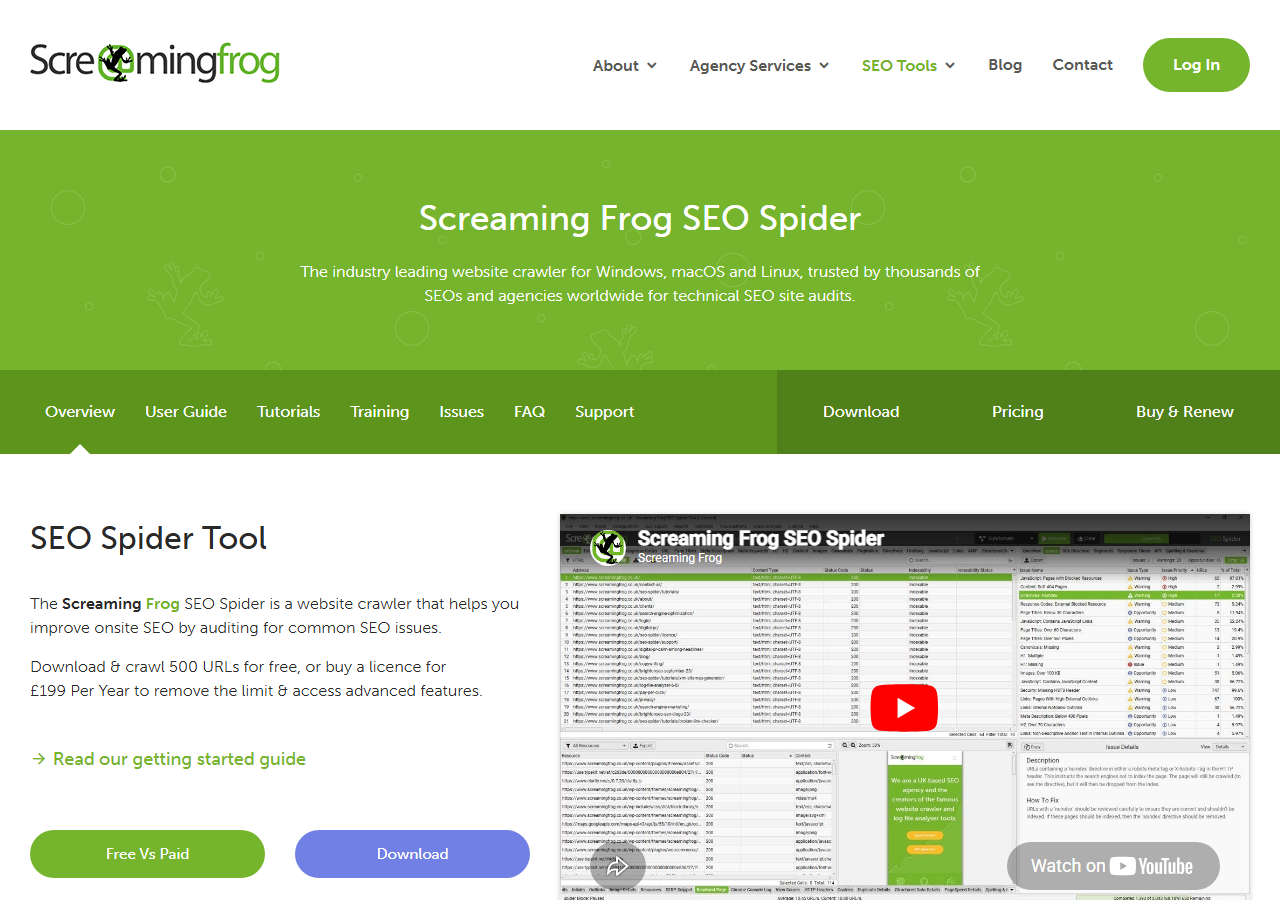
Before launch, pre-migration systems create a foundation that prevents catastrophic traffic loss. URL inventory tools crawl both old and new sites to generate complete lists of pages, identifying orphans and duplicates that might otherwise disappear. These tools, ranging from Screaming Frog SEO Spider and Sitebulb to custom Python scripts, export spreadsheets that become your source of truth.
Pro tip
Run the source-site crawl with JavaScript rendering enabled and again with it disabled, then diff the URL lists. The delta is your “rendered-only” surface area, the pages that exist for users but might not exist for crawlers in your new stack if the rendering setup changes. Backlinko’s migration breakdown calls this out as one of the most missed pre-launch checks.
Redirect mapping databases connect every old URL to its new destination, typically managed in Google Sheets or Airtable before deployment. The best systems include metadata: page type, traffic volume, inbound links, and migration status. This living document guides developers and provides a paper trail if something breaks.
Content parity checkers compare old and new pages for missing elements: meta titles, H1s, images, internal links, and structured data. Custom diff scripts (or commercial tools like ContentKing) flag discrepancies before users notice them. Run these checks weekly during staging to catch regressions early. Weekly is the floor, honestly. On the e-commerce job we ended up running them every 48 hours for the last fortnight because the front-end team kept shipping template tweaks that quietly dropped breadcrumb schema.
The failures that tank traffic aren’t usually the redirects you planned. They’re the thousands of secondary URLs you forgot existed.
The Testing Infrastructure
Before flipping the switch, build a parallel staging environment that mirrors production architecture, same server config, same database schema, same third-party integrations. This lets you simulate the migration without risking live traffic.
Deploy crawl simulation tools against staging to map every URL path, identify orphaned pages, and validate that redirects fire correctly. Run these crawls repeatedly as you iterate, comparing results against your pre-migration baseline to catch regressions early. In my experience, three iterative crawls during a two-week staging window catch about 85% of the issues that would otherwise surface post-launch. The remaining 15 is where careers get interesting.
Redirect chain validators expose multi-hop redirects that slow page loads and dilute link equity. Custom scripts (or built-in features in Screaming Frog and Sitebulb) should flag chains longer than two hops, mixed HTTP/HTTPS redirects, and redirect loops before they reach users. Ahrefs’s migration guide documents the same two-hop ceiling, beyond it, equity loss becomes measurable on referring-domain-heavy pages.
Watch for
Mixed HTTP/HTTPS chains hide inside otherwise-clean maps. A path like http://old → https://old → https://new looks fine in spot-checks but counts as three hops for Google. We tracked one migration where 1,200, well, 1,184 after dedupe, URLs followed that exact pattern and Search Console silently softened them to 404s over six weeks.
Establish metrics baselines from your current site, crawl depth, page load times, indexation rates, conversion funnels, using the same production testing protocols you’ll apply post-launch. Document everything in a shared spreadsheet so stakeholders can compare apples to apples when evaluating migration success.
Post-Launch Monitoring
Deploy real-time traffic comparison dashboards within 24 hours of go-live to spot drop-offs by landing page and traffic source. Set up automated 404 monitoring that alerts when error rates exceed baseline thresholds, most platforms can trigger Slack or email notifications when 404s spike above 2-3% of total requests.
Track indexation velocity using Search Console API scripts that compare pre-migration indexed URL counts against post-migration patterns daily for the first two weeks. Run parallel status code audits comparing old and new site structures to catch redirect chains or orphaned pages before organic traffic degrades. Document anomalies immediately with timestamps and affected URL patterns to accelerate troubleshooting.
Case Study: Media Site Migration That Lost 40% of Rankings
A publisher with roughly 12,000 articles and category pages moved CMS over a single weekend. Single weekend. That sentence should already be making you nervous. By Wednesday, Search Console showed 4,200 new 404s. By the following Monday, rankings on head terms had dropped between 6 and 22 positions. Net effect: 40% organic decline that took eleven weeks to recover. Here’s where the system broke.
Where the System Failed
Three specific technical gaps caused most of the traffic loss. First, the team ran no automated redirect testing during staging, redirects were manually checked on a 50-URL sample, missing thousands of edge cases in their 12,000-page inventory. Second, URL mapping relied on spreadsheet formulas that failed to account for trailing slashes and query parameters, creating redirect loops for filtered category pages. Third, they had no content hash verification system to confirm migrated pages matched source content.
The team discovered weeks after launch that 800+ pages had lost their internal link structure due to a template rendering bug. A bug that, by the way, had been caught in QA on a different content type two sprints earlier and quietly closed as fixed. It wasn’t. Without automated testing to catch these issues pre-launch, the migration shipped with systematic flaws that only surfaced under production traffic patterns. Each gap pointed to the same root cause: manual processes that don’t scale to enterprise site complexity.
| Signal | Migration that worked (e-commerce, 98% retained) | Migration that failed (publisher, 40% lost) |
|---|---|---|
| URL inventory | Full crawl + log-file cross-check, 8,400 URLs verified | Sitemap-only inventory, ~9,000 URLs visible (3,000 missed) |
| Redirect testing | Automated script tested 100% of mappings pre-launch | Manual spot-check on 50 URLs (0.4% coverage) |
| Chain depth tolerance | Hard ceiling at 2 hops, flagged in CI | No ceiling enforced; some chains reached 5 hops |
| Query-param handling | Canonical strip + regex rules for known param sets | Spreadsheet formula mishandled trailing slashes and filters |
| Content parity | Hash-based diff on title, H1, body, structured data | No verification, template bug stripped 800+ internal links |
| Post-launch alerting | Slack alerts on 404 spikes >2% of requests, hourly | Weekly review meetings, first 404 spike noticed on day 4 |
| Rollback authority | Pre-defined thresholds and named decision-makers | Required committee sign-off, rollback declined for political reasons |
Recovery Systems Deployed
Look, when a migration breaks, speed matters. The first 72 hours determine whether you’re dealing with a recoverable indexing delay or cascading ranking loss.
Start with a comprehensive redirect audit to identify chains, loops, and 404s that slipped through pre-launch testing. Export server logs to spot patterns in failed requests, clusters of 404s often reveal entire URL segments that didn’t map correctly. Fix these immediately; Google treats redirect chains as soft 404s after three hops.

Submit corrected URLs through Search Console’s URL Inspection tool in batches. Prioritize high-traffic pages and category hubs first. Request indexing for up to 10 URLs daily per property, focusing on pages already showing impressions but experiencing click drops. This signals Google to re-crawl corrected paths faster than waiting for organic discovery.
Deploy temporary XML sitemaps containing only affected URLs with high-priority tags and recent lastmod dates. Update these daily as fixes roll out, giving crawlers a concentrated map of what changed. Similarweb’s migration checklist emphasizes the same point, lastmod is one of the few signals you can use to actively pull crawlers toward fixes rather than wait for them.
Note
Monitor Search Console’s Coverage report hourly during the first week. New errors appearing post-fix indicate secondary issues, often JavaScript rendering problems or conditional redirects that behave differently for bots versus users. For most teams, these secondary issues account for 20-30% of total recovery time even though they’re a small fraction of total errors.
These tactical interventions mirror proven SEO recovery methods but compressed into migration timescales. The goal isn’t perfection, it’s stopping the bleeding while systematic fixes propagate through Google’s index.
Essential Components of Reliable Migration Systems
Every migration that preserves traffic shares common infrastructure. These components aren’t optional luxuries, they’re the difference between controlled transitions and chaotic firefighting.
Migration phases
Start with automated redirect testing that validates every mapping before launch. A testing framework should crawl your URL inventory, verify HTTP status codes, confirm destination accuracy, and flag redirect chains exceeding two hops. Manual spot-checks miss edge cases; automated systems catch them at scale. Custom Python scripts using requests libraries (or off-the-shelf crawlers) can validate thousands of URLs in minutes, surfacing broken patterns before users encounter them.
Maintain a comprehensive URL mapping database that serves as your migration’s source of truth. This central repository documents every old URL, its new destination, redirect type, migration date, and traffic baseline. Spreadsheets work for small sites; larger migrations need database systems with version control. Probably above 3,000 URLs is where I’d draw the line, though I’ve seen disciplined teams stretch a sheet to 7,000 before things start unraveling. The mapping database powers your redirect implementation, enables rollback scenarios, and provides historical context when investigating post-launch issues months later.
Implement content parity verification to ensure migrated pages match original intent. Compare critical elements: title tags, meta descriptions, H1 headings, canonical tags, structured data markup, and internal link counts. Automated diffing tools highlight discrepancies between source and destination. Content drift causes ranking losses even when redirects work perfectly, search engines evaluate the destination page’s relevance, not just the redirect’s technical accuracy. Moz’s migration primer hammers this point, and it matches what I’ve seen on every recovery audit I’ve run: the redirects worked, the content drifted, the rankings followed.
Build rollback protocols before migration day arrives. Document how to revert DNS changes, restore previous redirect rules, and republish old content if critical failures emerge. Store complete backups of your redirect configuration, database states, and content snapshots. Effective rollback plans include decision criteria, specific traffic thresholds or error rates that trigger reversal, and designated personnel authorized to execute them without committee approval.
Deploy monitoring dashboards that surface problems in real-time. Track organic traffic segmented by landing page, monitor 404 error rates, watch crawl budget consumption in Search Console, and alert on sudden ranking drops for priority keywords. Set baseline thresholds during pre-migration normal operations, then configure alerts for deviations exceeding 15-20 percent. Passive monitoring without action triggers wastes attention, effective dashboards drive immediate investigation and remediation.
Tools and Technical Stack for Migration Systems
A reliable migration depends on tools that surface problems before users encounter them. Start with comprehensive site crawlers that map your existing architecture and validate the new one. Screaming Frog SEO Spider (desktop crawler with extensive filtering) and Sitebulb (visual reporting focused on findability issues) excel at pre-migration audits and post-launch validation. Both export crawl data for comparison across environments.
Redirect testing requires systematic verification at scale. Browser extensions like Redirect Path handle individual URL testing, while custom scripts using tools like curl or HTTPie validate entire redirect maps in batch. Diff tools become essential when comparing content between old and new platforms, line-by-line comparison utilities show changes in HTML or structured data, preventing accidental omissions during content transfer.
Pro tip
Pair your redirect validation with a DNS-level health check. Tools that probe nameservers and mail records (MXToolbox covers this well) catch the DNS-side issues that often surface alongside CMS migrations, broken TXT records breaking SPF/DKIM, dangling CNAMEs, propagation lag across regions. Migration teams forget that a redirect map only works if DNS resolves first.
Staging environments must mirror production configurations exactly, same server setup, same URL structure, same third-party integrations. Local development stacks and Docker containers replicate production conditions for pre-flight testing. Post-launch monitoring demands real-time visibility: Google Search Console tracks indexation and crawl errors, while Ahrefs or Semrush monitor ranking shifts across target keywords. Uptime monitoring catches availability issues immediately.

Putting Migration Systems to Work
Migration success hinges less on meticulous planning documents and more on the technical infrastructure you deploy before cutover. The difference between preserving rankings and losing traffic comes down to automated redirect verification, continuous crawl monitoring, and systematic URL mapping, not spreadsheets alone.
✓
Migrate now if
- ›Automated redirect testing is in place against staging
- ›Mapping covers 100% of crawl + log-discovered URLs
- ›Content-parity hashes are passing on critical templates
- ›Alerting fires inside 1 hour on 404 spikes >2%
- ›Rollback authority and thresholds are documented and signed
✗
Wait if
- ›Redirect mapping lives only in a single shared spreadsheet
- ›You’ve only spot-checked a small URL sample
- ›Staging diverges from production on rendering or third-parties
- ›No baseline metrics captured in the four weeks before cutover
- ›Rollback requires committee approval to execute
Start by assembling your core toolkit: a redirect testing script that runs pre- and post-launch, a crawl monitoring system that alerts on broken chains, and canonical validation to catch misconfigured directives. These aren’t optional extras, they’re the detection layer that prevents silent failures.
For developers and SEOs building their first migration system, prioritize redirect coverage testing over manual spot-checks. Coverage first, elegance later. For teams recovering from failed migrations, audit your redirect implementation first, most ranking drops trace to redirect chains, loops, or missing mappings rather than content issues.
Try it this week
Pick your next migration. Build the three pre-launch checks before the calendar invite.
-
1
Crawl the source site (JS + raw HTML), union the URL sets, cross-reference 12 months of server logs. That’s your real inventory, not the sitemap. -
2
Write the redirect-validation script. HEAD every mapping against staging. Fail the build on chains > 2 hops, loops, or non-200 destinations. -
3
Hash title, H1, and structured-data on top-50 landing pages. Diff source vs destination. No drift goes live without content-team sign-off.
The best migration isn’t the one with perfect documentation. It’s the one with infrastructure that catches problems before users and search engines do.
Related guides
- Core Web Vitals Testing in Production, The performance-testing protocols that pair with migration baselines.
- SEO Recovery Methods, Tactical recovery playbook for sites bleeding traffic post-launch.

