

Archive Contents Hold Digital Fingerprints Most Investigators Miss
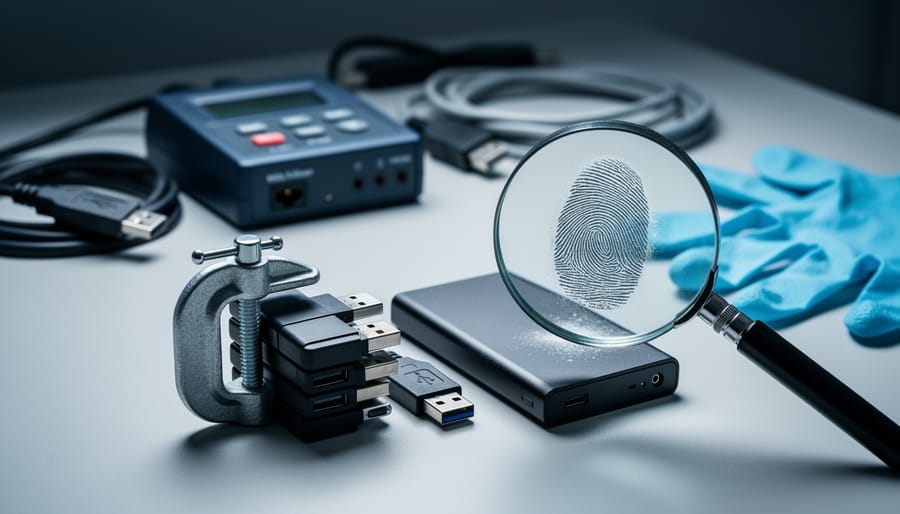
Compressed archives—ZIP, RAR, 7z, tar—conceal rich forensic signals invisible to casual inspection. File modification timestamps, directory structures, compression methods, and metadata embedded within these containers reveal who created the archive, when files were collected, what tools were used, and whether contents have been altered. Digital investigators, legal teams, and security researchers routinely extract this evidence to reconstruct timelines, verify data integrity, and identify suspicious activity.
Modern archive formats store far more than file payloads. Header data captures original filesystem permissions, symbolic links, and extended attributes. Compression algorithms leave signatures indicating software versions and user preferences. Deleted or corrupted entries often remain recoverable through carving techniques. Even password-protected archives leak information about encryption methods, key derivation functions, and failed access attempts.
Understanding what lies beneath the surface transforms archives from simple file containers into forensic artifacts. This guide maps the evidence landscape within compressed files, identifies extraction tools and techniques, and demonstrates how archive metadata answers investigative questions. No specialized background required—just clarity on what to look for and how to retrieve it systematically.
What Archive Contents Actually Contain (Beyond the Files)

Metadata Layers Worth Examining
Archives carry hidden layers of metadata that tell stories beyond the files themselves. Understanding these signals helps reconstruct how archives were created, modified, and handled across systems.
Timestamp types reveal different moments in an archive’s lifecycle. Creation timestamps show when a file was first made, establishing earliest provenance boundaries. Modification timestamps indicate when content changed, flagging edits or updates worth investigating. Access timestamps record when files were last opened, though they’re easily altered and less reliable for forensic work.
File attributes embed system-level details. Permission flags show intended access controls from the original system. Hidden or system attributes suggest administrative intent or automated processes. Owner and group identifiers link files to specific accounts, useful when tracing responsibility chains.
Compression headers contain technical fingerprints. Algorithm choices reveal software versions and creator preferences—newer formats suggest recent creation while legacy compression points to older toolchains. Compression ratios hint at content type, since text compresses better than encrypted or already-compressed data. Header metadata often includes creator software signatures, timestamps independent of file-level data, and sometimes comments added during archive creation.
Each metadata layer offers verification points. Cross-reference timestamps against claimed provenance. Check attribute consistency across files in a batch. Examine compression settings for anomalies that suggest tampering or reconstitution.
Archive Format Signatures and Tool Traces
Each compression tool writes a distinctive signature into the archive header and applies characteristic compression algorithms. WinZip stamps files with specific version markers and date-time encoding patterns. 7-Zip uses LZMA compression with identifiable dictionary sizes and default parameters. MacOS Archive Utility embeds resource fork handling metadata absent from Windows-native tools. Linux zip utilities often leave telltale modification timestamps rounded to the second rather than millisecond precision.
These fingerprints matter for authentication and timeline reconstruction. When an archive claims creation on Windows but shows 7-Zip’s LZMA2 signature with Unix permissions preserved, investigators spot an inconsistency. Compression level choices reveal user sophistication—default settings suggest automated backup tools, while maximum compression hints at manual archiving. Version-specific bugs or features pinpoint the software release window, narrowing when the archive could have been created.
File order within the archive also signals tool behavior. WinZip traditionally sorts alphabetically; command-line tools preserve shell glob expansion order; drag-and-drop GUI tools follow selection sequence. For legal disputes over document timing or source attribution, these subtle traces become evidential anchors that corroborate or contradict creator claims.
Why Forensic Analysts Scrutinize Archive Contents
Archive metadata becomes pivotal evidence when disputes turn technical. In intellectual property litigation, timestamps embedded in ZIP or RAR files can establish who created a design file first—critical when two parties claim original authorship. Forensic analysts compare creation dates, modification stamps, and compression software versions to build timelines that withstand courtroom scrutiny.
Data breach investigations rely heavily on archive analysis. When attackers exfiltrate sensitive records, they typically compress data for faster transfer. The choice of compression tool, directory structure preserved in the archive, and file ordering patterns can fingerprint specific threat actors. Security teams examine these artifacts to attribute breaches to known groups and understand attack scope.
Document tampering cases demand meticulous metadata review. Corporate records stored in archives carry forensic traces: if someone claims a contract existed in 2019 but the archive’s internal timestamps show 2021 compression dates, the discrepancy raises red flags. Analysts cross-reference operating system metadata, compression ratios, and software signatures to detect alterations.
Chain-of-custody verification depends on immutable archive properties. Legal teams need to verify chain of custody when digital evidence moves between investigators, labs, and courtrooms. Hash values computed from archive contents create cryptographic fingerprints—any modification changes the hash, immediately signaling tampering.
Insurance fraud investigations increasingly involve archive forensics. Claimants submitting backdated documentation often overlook metadata inconsistencies: a 2018 damage report compressed with software released in 2020 undermines credibility. Adjusters now routinely request forensic validation of submitted archives.
Employment disputes trigger archive scrutiny when intellectual property walks out the door. Analysts examine USB drives and email attachments for archives containing proprietary code or customer lists, using metadata to prove extraction timing and establish intent.
Key Forensic Signals Hidden in Archive Structures

Timestamp Discrepancies and Clock Skew
Archive timestamps tell two stories: when files were created or modified, and when the archive itself was assembled. When those dates contradict—a file dated 2024 inside an archive stamped 2020—you’re looking at evidence of tampering, repackaging, or fabrication. Forensic analysts routinely compare internal file modification times against the archive’s creation date to detect document tampering or establish timelines in legal disputes.
Clock skew offers subtler clues. Files compressed on systems with misconfigured clocks leave telltale time offsets—often revealing the originating time zone or poorly maintained infrastructure. A ZIP created at “3:00 AM” with files last modified at “2:58 PM the same day” suggests either deliberate date manipulation or a machine with a twelve-hour offset. Security researchers use these patterns to fingerprint malware origins or trace leaked document sources.
Why it’s interesting: Timestamps function as unintentional metadata breadcrumbs that survive file transfers and format conversions.
For: Digital forensics practitioners, e-discovery teams, and anyone investigating file provenance or authenticity chains.
Deleted File Remnants and Slack Space
Archive formats don’t always cleanly erase when files are removed or updated. Many preserve structural remnants—directory entries, partial metadata, or file fragments—in unallocated space within the archive container. ZIP files, for example, may retain central directory records for deleted entries even after the payload is overwritten. TAR archives concatenate data sequentially, sometimes leaving orphaned headers or trailing blocks. RAR and 7z formats occasionally cache previous versions during updates, creating recoverable shadows of earlier states.
These ghost entries matter for forensics and data recovery. A deleted file listing might reveal what content existed before sanitization. Slack space—the padding between archive boundaries—can harbor leftover bytes from prior operations, potentially exposing sensitive filenames, timestamps, or partial content.
Tools like binwalk scan raw archive binaries for signature patterns, surfacing hidden or fragmented data. Scalpel and foremost carve deleted file structures from unallocated regions using header-footer matching. For ZIP-specific work, zipdump (part of Didier Stevens’ suite) parses every record, flagging anomalies and orphaned entries. Bulk_extractor operates at the byte level, pulling artifacts regardless of filesystem awareness.
Why it’s interesting: Archives aren’t write-once containers—they’re layered structures that accumulate history, often unintentionally.
For: Digital forensics investigators, incident responders, archivists validating data integrity, and security researchers auditing file-sharing workflows.
Compression Anomalies as Red Flags
Compression algorithms produce predictable ratios for given file types—text typically shrinks to 30–40% of original size, while JPEGs barely budge because they’re already compressed. When an archive exhibits compression ratios far outside these norms, it warrants scrutiny. A 2MB text file that compresses to 1.9MB suggests either corruption or intentional packing with uncompressible data to mask true contents.
Mixed compression methods within a single archive raise questions about provenance. Most archiving tools apply one algorithm consistently across all entries. Finding ZIP deflate alongside LZMA or bzip2 in the same container indicates manual reassembly, multiple authors, or deliberate obfuscation. Forensic examiners should document these inconsistencies as potential signs of tampering.
Recompressed files leave distinct signatures. When you encounter a JPEG inside a ZIP that shows evidence of prior JPEG compression at different quality settings, or logs that were previously gzipped before being added to a TAR, you’re likely seeing staged evidence. Legitimate workflows rarely involve multiple compression passes. Metadata timestamps that predate archive creation by significant margins compound suspicion, particularly in legal contexts where chain of custody matters.
Tools and Methods for Archive Content Analysis

Command-Line Utilities for Metadata Extraction
Three command-line tools extract and examine metadata from archives with surgical precision. unzip -l lists file names, sizes, and modification timestamps without decompressing—useful for quick inventories. 7z l reveals compression ratios, encrypted file indicators, and internal folder structures across dozens of archive formats. exiftool reads embedded EXIF data from images and documents still packed inside archives, exposing camera models, GPS coordinates, and author names.
Why CLI tools matter: Terminal commands produce identical, timestamped output across systems, creating audit trails that courts and peer reviewers can verify. GUI applications often strip or modify metadata silently during extraction, compromising chain-of-custody. Scripted workflows let forensic teams process thousands of archives consistently, flagging anomalies without human interpretation bias.
For: Digital forensics investigators, security researchers, compliance auditors.
Specialized Forensic Suites
Professional forensic tools bring automation and depth that manual inspection can’t match. FTK (Forensic Toolkit) indexes archive contents in bulk, recovers deleted files from slack space within compressed containers, and calculates cryptographic hashes across nested layers—critical when chain-of-custody documentation matters. EnCase parses proprietary archive formats and extracts embedded metadata that command-line tools overlook, including NTFS alternate data streams hidden inside ZIP files.
Autopsy, the open-source alternative, offers timeline analysis showing when archives were created versus when files inside were modified—a key discrepancy in tampering investigations. These suites automate carving: reconstructing fragmented archives from raw disk images even when file headers are corrupted. They also flag steganography attempts, where attackers hide encrypted payloads in seemingly innocent archive comments or extra field data.
Why it’s interesting: Manual extraction stops at the visible layer; forensic suites reconstruct the invisible—deleted entries, slack data, and timeline inconsistencies that reveal intent.
For: Digital forensics examiners, incident responders, legal teams building evidence chains, and archivists validating collection integrity before long-term preservation.
Common Pitfalls and Limitations
Archive forensics has hard limits. Encryption is the most common barrier—a password-protected ZIP or 7z archive with AES-256 encryption is effectively opaque without the passphrase. Brute-force attacks work only against weak passwords, and modern key derivation functions make dictionary attacks impractical for anything beyond trivial cases. No metadata survives inspection when the archive itself is locked.
Metadata scrubbing tools can strip timestamps, user names, and file paths before compression. An adversary who runs a deliberate cleaning pass through files—zeroing EXIF data, normalizing modification dates, removing alternate data streams—leaves forensic analysts with little beyond file content itself. Archives created on privacy-focused systems or through scripted workflows often lack the incidental metadata traces that casual users leave behind.
Format-specific blind spots matter. Solid compression in 7z and RAR merges files into continuous data blocks, destroying individual file boundaries and making partial recovery nearly impossible. Self-extracting archives may embed executable code that obscures original file structure. Proprietary formats like StuffIt or older ARJ files require specialized tools that may not preserve all metadata during extraction. Nested archives—ZIPs inside ZIPs—can hide layers of obfuscation.
Chain-of-custody and evidence admissibility depend on proper handling. Modified extraction timestamps, multiple decompress-recompress cycles, or undocumented tool usage can undermine forensic findings in legal contexts. Courts expect documentation: hash verification, write-blocking during analysis, and reproducible methods. Archive forensics provides leads and context, but rarely constitutes standalone proof without corroborating evidence from other sources.
Archive contents hold metadata, timestamps, compression ratios, and file relationships that vanish once extracted. Surface inspection of individual files tells only part of the story—the archive itself is the evidence container.
Actionable takeaway: Always preserve original archive files alongside extracted contents. Hash values, modification sequences, and embedded comments disappear when you extract and delete the source.
Why this matters: Digital forensics relies on proving file authenticity and chain of custody. Legal cases turn on whether timestamps were forged or files repackaged. Archivists documenting software history need original distributions, not reconstructed folders. The archive format itself becomes historical evidence—showing how creators organized, compressed, and distributed their work at a specific moment in time.

