

Historical Redirect Chain Forensics: Tracing the DNA of Your Site’s SEO Legacy

Map your site’s redirect chains by crawling with Screaming Frog or Sitebulb, filtering for 301/302 status codes, then exporting the full redirect path for each URL. Anything longer than three hops is leaking link equity and adding 200-500ms of latency per hop. Trace ownership changes and platform migrations by examining redirect timestamps in server logs or the Wayback Machine, sudden clusters of redirects often mark acquisitions or CMS swaps that introduced technical debt. Audit your most valuable backlinks next: pull referring domains from Ahrefs or Majestic, check which land on redirect chains rather than final destinations, and consolidate by updating the first redirect to point directly to the final URL. You’ll reclaim equity, improve crawl efficiency, and eliminate the archaeological layers that slow both bots and users.
What Redirect Chains Reveal About Your Site’s Past
Think of redirect chains like geological strata. Each layer records a distinct moment in your site’s evolution. When example.com redirects to www.example.com, which redirects to example.com/home, which finally lands at example.com, you’re looking at evidence of past decisions: an early www preference, a misguided homepage structure (someone’s idea of a “landing experience” that didn’t stick), then a consolidation effort.
Quick vocabulary
- 301 Moved Permanently
- The standard permanent redirect. Search engines treat the move as final and transfer most ranking signals to the destination.
- 302 Found
- A temporary redirect. Signals the move may be reversed, so equity flow is less reliable than a 301.
- 307 / 308
- The HTTP/1.1 strict variants of 302 and 301. They preserve the original request method (POST stays POST), useful for APIs, less common in SEO chains.
- Hop
- A single redirect step. URL A returning a 301 to URL B is one hop, even if the user never sees URL B.
- Chain depth
- The total number of hops between the first requested URL and the final 200 response. Three is the practical ceiling.
- Redirect loop
- A chain that circles back on itself (A to B to A). Browsers eventually surface an
ERR_TOO_MANY_REDIRECTSand the page never loads.
These chains reveal platform migrations (WordPress to headless CMS), domain consolidations (brand acquisition mergers), HTTPS transitions handled poorly, and abandoned subdomain strategies. In my experience, a five-hop chain almost always signals multiple owners, rushed replatforming, or accumulated technical debt from teams who never audited their predecessors’ work. Sometimes all three at once.
Why it matters for site health: each redirect adds latency, dilutes link equity investments, and creates failure points. The HTTP status codes themselves are documented in RFC 7231 (HTTP/1.1 redirect semantics), but how search engines interpret them is policy, not protocol. And policy says crawlers follow chains but discount value with each hop. Users on slow connections may abandon before resolution. More importantly, these chains expose architectural assumptions your current team inherited but never questioned. Redirect rules masking broken internal linking, domain authority scattered across variants, or mobile URLs still routing through deprecated paths (the kind of thing you only find when you go looking for it).
Every 301 in history leaves a fingerprint. The chain is a deposition of every migration, rebrand, and rushed cleanup the site ever shipped.
Forensic analysis means tracing each redirect to its origin decision, understanding the business context that created it, and evaluating whether that rationale still applies. Most chains exist because no one documented the original migration plan or assigned ownership to post-launch cleanup. In my experience, the chain matters more than any single hop in it. A two-hop chain with sensible reasons on each link is fine. A two-hop chain where the middle URL was a staging hostname someone forgot to take down (yes, this is common) is a problem regardless of the depth.

The Hidden Cost of Legacy Redirects
Legacy redirect chains carry measurable costs that accumulate over time. Each hop in the chain consumes crawl budget, the finite number of pages search engines will crawl during a visit, meaning new or updated content may go unindexed while bots chase old redirects. For large sites with thousands of legacy URLs, this waste compounds quickly. Faster than most teams realize, honestly.
Watch for
Mixed status codes inside a single chain. A 301 followed by a 302 followed by a 301 is a tell that three different people built three different redirect rules at three different times. The 302 in the middle is leaking equity that the surrounding 301s would otherwise pass.
Link equity dilution presents another penalty. While a single 301 redirect passes most ranking power, multi-hop chains progressively leak authority with each jump. Industry consensus (and Google’s own guidance) is that crawlers will follow several hops but discount the chain heavily after that, effectively orphaning equity that lives at the end of long redirect tails. The exact discount rate is anyone’s guess, but the trend is reliable. This becomes critical when evaluating domain migrations or cleaning up toxic links accumulated across ownership changes.
Page speed suffers measurably. Each redirect adds DNS lookups, TCP handshakes, and HTTP round trips, often 200 to 500 milliseconds per hop. MDN’s HTTP redirection reference walks through why each hop forces a fresh round trip, and mobile users on slower connections experience this friction most acutely, increasing bounce rates before content ever loads.
User experience friction compounds these technical penalties. Visitors clicking aged backlinks encounter loading delays and occasionally broken chains when intermediate domains expire or hosting changes interrupt the sequence. Analytics tools lose referrer data across domain boundaries, obscuring how users actually find your content.
Search engines interpret redirect chains as signals of site maintenance quality. Excessive chains suggest technical debt, potentially dampening algorithmic trust. When chains exceed five hops or span multiple domains, expect diminished indexing priority and equity loss regardless of your content quality.
Tools for Mapping Your Redirect History
Tracing redirect chains requires both server-side data and client-side simulation. Server access logs reveal the full journey browsers took through your redirects, showing timestamps, user agents, and status codes. Parse Apache or Nginx logs by filtering for 301, 302, and 307 responses, then export matched rows to a spreadsheet for pattern analysis.

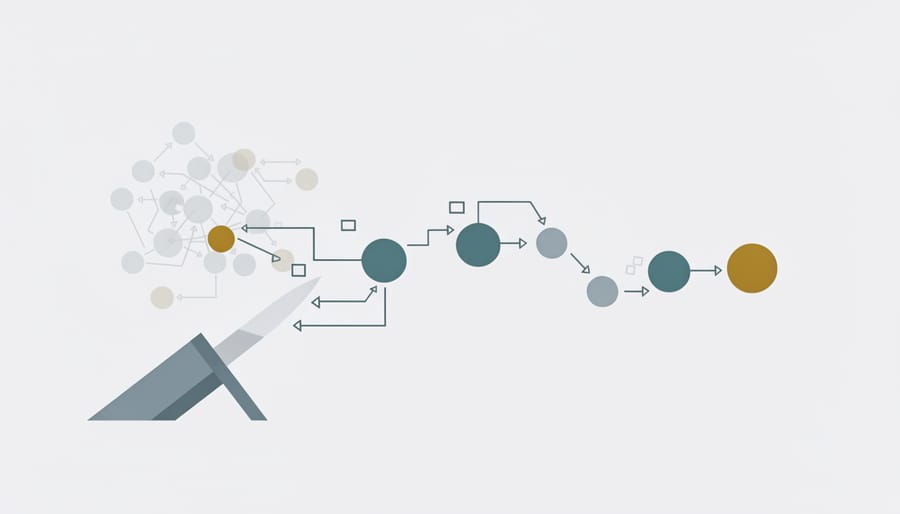
Screaming Frog crawls sites while preserving redirect chains, displaying each hop in the URL tree view. Configure it to follow redirects (Spider, Configuration, Limits, Max Redirects set to 10+), then export the “Redirect Chains” report showing source URL, intermediate steps, and final destination. Visualize complex paths by copying the chain data into a flow diagram tool like Mermaid or Graphviz, turns hundreds of redirects into scannable visual maps.
Server logs, crawler exports, and command-line spot checks
Custom redirect tracking scripts offer real-time monitoring. Deploy JavaScript that intercepts redirects, logs each hop to analytics, and flags chains exceeding three jumps, useful for ongoing audits rather than one-time investigations.
Pro tip
For a fast spot check, curl -sIL <url> prints every hop’s status code and Location header in order. If you see anything other than a single 301 followed by 200, you have a chain worth investigating, or worse, a 302 where a 301 should be.
When collecting data, capture status codes, hop count, final destination, timestamp of last change, and any query parameters lost in transit. Cross-reference findings with historical Wayback Machine snapshots to confirm when redirects were implemented. Tools like curl -L with --trace-ascii output provide command-line alternatives for spot-checking individual URLs without installing desktop software.

Reading the Evidence: Common Redirect Patterns and What They Mean
Here’s the part where pattern recognition takes over. Six signals separate a chain that’s just history doing its job from one that’s actively bleeding equity. Read them together, not in isolation. One signal looking off in isolation rarely means much.
| Signal | Clean chain | Corrupted chain |
|---|---|---|
| Depth | One or two hops, max | Four or more hops, often climbing as new migrations stack on old ones |
| Status codes | Consistent 301s end-to-end, intent is permanent | Mixed 301/302/307 in the same chain, intent is ambiguous |
| Host transitions | At most one host change (HTTP to HTTPS, www canonicalization) | Multiple host hops including expired or third-party domains |
| Latency | Under 400ms total redirect time | Over a second of redirect overhead before the final 200 lands |
| Query strings | Preserved or intentionally stripped, with a documented reason | Lost between hops, breaking attribution, UTMs, and campaign tracking |
| Final destination | A live 200 page on the current canonical host | A soft-404, a homepage fallback, or another redirect rule waiting to fire |
Migration Chains
Redirect chains accumulate when sites migrate platforms, rebrand domains, or absorb acquisitions without consolidating paths. Each hop, from legacy CMS to intermediate staging URLs to current infrastructure, adds latency, dilutes link equity, and creates forensic breadcrumbs revealing technical decisions made years ago. Crawling historical snapshots alongside current redirect maps exposes these multi-step journeys. Long chains often point to unfinished migrations where 301s were stacked rather than updated at the source.
Protocol and WWW Redirects
Sites often accumulate redirect layers when migrating HTTP to HTTPS or standardizing www versus non-www addresses. Each protocol switch and subdomain canonicalization creates a hop that dilutes link equity and slows user experience. Audit tools like Screaming Frog or curl reveal these stacked 301s, showing whether visitors hit HTTP to HTTPS to www or similar chains. Consolidating to a single redirect preserves ranking signals and reduces latency. Protocol and subdomain decisions from years ago still tax every pageview today.
Note
The classic HTTP to HTTPS to www to slash-terminated chain is four hops. On a site with serious backlink mass, this single pattern can account for the bulk of measurable equity loss. Collapse it to one rule and the rest of the cleanup gets easier.
URL Structure Evolution
URL paths often reveal past platform migrations, SEO rewrites, or structural pivots. A redirect from /blog/2015/03/product-launch/ to /products/launch-name/ signals a move from date-based to semantic architecture, important for understanding current link equity flow. Similarly, /index.php?id=42 evolving to /about/ marks a CMS upgrade. Track parameter stripping, subdomain consolidation, and category flattening to map how site owners prioritized crawl efficiency and user clarity over time. These patterns help you identify which redirects carry strategic intent versus hasty patches.
The Forensic Audit Workflow
The end-to-end audit fits in four steps. Probably fewer if you trust the data already in your crawler. Anything more complex than this and you’re optimizing the audit instead of the chains.
Redirect chain audit
Run this in order. The temptation is to jump from Discover straight to Decide, but the Score step is what separates a clean cut from a regression. I’ve seen teams collapse a four-hop chain only to find one of the middle URLs was the canonical target of a 2,000-backlink PR placement from years prior. The chain looked redundant on the crawl report. It wasn’t. (And the rollback was not pleasant.)

Surgical Redirect Cleanup: When to Preserve vs. Consolidate
Once you’ve mapped your redirect chains, you face a critical decision: preserve the stack or collapse it. The answer depends on link equity flow, external backlink distribution, and site stability.
Collapse to direct 301s when chains exceed three hops, when intermediate URLs hold no external backlinks, or when redirect latency measurably impacts page speed. A four-hop chain wastes crawl budget and dilutes authority, redirect the earliest URL directly to the final destination. Before executing, verify no external links point to middle-hop URLs by checking backlink profiles in Ahrefs or Majestic for each intermediate address.
Preserve chains when intermediate URLs carry substantial referring domains. If a mid-chain URL has 50 quality backlinks, removing it breaks those inbound paths. Instead, redirect that URL directly to the final target while maintaining redirects from earlier hops to it. This hybrid approach maintains link equity while reducing unnecessary jumps.
Testing protocol: never deploy redirect changes during peak traffic. Export current redirect mappings from your server config or CDN rules. Implement changes in staging, then use curl -I or Screaming Frog to verify each redirect resolves correctly in one hop. Check HTTP status codes return 301 (not 302 or 307). Monitor server logs for 404 spikes immediately post-deployment, broken redirects surface fast.
For inherited acquisitions or post-migration sites, monitoring redirects prevents regression. Schedule quarterly audits to catch new chains before they compound. Document why specific redirects exist, future teams need context to avoid breaking historical paths that still drive traffic.
When uncertain, preserve first, optimize later. Removing a redirect is reversible. Recovering lost link equity is not.
When the Forensics Pay Off
Here’s the thing about redirect chain forensics. It isn’t a one-time spring cleaning project, it’s ongoing infrastructure maintenance that protects your link equity investments and user experience. Chains accumulate silently after site migrations, URL structure updates, and content reorganizations, compounding latency and signal loss over time. Quietly. Persistently.
✓
Worth tracing for
- ›Top-traffic pages with chains over two hops
- ›Money pages where conversion drops correlate with redirect latency
- ›Post-migration sites where the redirect map was never documented
- ›Acquired domains inheriting an unknown redirect history
- ›URLs carrying significant referring-domain mass on mid-chain hops
✗
Skip the deep trace for
- ›Single-hop redirects that already resolve in under 200ms
- ›Low-traffic archive URLs with no inbound links
- ›Recently launched sites with no migration history
- ›Vanity redirects (short-link campaigns) that are intentional one-hop tools
- ›Internal-only test or staging URLs that never see public traffic
Three immediate action items keep your redirect architecture healthy: schedule quarterly audits using crawl tools to catch new chains before they propagate, document every redirect you create with timestamp and business rationale, and maintain a living redirect map that traces historical URL evolution. This documentation becomes invaluable when debugging traffic drops or planning future migrations.
Clean redirect architecture functions like well-maintained plumbing, invisible when working correctly, costly when neglected. Regular forensic reviews ensure your site preserves hard-earned authority signals while delivering fast, direct paths to content for both users and search engines.
Try it this week
Crawl your top ten pages. Map every chain. Date every hop.
-
1
Pull your top ten organic pages from Search Console, then runcurl -sILon each. Anything more than one hop goes on the list. -
2
For each multi-hop URL, pull the Wayback timeline and date when each hop entered the chain. Tag the migration or rebrand that introduced it. -
3
Check Ahrefs for backlinks landing on each intermediate URL. Hops with zero referring domains get collapsed. Hops with referring domains get preserved and rewired to point directly at the final target.
Document the verdicts. The redirect map you build this week becomes the reference every future migration plans against, and the difference between a clean cutover and another layer in the strata.
Related guides
- Cleaning Up Toxic Links, How to disavow inbound links once redirect cleanup surfaces them as liabilities.
- Monitoring Niche Edits, The ongoing-audit cadence that keeps redirect maps and link placements aligned.

