

How Landing Page SEO Breaks When You Build at Scale (And How to Fix It)

One template, ten thousand pages. That’s the leverage, and the liability. Every choice you encode in a landing-page template is replicated instantly across the whole set, so a missing canonical becomes a sitewide duplicate-content event, a sloppy title formula tanks visibility across the folder, and a generous “related pages” widget bloats your crawl budget overnight. We’ve seen this at scale on programmatic location stacks, faceted catalogs, and city-by-service grids (the failure modes rhyme, every time). This guide is about what specifically breaks at the template layer, how to diagnose it before it metastasizes, and the engineering rules we use to keep landing-page sets shipping ranking value instead of accumulating SEO debt.
What Landing Page SEO Looks Like at Scale
The economics of programmatic landing pages are simple: one template ships every page, so every flaw ships every page too. The pathology, less so. In most large catalogs we’ve audited past the ~1,000-URL mark, four distinct failure modes show up, and they don’t always look the same in a crawl report. Knowing which one you’re staring at determines whether you fix the template, prune the index, or refactor the URL pattern entirely.
Quick vocabulary
- Cannibalization
- Two or more URLs from the same template competing for the same query because their differentiation isn’t strong enough for Google to pick a clear winner.
- Thin-template content
- Pages generated by the template where the dynamic-zone content is too sparse to differentiate them, often because a data field was null and fallback logic just printed boilerplate.
- Faceted explosion
- A URL pattern that combines filters (color, size, brand, location, sort order) and generates one indexable URL per combination. Page counts grow multiplicatively, and most variants have zero search demand.
- Intent dilution
- When the template’s title and H1 formulas read like brochure copy across every page, so no individual page maps cleanly to a specific query intent, and Google ranks none of them well.
- Location-page bloat
- The city-by-service variant of thin-template content. Spinning up a page for every city in a country, when most of those pages share 90% of their content with a sibling.
Most programmatic SEO advice was written for the polite case: a few hundred well-differentiated pages built off a clean data source. The trouble starts at scale. Programmatic SEO playbooks at the catalog level routinely produce 10,000 to 100,000 URLs, and the same template logic that scaled to 500 pages reliably breaks somewhere between 5,000 and 20,000 because the long-tail data starts getting sparse and the template’s fallback behavior decides what ranks.
The Template Multiplier Effect
In programmatic SEO, templates act as leverage: every choice you encode is replicated instantly across your entire page set. A missing canonical tag becomes hundreds of duplicate-content issues. A poorly structured title formula tanks visibility site-wide. But the inverse holds too, fix the internal linking pattern once, and every page benefits simultaneously. This scaling dynamic makes template decisions exponentially more consequential than single-page edits.
Before launching, audit one rendered page as if it were your only page, then mentally multiply every flaw by your page count. Small template improvements compound into major ranking gains because you’re optimizing in bulk. Test edge cases where variable data might break markup or produce thin content. Especially the null-data ones. The template multiplier rewards careful upfront engineering but punishes rushed implementations at scale, turning minor oversights into systemic SEO debt that’s expensive to remediate later.

Where Traditional SEO Advice Falls Short
Manual landing page SEO tactics assume you’re optimizing one page at a time. Which breaks the moment a single template generates thousands of variants. Traditional advice tells you to write unique, compelling title tags, but hand-crafting titles for 10,000 city-by-service pages isn’t feasible (and frankly, nobody is going to do it well past page 200 anyway). The same holds for meta descriptions, H1 formulas, and body content.
Manual internal linking strategies collapse at scale too. You can’t manually audit link context across thousands of programmatically generated pages. Quality control becomes impossible when you’re reviewing pages one by one instead of validating template logic. The shift required is from page-level tactics to system-level rules: metadata formulas that scale, content templates that avoid thin-page penalties, and automated link structures that preserve topical relevance across the entire page set.
One template, ten thousand pages. Every choice you encode is replicated instantly, and so is every flaw.
Engineering Title Tags and Meta Descriptions That Scale
Variable Insertion Without Keyword Stuffing
Use template variables to construct titles and headers that read naturally while incorporating target keywords and modifiers. Instead of rigid patterns like “Best [Category] in [City]” repeated verbatim across thousands of pages, blend data fields into varied sentence structures: “Find [Category] Services in [City]” or “[City] [Category] Solutions.” Rotate templates at the database level so pages targeting similar queries use different phrasings.
When inserting location or product names, check for grammatical fit. Prepositions and articles matter more than you’d think. A title reading “Plumber Services Denver” signals automation; “Plumber Services in Denver” feels deliberate. Build fallback logic for missing data to avoid awkward gaps or placeholder text appearing in live titles (we’ve seen literal “{{city}}” tokens hit production more than once). Test a sample of rendered pages to confirm keywords appear organically and that no template produces identical metadata across multiple URLs. Moz’s title-tag guidance still holds in a programmatic context, the rules just have to compile into a formula rather than a manual write-up. This approach maintains keyword relevance without triggering algorithmic penalties or user distrust.
Pro tip
Keep two or three title formulas in rotation per template and assign them at the database layer based on a stable hash of the page’s primary key. That way the same URL always renders the same title (no Googlebot whiplash), but the SERP for “[city] [service]” doesn’t show ten identical snippets in a row.
Testing Title Formulas Before Deployment
Before pushing title formulas live, validate them against your full dataset to catch truncation, duplicates, and malformed outputs. Export a representative sample of generated titles, at least 100 records spanning edge cases like long location names, missing data fields, or unusual category combinations. Check each against the 60-character soft limit; titles exceeding this risk getting cut off in search results, undermining your template’s effectiveness.
Run a duplicate detection script to flag identical titles across pages, which dilute ranking potential and confuse users. Test null-value handling by deliberately removing fields from your data to ensure fallback logic produces coherent titles rather than blank spaces or error text. For most teams, a spreadsheet or CSV review workflow works well here, non-technical stakeholders can spot awkward phrasing patterns engineers might miss.
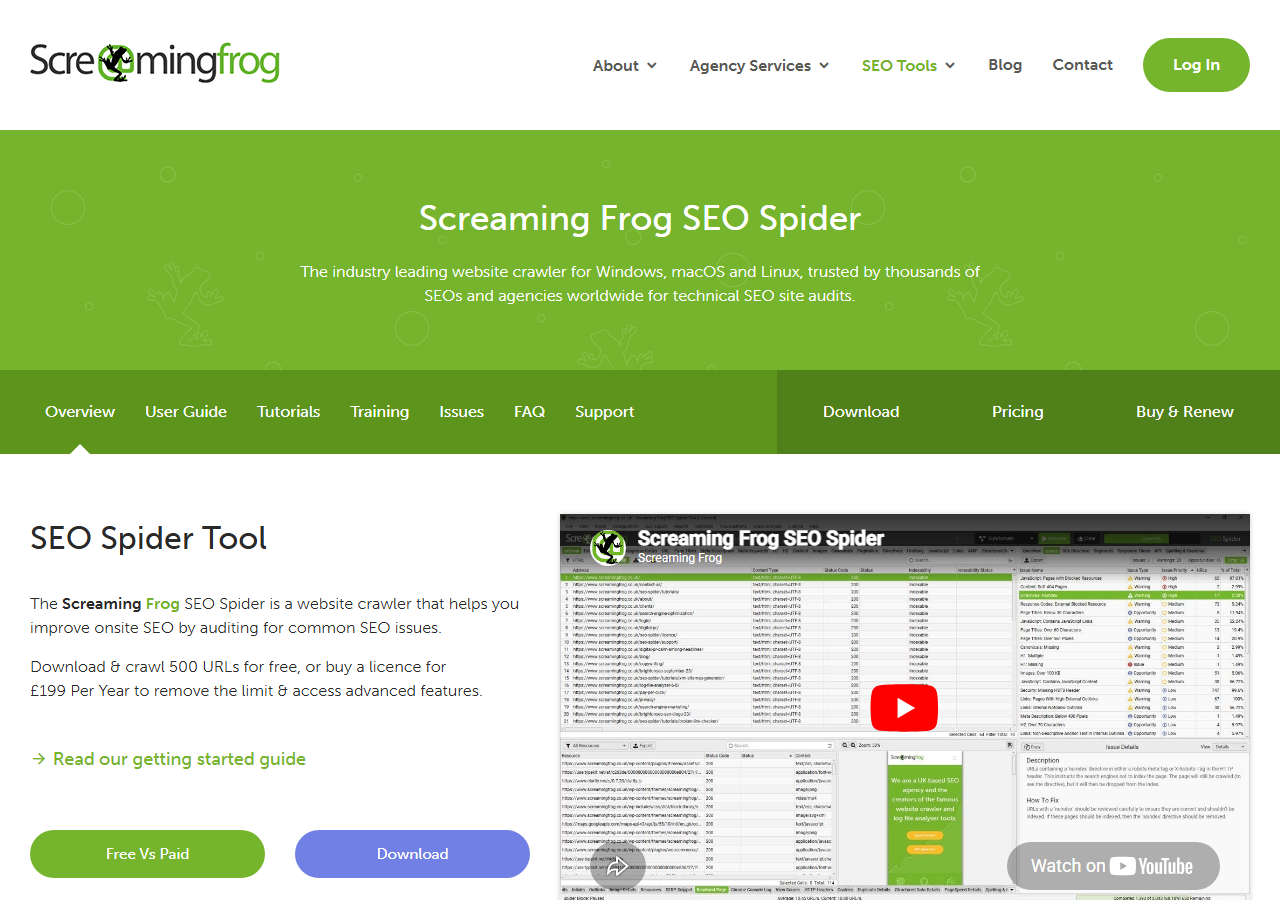
Deploy to a staging environment first, then crawl it with tools like Screaming Frog to audit title tags at scale before indexing. This sampling step prevents thousands of flawed pages from entering search engines simultaneously. Honestly, this is the single highest-ROI check in the whole programmatic stack: ten minutes of crawler config saves you a quarter of remediation.
Content Architecture for Programmatic Landing Pages
Static vs. Dynamic Content Zones
Template-driven landing pages must balance consistency with variation. Navigation, trust signals, and brand elements should stay static, they build authority and reduce bounce when users recognize familiar patterns across your domain. Footer content, security badges, and core value propositions belong in this zone because they reinforce credibility without triggering duplicate content flags.
The dynamic zone is where SEO lives: title tags, H1s, body copy, and primary CTAs must change per page to deliver information gain. Pull unique data from your source, location attributes, product specs, user counts, and surface it prominently. Even subtle shifts in phrasing prevent verbatim duplication while keeping templates maintainable.
| Decision | Small-scale playbook (under ~500 pages) | At-scale playbook (1,000+ pages) |
|---|---|---|
| Title tags | Hand-written per page, optimized against query intent | 2–3 formula variants rotated by hash; deduped before deploy |
| Body content | Editorial, sometimes with light templating for consistency | Static zone for trust, dynamic zone for aggregation + local context + real-time data |
| Internal linking | Manual curation, contextual links inside the body | Generated from taxonomy + sibling + related-entity rules; capped per template |
| QA | Read every page before publish | Stratified random sampling + full Screaming Frog crawl of staging |
| Indexation | Index everything; rare exceptions | Thresholded noindex on thin variants, canonicals consolidating near-duplicates |
| Monitoring | Per-URL position tracking | Aggregate GSC slicing by URL pattern; alert on pattern-level drops |
A practical rule: if removing a block would make two pages indistinguishable, it belongs in the dynamic zone. If removing it breaks user trust or navigation, keep it static. Test by comparing rendered HTML of five random pages, anything identical beyond boilerplate raises a flag. Actually, make it ten if the template’s been live more than a quarter, drift creeps in. For developers, template logic that swaps entire content modules based on query parameters or database fields scales better than string interpolation alone.
Unique Value in Templated Contexts
Templated pages risk becoming indistinguishable clones. The fix: layer genuine utility into the scaffold. Aggregation transforms raw listings into ranked summaries, instead of 500 identical product grids, surface top-rated items by region or recency. Comparison tables add instant decision value: side-by-side spec sheets, pricing tiers, or availability windows that users can’t easily replicate with a search query alone.
Local context injects geographic specificity that Google rewards and readers need. Pull weather patterns, regulatory notes, timezone-aware availability, or nearby alternatives into each city or region template. This depth signals entity salience and builds topical authority beyond keyword stuffing.
Watch for
The “thin sibling” failure mode. Two pages from the same template can differ by a single H1 token and still share 95% of their rendered HTML byte-for-byte. Google’s third-party traffic estimates on those URLs will look fine in aggregate while individual variants quietly de-rank. Diff rendered HTML between siblings, not just the data source.
Real-time data keeps pages fresh without manual intervention. Embed inventory counts, live pricing feeds, event countdowns, or recent review snippets. These dynamic elements encourage return visits and reduce bounce rates while providing crawlers with frequently updated signals.
The test: if a human lands on two pages from your template set, can they immediately distinguish which is more relevant to their query? If the answer depends solely on the H1 swap, you haven’t differentiated enough. Build logic that prioritizes information density over template efficiency, even if it means conditionally hiding sections when data is thin or flagging low-confidence content for editorial review.
Internal Linking Strategy at Template Level
Hierarchical vs. Lateral Link Patterns
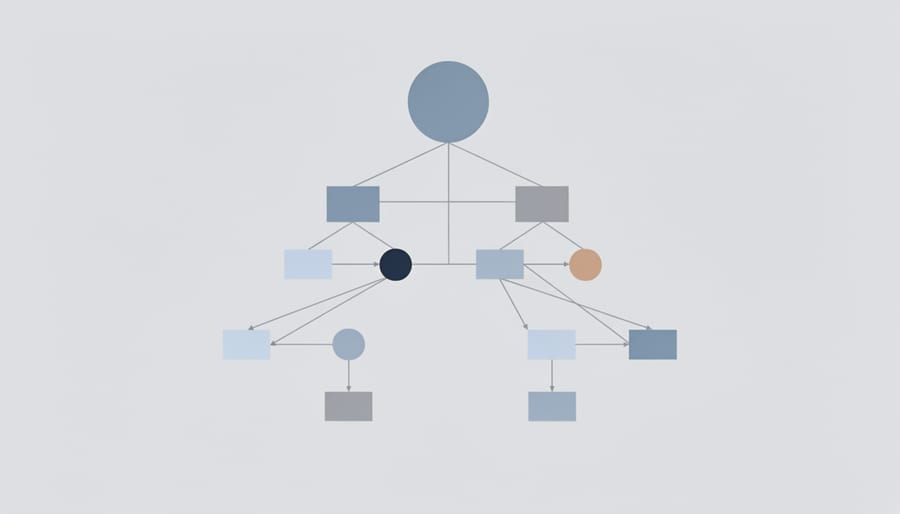
Template-driven sites need a link structure that reflects both information hierarchy and lateral relationships. Parent links, breadcrumbs to category or index pages, signal taxonomy to search engines and help users navigate upward. Sibling links connect pages at the same depth, like city landing pages within a state, distributing signals horizontally. Related-entity links join conceptually adjacent content, such as linking a pricing page for “email marketing tools” to “CRM software.”
Balance matters: too many upward links create dependency on hub pages, too many lateral links dilute focus. A practical pattern embeds 2–3 parent links in header or breadcrumb templates, 3–5 sibling links in automated “See also” modules, and 1–2 related-entity links determined by shared attributes or user behavior data. Your mileage will vary on the sibling count, but the ratio holds.
Use your CMS or build script to distribute authority predictably: if Page A ranks well, ensure its sibling and child pages receive contextual links. Review link graphs quarterly to catch orphaned pages or over-centralized hubs that bottleneck crawl equity. Ahrefs’s internal-linking analysis on large sites consistently shows that orphaned pages, the ones with zero internal links pointing in, almost never rank, regardless of the page-level content quality. At programmatic scale you’re not going to spot those by eye, you have to surface them with a crawl.
Avoiding Link Bloat and Dilution
Every link on a programmatic landing page splits the page’s authority and competes for user attention. When you generate pages at scale, unchecked cross-linking can bloat each page with dozens or hundreds of links, diluting crawl priority and confusing visitors about where to go next.
Set a hard cap on programmatic links per template, typically 50 to 100 links maximum, including navigation, footer, and contextually injected internal links. Prioritize links that serve the user’s immediate intent: related entities within the same category, parent-child hierarchies, or high-value conversion paths. Kill the redundant sidebar widgets and auto-generated “related pages” modules that add noise without strategic value (the worst offender we’ve seen was a “browse all cities” footer block that injected 312 links into every page on a 4,000-URL stack).
The audit pipeline at 1,000+ pages
Monitor link density in your QA phase by sampling rendered pages across parameter combinations. If certain parameter values trigger excessive links, adjust your template logic to filter or paginate results rather than dumping everything onto one page. Fewer, more intentional links preserve equity, improve crawl efficiency, and guide users toward actions that matter.
URL Structure and Canonicalization for Programmatic Pages
Designing URL Patterns That Scale
Structure URLs to reflect page hierarchy and entity relationships from the start. Use consistent patterns like /category/subcategory/entity rather than flat structures, so new templates and pages fit logically without overlap. Keep slugs short, hyphenated, and descriptive, matching user search vocabulary where possible.
Reserve top-level paths for high-level content types (e.g., /locations/, /features/, /guides/) and nest specific instances beneath them. Avoid query parameters for core landing pages; they dilute link equity and confuse crawlers. Plan for expansion: if you launch city pages today, leave room for neighborhood or service-type variants tomorrow. Consistent, semantic URL architecture prevents conflicts and helps search engines understand which pages matter most.
When to Use Canonicals and Noindex
Index unique parameter combinations that target distinct search intent, city + service, product + use case, or topic + attribute pairs. Set canonical tags to consolidate near-duplicates: if “plumber Boston” and “Boston plumber” serve identical content, pick one as the canonical target and point the other to it. Apply noindex to pages with insufficient unique content, like empty state pages (“no results found”) or overly narrow filters that lack search demand.
Audit systematically: flag pages with thin generated text, duplicate boilerplate ratios above 70%, or zero external traffic after 90 days. Use crawl budgets wisely. Google shouldn’t waste resources indexing valueless variations when your high-intent pages need frequent recrawling. (For most teams this rule alone reclaims more crawl budget than any robots.txt change, though we’ll note: getting buy-in to noindex anything is the harder conversation.)
Monitoring and Iterating on Templated SEO
Sampling for Quality Assurance
Manual review doesn’t scale when templates generate thousands of pages, so implement systematic spot-checks. Pull random samples weekly using stratified buckets, high-traffic pages, new pages, and outliers with unusual metrics. Check each sample for broken variable placeholders, missing schema markup, and thin content under your threshold.
Use crawlers like Screaming Frog on representative samples to surface template logic errors before they propagate. Set up automated alerts for pages that return 404s, lack title tags, or fall below minimum word counts. Build a QA checklist covering metadata completeness, internal link validity, and schema presence, then rotate through different page types monthly. This proactive sampling catches regressions early, protecting indexation across your entire landing page inventory.
Note
Stratified sampling beats random sampling at this scale. A pure random sample of 1% across 10,000 pages will mostly surface the median page (which is fine). The bugs live in the 1st and 99th percentiles, the longest data values, the rarest categories, the most parameter combinations. Bucket the dataset by template, by data-source length, by parameter count, then sample within each bucket.

Using Aggregate Metrics to Spot Problems
Track aggregate patterns across your template’s output rather than inspecting individual pages. Pull Search Console impression and click data filtered by URL pattern or folder to spot drops in average position or click-through rate, sudden declines often signal template changes that broke title formulas or introduced thin content. Review server logs or crawl reports grouped by template to identify orphaned pages, redirect chains, or scaling crawl budget issues.
Compare analytics metrics like bounce rate and time-on-page segmented by landing page type; outliers reveal which templates need structural fixes. Set up automated alerts when key metrics fall outside normal ranges. Aggregation turns thousands of pages into readable signals, letting you diagnose systemic failures before traffic collapses.
Worth Scaling, or Time to Refactor?
Not every programmatic stack is salvageable. We’ve watched teams pour months into title-formula tuning on a template set that was always going to cannibalize itself because the underlying data source didn’t have enough genuine differentiation. The decision to keep scaling versus refactor isn’t aesthetic, it’s whether the failure mode is fixable inside the template or whether the template itself is the problem.
✓
Worth scaling
- ›Data source has genuine per-row differentiation (real inventory, real reviews, real local context)
- ›Template’s dynamic zone is >40% of rendered HTML byte-for-byte across siblings
- ›URL pattern matches a clear, query-able intent (city + service, product + use case)
- ›GSC impressions per pattern grow roughly linearly with URL count
- ›Crawl stats stay flat or improve as page count grows
✗
Time to refactor
- ›Most siblings share >90% rendered HTML; differentiation lives only in the H1 token
- ›Faceted URLs indexed at scale with no canonical or robots strategy
- ›Entire URL pattern shows zero impressions across 90 days in GSC
- ›Internal links per page over 150, with no structural reason
- ›Crawl stats degrading as page count grows (Google de-prioritizing the folder)
The honest read on most stuck programmatic stacks: the data source is the problem, not the template. If the dynamic zone has nothing real to surface, no amount of formula tuning will earn rankings. Refactor toward fewer URLs with denser content, not more URLs with thinner content. Backlinko’s programmatic SEO breakdown makes the same point from a different angle: scale follows differentiation, not the other way around.
Build it into your workflow selectively. Flag templates exhibiting unusual patterns like rising duplicate counts, dramatic per-pattern position drops, or unexplained drops in crawl rate. Queue those for refactor review rather than per-page tweaks. Batch your QA so the staging crawl is a gate, not an afterthought, and so the same Screaming Frog config you used at launch is still the one you trust at 10,000 URLs.
Try it this week
Pick one programmatic template. Run it through the audit pipeline end to end.
-
1
Crawl the template’s URL prefix in Screaming Frog. Pull duplicate titles, body word counts, internal link counts, and canonical coverage as one CSV per metric. -
2
Slice Search Console performance by the same URL prefix for the last 90 days. Note pattern-level impressions, average position, and CTR. -
3
Map the crawl signals against the GSC slice. If three or more deep-dive red flags overlap with zero pattern-level traffic, schedule a refactor instead of a tweak.
One template, audited end to end, teaches you more about your programmatic stack than a quarter of per-page polish.
Related guides
- Information Gain and Entity Salience, The on-page signals search engines actually read, and how to encode them in a template.
- Internal Link Graphs and Topic Clusters, How sibling and related-entity links distribute authority across a templated page set.

