

URL Redirects That Won’t Tank Your Rankings

Choose 301 redirects for permanent URL changes—they transfer 90-99% of link equity and signal to search engines that the old page is gone forever. Reserve 302s strictly for temporary moves like A/B tests or seasonal campaigns where the original URL will return.
Audit your redirect chains immediately: when URL A points to B, which points to C, crawlers may abandon the chain, diluting link equity with each hop. Consolidate multi-hop redirects into single-step paths pointing directly to final destinations.
Avoid JavaScript and meta refresh redirects for SEO-critical pages—Googlebot can handle them, but they’re slower to process, don’t pass full link equity, and create indexing ambiguity. Server-side redirects (301/302) execute before page load and preserve ranking signals cleanly.
Test redirects from both the bot and user perspective: verify status codes return correctly in server headers, check that redirect targets are canonical and indexable, and confirm no redirect loops exist. Regular audits catch configuration drift before rankings suffer.
What URL Redirects Actually Do to Search Engine Crawlers
When Googlebot requests a URL, the server responds with an HTTP status code that signals what happened to that page. This conversation determines whether the bot updates its index, follows the new location, or marks the move as temporary.
A 301 (permanent redirect) tells crawlers the original URL no longer exists and all future requests should go to the new destination. Google consolidates ranking signals from the old URL to the new one, typically within a few crawl cycles. The original URL eventually drops from the index entirely.
A 302 (temporary redirect) signals the move is short-term, so bots continue checking the original URL periodically. Google may index either URL and usually won’t transfer full link equity because the original is expected to return. For: anyone managing seasonal campaigns or A/B tests who needs the old URL to remain viable.
A 307 preserves the HTTP method during temporary redirects, while 308 does the same for permanent moves. Most SEO scenarios use 301s and 302s, but 307/308 matter when POST requests or API calls are involved.
Search engines treat redirect chains (URL A → B → C) as wasteful because each hop requires another server round-trip. After 3-5 hops, some crawlers abandon the chain entirely, leaving pages undiscovered. Chains also fragment link equity at each step and hurt crawl budget efficiency on large sites.
Client-side redirects using JavaScript or meta refresh tags execute after the page loads, making them invisible to some bots during initial HTML parsing. They’re slower, less reliable for SEO, and rarely appropriate for permanent URL changes.

301 vs 302 vs 307: Which Redirect Preserves Link Equity
301 Permanent Redirects
A 301 redirect signals search engines that a URL has moved permanently to a new location. Use 301s for site migrations, domain changes, HTTPS transitions, or consolidating duplicate content—anywhere the old URL should disappear from search results. Search engines transfer approximately 90-99% of link equity (ranking signals) through properly implemented 301s, though this happens gradually as bots recrawl the redirect chain. The permanence matters: once Google processes a 301, it eventually drops the old URL from its index and attributes all ranking power to the destination. This makes 301s the default choice for most SEO-relevant redirects, but also means reversing them requires patience as search engines re-index the change. Keep 301s in place indefinitely when possible—removing them too early can orphan inbound links and lose accumulated ranking signals.
302 and 307 Temporary Redirects
Temporary redirects tell search engines “this is temporary—keep the original URL indexed.” 302 (HTTP/1.1) and 307 (HTTP/1.0) preserve the HTTP method and signal impermanence, so they don’t pass full link equity. Use them when testing new pages, running A/B tests, or redirecting traffic during site maintenance. Search engines continue crawling the original URL and attribute rankings there, not to the destination.
Common misuse: deploying temporary redirects for permanent moves. This fractures authority between URLs and delays ranking consolidation. If a redirect lasts more than a few weeks, you likely need a 301 instead. Another pattern: chaining temporary redirects during migrations, which compounds crawl inefficiency and can leak link value at each hop.
Why it matters: choosing the wrong redirect type confuses crawlers about which URL to index and rank, splitting authority when you need it consolidated or permanently moving equity when you meant to preserve the original.
308 Permanent Redirect
The 308 Permanent Redirect is the modern HTTP/1.1 successor to the 301, standardized to guarantee that request methods and bodies remain unchanged during the redirect—meaning POST requests stay POST requests rather than converting to GET. For typical page-to-page SEO redirects involving GET requests, 308 behaves identically to 301 in signaling that link equity should transfer permanently to the new URL. Search engines like Google treat 308 and 301 equivalently for ranking purposes. The practical difference emerges in web applications handling form submissions or API endpoints, where preserving the HTTP method matters for functionality. Most content sites can continue using 301 redirects without issue, but 308 represents the technically precise choice when migrating resources that accept POST, PUT, or other non-GET methods. Adoption remains gradual; verify your server and CDN support 308 before implementation.
Redirect Chains and Loops: The Silent SEO Killers
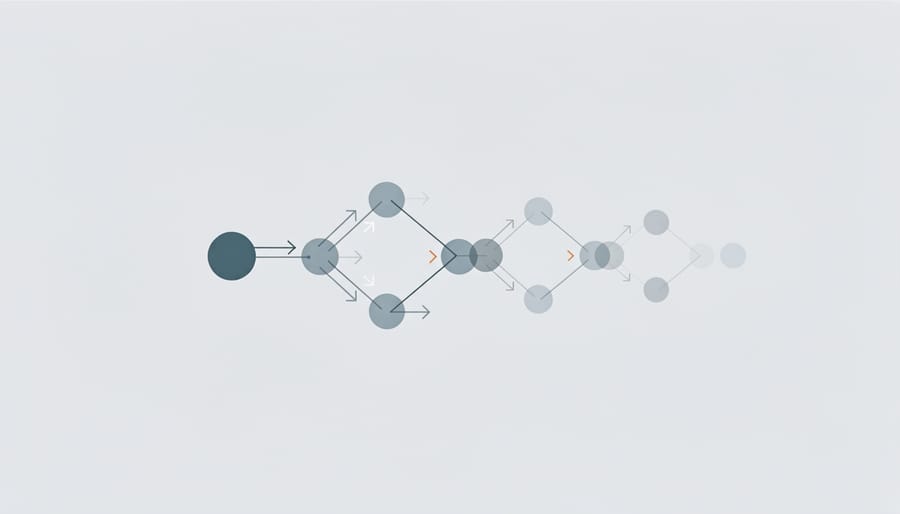
Redirect chains occur when a URL passes through multiple intermediate redirects before reaching the final destination—for example, A redirects to B, which redirects to C, which finally lands on D. Each hop in the chain adds latency, consumes crawl budget, and dilutes the link equity passed along. Search engines typically follow a limited number of redirects (Google follows up to five hops but recommends against chains), and the PageRank value degrades with each additional jump.
Redirect loops happen when URLs redirect to each other in a circle, creating an endless cycle that wastes bot resources and delivers error messages to users. Both scenarios waste link equity and crawl budget while degrading user experience through slower load times.
To audit chains efficiently, crawl your site with tools like Screaming Frog or Sitebulb, filtering for redirect status codes (301, 302, 307, 308). Export the redirect paths and identify any URL requiring more than one hop to reach its destination. Check server logs to prioritize chains affecting high-traffic or frequently crawled pages first.
Fixing chains is straightforward: update all redirects to point directly to the final destination URL. If page A originally redirected to B, then B to C, rewrite A’s redirect to point straight to C. Update internal links, sitemaps, and canonical tags to reference final URLs directly, eliminating unnecessary hops entirely. Run a follow-up crawl to verify no new chains emerged during cleanup.
For sites with hundreds of redirects, automate detection by scripting regular checks that flag any redirect requiring multiple requests before resolution, catching new chains before they accumulate technical debt.
JavaScript and Meta Refresh Redirects: When They Hurt You
JavaScript and meta refresh redirects execute in the browser after HTML arrives, creating a two-step process that slows search bots and introduces indexing uncertainty. Google must first download the page, then execute JavaScript or wait for the meta refresh timer—adding latency that server-side 301s avoid entirely. Worse, these redirects don’t pass PageRank as reliably, and bots may index the origin page instead of the destination if the redirect logic fails or takes too long.
Why they hurt: Search engines see the initial URL, consume crawl budget downloading it, then need additional processing cycles to discover the real destination. This delay compounds when bots encounter JavaScript rendering challenges or rate limits. For sites with thousands of URLs, this inefficiency scales badly.
When they’re acceptable: Use JavaScript redirects only when server configuration is locked—third-party platforms, static hosts without rewrite rules, or emergency fixes before proper implementation. Meta refresh with a zero-second delay is slightly better than JavaScript but still inferior to server-side options.
For: Site owners stuck on restrictive platforms or diagnosing why redirects aren’t working.
The fix: Implement 301s at the server level whenever possible through .htaccess, nginx.conf, or hosting control panels. Reserve client-side redirects for temporary workarounds, not permanent solutions. If you must use JavaScript, ensure the redirect fires immediately on page load and verify Googlebot successfully follows it using Search Console’s URL Inspection tool.
Strategic Redirect Planning for Site Migrations and URL Changes
A systematic redirect plan prevents traffic loss and protects accumulated authority during structural changes. Start by exporting every indexed URL from Search Console and your sitemap—this becomes your master inventory of pages that pass link equity or receive organic visits.
Prioritize mapping based on search value, not site hierarchy. Pages with backlinks from high-authority domains, consistent organic traffic, or rankings in position 1-10 demand precise 1:1 mappings to closely related content. Use your analytics platform to identify which URLs drive conversions or engagement; these warrant redirect accuracy over convenience.
Create a three-column spreadsheet: old URL, new URL, redirect type. Map each source to the most relevant destination by topic and user intent, not just category similarity. Orphaned pages without clear equivalents should redirect to the next-most-specific parent category rather than the homepage—a product discontinuation page redirects to its category, not your root domain.
Before launch, validate the redirect map in a staging environment. Crawl the staging site with Screaming Frog or similar tools, filtering for redirect chains (A redirects to B, which redirects to C) and loops. Each old URL should reach its final destination in one hop using 301 status codes for permanent moves.
Post-migration, monitor Search Console for 404 spikes and unexpected traffic drops by landing page. Check that Google recrawls redirected URLs and transfers rankings within 2-8 weeks—sudden drops signal mapping errors or redirect implementation failures. Preserve the redirect map as documentation; you’ll need it to troubleshoot indexing issues and inform future structural decisions.
Test a sample of high-value redirects monthly for the first quarter post-launch, confirming they still resolve correctly as your CMS receives updates or configuration changes.
Tools and Methods to Audit Your Redirect Health
Start with a crawl simulator to see exactly how bots experience your redirects. Screaming Frog SEO Spider maps redirect chains, identifies loops, and flags status code mismatches in minutes—essential for pre-migration audits and post-launch validation. For: technical SEOs and site managers. Why it’s interesting: catches the three-hop chain Google warned you about but your CMS hid.
Browser extensions offer real-time verification as you browse. Redirect Path (Chrome) displays status codes and hop counts directly in your toolbar, revealing whether that “working” URL actually sends users through a 302 before landing. For: content editors and QA teams. Why it’s interesting: spots temporary redirects masquerading as permanent ones without opening DevTools.
Server log analysis uncovers patterns crawlers encounter but synthetic tests miss. Parse your access logs for Googlebot requests that hit redirect chains, then cross-reference with Search Console’s crawl stats to identify pages burning your crawl budget. For: DevOps and SEO engineers. Why it’s interesting: correlates redirect waste with actual indexing delays, making the business case for cleanup concrete.
Pair these tools with crawl control strategies to ensure bots prioritize your canonical URLs over redirect endpoints—especially critical during site restructures when both old and new paths temporarily coexist.

Redirects aren’t cleanup tasks you handle later—they’re foundational SEO infrastructure. Implementing the right status code at the right time protects link equity during migrations, prevents ranking dilution from duplicate content, and keeps search engines crawling efficiently instead of burning budget on chains or loops. When you treat redirects as architectural decisions rather than afterthoughts, you preserve years of authority signals and user trust. The mechanics matter: 301s consolidate signals permanently, 302s handle temporary moves without transferring equity, and mistakes like client-side redirects or multi-hop chains quietly erode visibility. Audit your redirect map regularly, fix inherited technical debt, and document every choice so future changes don’t unravel the work. Your redirect strategy directly determines whether site evolution strengthens your search presence or quietly dismantles it.

