

Robots Meta Tag: The Control Layer Your Robots.txt File Can’t Give You

So here’s the split most teams miss. Robots.txt decides whether Googlebot is allowed to fetch a URL. The robots meta tag decides what happens once it does. Two different layers, two different jobs, and the per-page layer is where most of the real indexation control lives, noindex on thin filters, nofollow on UGC outbound, max-snippet caps on paywalled previews. This guide walks through the directives that actually matter, where the meta tag stops and the X-Robots-Tag HTTP header takes over, and the precedence rules that explain why your “noindex” sometimes does nothing at all.
What the Robots Meta Tag Actually Does
The robots meta tag is an HTML element that lives in the <head> of an individual page and tells search engine crawlers what they’re allowed to do with that specific URL. Unlike robots.txt, which controls crawler access across the entire site from a single file at the root, the meta tag operates at the page level. Per-page control. Per-page consequences.
Quick vocabulary
noindex- Tells search engines to leave the page out of their index. The page stays crawlable, just not findable in results.
nofollow- Tells crawlers not to pass link equity to any link on the page. Page-level scope, applies to every outbound link at once.
noarchive- Suppresses the cached-copy link in search results. Useful for time-sensitive or pricing pages where stale snapshots mislead.
nosnippet- Removes the text and video preview entirely, only the title and URL appear. Also implies
noarchive. max-snippet- Caps the snippet at a character count.
max-snippet:0behaves likenosnippet;max-snippet:160trims without hiding. max-image-preview- Sets image preview size in results,
none,standard, orlarge. Driver for Discover eligibility on most publisher sites. noimageindex- Excludes images on the page from Google Images. Page text still indexes normally.
unavailable_after- A date stamp telling crawlers to drop the URL from the index after a specific timestamp. Built for time-bound content (event pages, expired offers).
X-Robots-Tag- The same directive vocabulary delivered as an HTTP response header instead of an HTML tag. The only way to control non-HTML resources.
The basic syntax is short, the consequences are not:
<!-- Default: index this page, follow its links -->
<meta name="robots" content="index, follow">

<!-- Keep the page out of search results, but still follow links -->
<meta name="robots" content="noindex, follow">

<!-- Target a specific crawler instead of all bots -->
<meta name="googlebot" content="noindex, nosnippet">

<!-- Combine display controls -->
<meta name="robots" content="max-snippet:160, max-image-preview:large">
The name attribute targets the bot (robots hits everything; googlebot, bingbot, googlebot-news narrow it). The content attribute is a comma-separated directive list. Common values are index, noindex, follow, and nofollow, with display modifiers layered on top.
Here’s the thing. The robots meta tag fires after the page is fetched. Robots.txt fires before. That ordering, more or less, is the source of more “why is this URL still in Google” tickets than any other indexation question I’ve taken from a client, and the rest of this guide is mostly about untangling it.

Core Directives You’ll Actually Use
noindex and index
The noindex directive tells search engines to exclude a page from their index, keeping it out of search results, while index (the default) explicitly permits indexing. Use noindex for thin content pages (tag archives, search result pages), duplicate content that serves users but shouldn’t rank, staging or development environments, thank-you pages, internal search results, and pages behind paywalls or login gates. Explicitly setting index is rarely necessary since crawlers assume indexability by default, but it can override conflicting signals in inheritance chains or confirm intent in complex CMS setups (Drupal multilingual stacks are the usual culprit, in my experience).
Watch for
noindex prevents a URL from appearing in search results but does not stop crawlers from visiting the page or following its links. Crawlers still consume bandwidth and discover linked resources. To block crawling entirely, use robots.txt or combine directives strategically. Blocking crawling while using noindex creates a conflict, since crawlers can’t read the meta tag if they never fetch the page. For staging sites, server-level authentication or IP restrictions offer stronger protection than relying on noindex alone.
nofollow and follow
The follow directive tells crawlers to pass link equity to outbound links on the page, it’s the default behavior and rarely declared explicitly. The nofollow directive blocks link equity flow to all links on that page, signaling search engines not to count them as endorsements.
Use page-level nofollow on user-generated content hubs like forums or comment sections where you can’t vouch for every outbound link, protecting your site’s trust signals. Login and registration pages benefit from nofollow since they offer no SEO value and waste crawl budget. Apply it to paid placement or sponsored content pages to comply with search engine guidelines requiring disclosure of commercial relationships. If you need granular control, passing equity to some links but not others, use the rel="nofollow" attribute on individual anchor tags instead of the page-level meta directive (I inherited a publisher site once where a global nofollow meta had been sitting on every article template for two years because someone copy-pasted a UGC config into the wrong layout, internal link equity to the cornerstone hubs was basically zero). Most sites leave follow as the implicit default and deploy nofollow only where risk or policy demands it.
noarchive, nosnippet, and max-snippet
These three directives control how search engines display your page in results, useful when you need to protect content from being cached or previewed.
Use noarchive to prevent search engines from storing a cached copy of your page. Useful for time-sensitive content like event listings, pricing pages, or content that updates frequently where stale snapshots could mislead users. Also appropriate for pages with login-protected sections or dynamic personalized content.
The nosnippet directive blocks search engines from showing any text preview or video preview in results, only your page title and URL appear. Apply this to pages where even a brief excerpt could leak sensitive information or violate privacy policies, such as member directories or customer testimonials. Worth noting. nosnippet also implies noarchive, so layering both is redundant.
For more granular control, max-snippet lets you specify the maximum character count for text previews. Set max-snippet:0 to achieve the same effect as nosnippet, or use a specific number like max-snippet:160 to cap preview length while still giving searchers context. Pair this with max-image-preview and max-video-preview for comprehensive control over rich result displays.
The robots meta tag fires after the page is fetched. Robots.txt fires before. That ordering is the source of more “why is this URL still in Google” tickets than any other indexation question.
Why it matters, search result appearance directly impacts click-through rates and user expectations. These directives let you balance discoverability with content protection. They show up most often on publishers managing paywalled content, legal teams protecting confidential information, and marketers running time-bound campaigns where the snippet is part of the user experience contract.
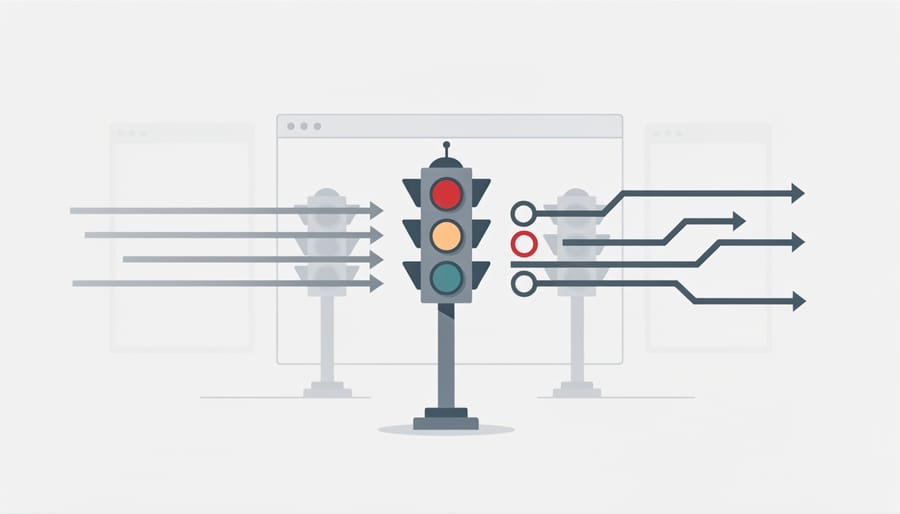
Meta Tag vs. X-Robots-Tag HTTP Header
You can deliver these directives two ways, in the HTML head or in the HTTP response. Same vocabulary, different layer.
The meta tag lives in the page’s HTML and is the standard for any URL where you control the template. The X-Robots-Tag is an HTTP response header set by the server, and it’s the only way to control non-HTML resources, PDFs, images, JSON endpoints, video files, anything that doesn’t have a <head> to put a tag in.
# Apache (.htaccess), noindex every PDF in /downloads/
<FilesMatch "\.pdf$">
  Header set X-Robots-Tag "noindex, noarchive"
</FilesMatch>

# nginx, noindex JSON API responses under /api/v2/
location ~* ^/api/v2/.*\.json$ {
  add_header X-Robots-Tag "noindex, nofollow" always;
}

# Per-bot targeting in the header (same as meta name="googlebot")
X-Robots-Tag: googlebot: noindex, nosnippet
X-Robots-Tag: bingbot: noindex

# unavailable_after for an event landing page
X-Robots-Tag: unavailable_after: 26 Dec 2026 00:00:00 GMT
Both methods accept identical directive values. The header takes effect before any HTML parses, so it can govern resources HTML can’t, and that’s the deciding factor most of the time.
Rough rule of thumb. Use the meta tag when you have direct access to the HTML source and want page-level control inside the CMS. It’s simpler to implement, requires no server configuration, and lives in the same template the content editors already work in. Use the X-Robots-Tag when you’re governing file types without markup, applying rules across entire directories via .htaccess or nginx config, or managing dynamic content where modifying HTML templates isn’t practical (Cloudflare Workers can inject the header at the edge if your origin can’t, which is a clean retrofit for legacy stacks).
Pro tip
Test header implementation by inspecting network responses in browser DevTools or running curl -I <url> to verify the X-Robots-Tag appears in response headers before going live. CDNs strip or rewrite headers more often than people expect, always confirm at the edge, not at the origin.
How the Two Layers Stack
You can apply both methods to the same resource. When directives conflict, the more restrictive wins. noindex in the header plus index in the meta tag resolves to noindex. The same logic holds across all pairs, the strictest directive in either layer is the one that takes effect.
Most sites rely primarily on meta tags for HTML and deploy X-Robots-Tag headers only when non-HTML assets need explicit crawler instructions. For most teams, that’s the right split, headers stay where the assets they govern live, and the HTML head stays the single source of truth for pages.
How Robots.txt and Meta Robots Work Together (And When They Conflict)
Robots.txt and meta robots tags operate at different stages of the crawl-index pipeline, and understanding their hierarchy prevents costly mistakes. (I’ve inherited at least three sites where someone tried to deindex a section by both Disallowing it in robots.txt and adding noindex, and was confused that the URLs kept showing up in site: queries. Same root cause every time.)
Robots.txt blocks crawlers before they access a page. If a bot can’t fetch the URL, it never sees your meta robots tag, meaning robots.txt always takes precedence over the meta tag’s existence. This creates a critical problem, placing noindex on a URL while Disallowing the same URL in robots.txt prevents Google from reading the noindex instruction at all, potentially leaving unwanted URLs in the index as placeholders without snippets.
| Layer | Where it lives | Controls | Best for |
|---|---|---|---|
| robots.txt | Single file at /robots.txt |
Whether crawlers may fetch a URL at all | Saving crawl budget on whole directories, admin areas, parameterized infinite spaces |
| Meta robots | HTML <head> per page |
Indexation, link-equity flow, snippet display, per page | Thin content, paginated tails, paywalled pages, time-bound landings |
| X-Robots-Tag | HTTP response header | Same vocabulary as meta robots, applied to any resource type | PDFs, images, JSON endpoints, directory-wide rules, legacy CMS retrofits |
The governance rule, use robots.txt to prevent crawling (saving server resources and avoiding crawl budget waste), and use meta robots tags to control indexing. Never try to noindex via robots.txt. Google has been explicit for years that this is not a supported mechanism, and the practice was formally deprecated when the robots.txt parser RFC was published.
Per-page directive decision tree
Disallow in robots.txt and stop.noindex, follow on the page.max-snippet, noarchive, or nosnippet.X-Robots-Tag response header.The conflict scenario to avoid, blocking a URL in robots.txt while trying to noindex it with meta tags. Crawlers obey robots.txt first, never see your meta tag, and may index the URL anyway based on external signals (a backlink from a high-authority domain is usually enough to keep a Disallowed URL listed in results as a bare URL with no snippet, I had one e-commerce client whose /thank-you/ path was Disallowed and noindexed, the URLs ranked for branded searches anyway because affiliates kept linking to them post-purchase). Actually, scratch the “may index” softener, in my experience that bare-URL outcome is closer to a 70/30 coin flip than an edge case if there’s any external link in play. Always ensure pages you want to noindex remain crawlable.
Common Technical SEO Scenarios
E-commerce and content-heavy sites face index bloat from filter combinations, pagination, and internal tooling. The robots meta tag offers surgical control without removing pages from internal navigation.
Use noindex, follow on faceted filter pages, users can browse color, size, and price combinations while search engines skip redundant URLs. Usually. This approach preserves link equity flow and user experience while, in most cases, preventing thousands of near-duplicate pages from diluting crawl budget. Proper faceted navigation control keeps your most valuable category pages ranking without competing against filtered variants.
For pagination, apply noindex, follow to page 2+ in blog archives or product listings when a View All option exists. If users need paginated access, keep pages indexed but add canonical tags pointing to page 1 or implement rel=prev/next signals (Google has officially deprecated using rel=prev/next as an indexing signal, though it remains valid HTML for browsers, so the canonical approach is the safer bet now).
Note
Staging and development environments warrant noindex, nofollow via meta tag and HTTP header, belt-and-suspenders, set it at the server level so even pages without the template (raw assets, error pages) carry the directive. Add HTTP basic auth or IP allowlisting as the actual security layer. Noindex is not a security control. I’ve watched staging URLs end up in site: results because someone deployed the prod template to staging without flipping the env-aware noindex switch.
Thin content like tag pages, search result pages, or automatically generated archives benefits from noindex, follow until you add substantial unique value. Internal links remain functional, users navigate freely, and you avoid quality-signal penalties while keeping your strongest content visible to search engines.
Verifying Your Implementation
Okay, verification. Confirm your robots meta tags are working as intended using three complementary methods. Google Search Console’s URL Inspection tool shows exactly how Googlebot sees your page, enter any URL to reveal which meta tags are detected and whether the page is indexable. For real-time verification across browsers, open developer tools (F12), navigate to the Elements or Inspector tab, and search for “robots” within the <head> section to see your tags in context. For site-wide audits, crawl your entire domain with Screaming Frog SEO Spider or similar tools, filtering for pages with noindex, nofollow, or other directives to spot unintended patterns.
Watch for three common conflicts that undermine your directives. First, robots.txt disallow rules override meta tags, if you block a URL in robots.txt, search engines cannot crawl it to discover your meta robots tag, leaving the page in indexation limbo. Second, verify that canonical tags point to indexable pages; canonicalizing to a noindexed URL creates conflicting signals. Third, check for contradictory X-Robots-Tag HTTP headers that may override your HTML meta tags. Run this checklist quarterly or after major site changes to catch implementation drift before it impacts visibility.

Choosing Between Meta Tag and X-Robots-Tag
Both methods carry the same directive vocabulary. The choice is about where the resource lives and who can edit the layer that controls it.
✓
Use the meta tag for
- ›HTML pages where editors own the template
- ›Per-page noindex on thin content, tag archives, paginated tails
- ›CMS-driven sites where server config is out of reach
- ›Display modifiers (
max-snippet,max-image-preview) tied to page-level decisions - ›Editorial workflows where the directive is reviewed alongside the content
⚙
Use the X-Robots-Tag for
- ›PDFs, images, video files, JSON or XML API responses
- ›Directory-wide rules applied at the server or CDN layer
- ›Legacy CMS retrofits where templates can’t be safely edited
- ›
unavailable_afteron time-bound resources without a template hook - ›Edge-layer overrides via Cloudflare Workers or Fastly VCL
For most teams, the answer is “both, in their own lanes.” HTML pages get meta tags inside the template. Non-HTML resources and directory-wide rules get X-Robots-Tag at the server. The two layers don’t compete when each owns a clean scope. Or, well, they shouldn’t, audit drift starts when someone reaches across the boundary, dropping an X-Robots-Tag on an HTML page that already has a meta tag, or worse, on a robots.txt-blocked URL where neither layer takes effect (the worst version of this I’ve seen was a Cloudflare Worker injecting noindex on every /blog/* response because someone forgot to scope the route, the meta tag in the template said index and traffic still fell off a cliff because the stricter header won).
Try it this week
Audit one template at a time. Find the directive your CMS shipped that you didn’t.
-
1
Crawl your top three templates with Screaming Frog (category, blog post, tag archive). Export the meta-robots column and the X-Robots-Tag column together. -
2
Cross-reference against your robots.txt. Flag any URL that is both Disallowed and carries a noindex tag, those are the conflict cases. -
3
For every conflict, decide one layer and remove the other. Either lift the Disallow so the noindex can actually fire, or drop the noindex and accept the robots.txt block as the indexation control.
One template a week. By the end of the quarter you’ve untangled the indexation layer most sites quietly leave broken for years.
Related guides
- Crawl Budget Triage, How robots.txt, noindex, and canonicals work together to take waste out of inventory.
- Canonical Systems at Scale, The other half of indexation control, choosing the right URL when duplicates exist.
- Faceted Navigation Control, Where
noindex, followearns its keep on filter combinations.

