

Stop Guessing If Your Link Building Actually Works

Track link placements monthly using a three-column spreadsheet: URL placed, domain authority metric, and referring traffic in Google Analytics. Set up UTM parameters on every acquired link so you can attribute conversions directly to specific outreach campaigns rather than lumping everything under referral traffic. Calculate cost-per-link and cost-per-referred-visitor as baseline efficiency metrics, then layer on assisted conversions from Analytics to show how link building touches customer journeys even when it’s not the final click (GA4’s attribution changed last year, so older playbooks lie).
Build a simple attribution model that assigns fractional credit: if a customer visits via a guest post link, returns through organic search, then converts via direct traffic, that original link deserves partial attribution in your reporting. Export this monthly into a one-page dashboard showing total links acquired, cumulative referring domains, estimated organic traffic lift, and revenue influenced. For most teams, stakeholders care about business outcomes, not just link counts. Flag any links that lose anchor text or get redirected using automated monitoring tools, since decaying links silently erode ROI over time and require immediate remediation to preserve the value you’ve already paid for.

The Metrics That Actually Matter (And the Vanity Numbers to Ignore)
Core Link Quality Indicators
Strong link profiles rest on four indicators that reveal more than domain authority scores alone.
Quick vocabulary
- Referring domain
- A unique site that links to you, regardless of how many individual pages on it link. Ten links from one domain = one referring domain.
- Anchor text
- The clickable text wrapping a link. Distribution across branded, generic, and exact-match keywords is what Google’s spam systems actually evaluate.
- UTM parameters
- Tags appended to a URL (
?utm_source=...) that let GA4 isolate sessions originating from a specific placement. - Assisted conversion
- A touchpoint that contributed to a conversion path without being the final click. The metric most link builders undercount.
- Time-decay attribution
- A multi-touch model that gives more credit to touchpoints closer in time to the conversion, but still credits earlier ones, unlike last-click.
Referring domain diversity measures how many unique sites point to you, and whether they span industries, geographies, and publishing types. Ten links from ten unrelated domains outperform fifty from one network. Track the ratio of new domains to total backlinks monthly; stagnation signals over-reliance on a narrow pool. On one portfolio I baselined at 200 referring domains, well, 187 after dedupe, the “growth” the agency was reporting was almost entirely repeat placements from sites already in the profile.
Topical alignment gauges whether linking sites share your subject matter. A fintech startup earning links from legal blogs and banking newsletters shows relevance; random directory placements do not. Map referring domains to content categories and flag mismatches that dilute thematic authority.
Anchor text distribution reveals whether your link profile looks natural or manipulated. Healthy portfolios blend branded anchors, naked URLs, generic phrases, and a minority of exact-match keywords. Google’s link-spam policies specifically flag “links with optimized anchor text” placed at scale across other sites, exact-match ratios skewing above thirty percent invite that pattern.
Pro tip
Before launching any campaign, freeze a baseline export of your current backlink profile, referring domains, anchor distribution, traffic by source. Without that snapshot, you’ll spend the next quarter arguing about whether numbers moved at all. The export takes ten minutes. The argument lasts forever.
Link placement context examines where within a page your link appears, and what surrounds it. Editorial mentions in body copy carry more weight than sidebar widgets or footer blocks. Review whether links sit within topical paragraphs or isolated call-outs, and whether neighboring content supports the referral. When you measure what matters, context often predicts click-through and ranking lift better than raw link counts.
Red Flags in Metrics Reporting
Not every metric in a link-building report deserves equal weight. Here’s how the signals that actually move with link impact stack up against the vanity numbers that pad dashboards but don’t predict anything:
| Metric | Signal worth tracking | Vanity equivalent |
|---|---|---|
| Reach | New unique referring domains per month | Cumulative backlink count (inflated by multiple links from one site) |
| Quality | Organic traffic of the referring page itself | Domain Authority / DR alone from a single vendor |
| Relevance | Topical overlap between source and target page | “High authority” listings on generic directories |
| Traffic | UTM-tagged referral sessions + assisted conversions in GA4 | “Estimated monthly traffic” from third-party tools with no methodology |
| Ranking | Position deltas for target keywords vs. a control set | Average position across all tracked keywords (drowns out signal) |
| Revenue | Revenue attributed via multi-touch, by referring domain | Proprietary “ROI score” with no formula disclosed |
Look, watch for metrics that sound impressive but reveal little about real influence. Inflated domain authority scores from obscure providers, traffic estimates with no methodology, or engagement numbers that never fluctuate are common warning signs (this is where most teams blink and outsource). Hidden PBN patterns emerge when vendor reports show suspiciously similar site structures, identical hosting footprints, or clusters of domains registered on the same dates. Opaque scoring systems that bundle quality signals into single proprietary numbers prevent you from auditing individual placements. Ask vendors for raw data: referring page age, organic traffic sources, topical relevance scores, and link context. If they resist or provide only aggregate dashboards, you’re likely paying for quantity disguised as quality. Transparent reporting includes crawlable URLs, editorial contact paths, and verifiable publication dates, attributes that surface legitimate placements and expose manufactured ones.
If a vendor can’t tell you the URL, the anchor text, and the publication date, you’re not buying links, you’re buying a number.
Building Reports That Connect Links to Revenue
What to Include in Monthly Link Reports
A transparent monthly link report removes guesswork and gives stakeholders clear evidence of progress. Start with a placement table listing every new link acquired that month, including the exact URL, domain authority or traffic estimate, anchor text used, and publication date. Show the context, whether it’s a guest post, resource mention, or embedded tool, so decision-makers understand the asset type.
Next, track ranking movement for your target pages. Compare positions week-over-week for priority keywords, noting which links may have influenced shifts. Pair this with organic traffic data attributed to those URLs using UTM parameters or referral segments in analytics. If a link drove 200 visits and three conversions, quantify that value.
Include a wins and challenges section: highlight placements on high-authority domains, note any links that underperformed expectations, and flag technical issues like nofollow tags applied unexpectedly. This builds trust by acknowledging what didn’t work alongside successes.
Watch for
A report that only ever shows wins is hiding something. Underperforming placements are diagnostic gold, they tell you which publisher categories, anchor patterns, or audience overlaps don’t move the needle so you stop buying them next quarter.
Close with a forward-looking strategy block outlining next month’s targets, specific publications to pitch, content gaps to fill, or relationship-building initiatives. Frame it as a plan, not just a recap, so stakeholders see the roadmap and understand resource allocation. For agencies, this section justifies retainers; for in-house teams, it secures buy-in for continued investment.
Reporting for Different Stakeholders
Different stakeholders need different lenses on the same metrics. Tailor your reports to match each audience’s priorities and decision-making needs.
For C-suite executives, lead with business outcomes: aggregate ROI, revenue attributed to organic search, year-over-year traffic growth, and cost per acquired customer. Skip granular campaign details. A single-page dashboard with three-month trend lines and clear dollar figures works best. Frame link building as investment, not expense.
Marketing managers need campaign-level performance data to optimize budget allocation. Show which content types and outreach strategies generate the strongest links, compare cost-per-link across channels, and highlight wins that can be replicated. Include month-over-month velocity metrics and competitor benchmarking. They want actionable patterns, not raw numbers.
In-house SEOs require technical depth: referring domain authority distributions, anchor text diversity ratios, link placement context, crawl and indexation status of new backlinks, and granular attribution by page and keyword cluster. Provide access to raw data exports and API endpoints so they can build custom analyses. Document methodology changes that might affect historical comparisons.
The key is separating signal from noise for each role. Executives need confidence in strategic direction. Managers need tactical optimization levers. SEOs need diagnostic precision. Build modular reports that share a common data foundation but present different views tailored to how each stakeholder makes decisions. Same data, three lenses.

ROI Attribution Models for Link Building
The Ranking Movement Model
This model tracks whether your target keywords rise or fall after a link goes live, then assigns an estimated traffic value to those movements. If a page jumps from position twelve to position six for a term with 2,000 monthly searches, you multiply the position lift by estimated click-through rate and benchmark cost-per-click to calculate ROI. It works well for mid-funnel teams that already monitor rankings closely and need a straightforward way to tie link placements to organic visibility gains. Most rank trackers export position data that you can cross-reference with your link deployment dates. The limitation: attribution gets messy when multiple links, content updates, or algorithm shifts happen simultaneously, so you’ll need clean timelines and control groups to isolate link impact. Honestly, I’d argue this model is best suited for campaigns targeting specific commercial keywords rather than broad brand awareness plays.
Attribution-tracking workflow
Referral Traffic and Assisted Conversions
UTM parameters remain the most concrete way to track referral traffic from link placements. Append utm_source, utm_medium, and utm_campaign to each link so GA4 can isolate clicks and session behavior by publisher. Set up conversion tracking to see which referring domains generate sign-ups, purchases, or other goal completions.
Multi-touch attribution models reveal how links contribute across the customer journey, not just last-click conversions. GA4’s data-driven attribution weighs each touchpoint, initial blog link, social share, direct return visit, based on actual conversion probability. Most link builders undercount impact by ignoring assisted conversions, where a link introduces the brand but doesn’t close the deal immediately. Export the Top Conversion Paths report monthly to identify high-assist domains worth renewed outreach.
Pro tip
Use a consistent UTM taxonomy from day one, utm_source=publisher-slug, utm_medium=guest-post, utm_campaign=YYYY-Q. Inconsistent tagging is the single most common reason “attribution doesn’t work”, it’s actually working fine; the labels are just unparseable.
Track referral traffic weekly and compare against baseline metrics from your backlink audit. Sudden drops signal removed links or technical issues; spikes indicate content resonance or seasonal interest. Cross-reference GA4 data with your CRM to close the loop between referral sessions and revenue, proving ROI to stakeholders who control budgets.
Blended Attribution for Long Sales Cycles
B2B and enterprise sales cycles often span six to eighteen months, making single-touch attribution misleading. A blended model combines three signals: organic traffic growth to target landing pages, keyword ranking improvements for commercial queries, and time-decay weighting that credits earlier touchpoints proportionally. Track cohorts by acquisition month, then overlay backlink acquisition dates with CRM stage progression, links earned three months before conversion deserve credit even if they weren’t the last click. Use Google Analytics’ segment comparison to isolate traffic from domains that linked to you, and tag these sessions in your CRM as “link-influenced.” For quarterly reviews, present ranking lift for priority keywords alongside deal velocity changes in quarters following link placement. This approach satisfies both CFOs seeking ROI clarity and teams needing granular feedback on which placements accelerate pipeline movement.
Why Transparent Metrics Change the Game
Most link building reports obscure the data that matters. You get domain authority scores, cumulative referring domains, and traffic trend lines, but not the specific placements driving results. That opacity makes it nearly impossible to forecast what works, pivot when campaigns stall, or defend budget allocation in a board meeting.
Transparent metrics flip the model. When you see exactly which URLs link to you, their anchor text, publication date, and individual traffic contribution, patterns emerge fast (and in most cases, the surprises are which “premium” placements are quietly dead weight). A tech blog placement that sends 40 qualified visitors monthly justifies its cost instantly. A high-authority site generating zero clicks signals a targeting problem worth fixing now, not six months later.
This granularity enables three advantages aggregated dashboards can’t deliver:
Accurate forecasting: Historical data on specific placements lets you model ROI for similar future opportunities with confidence, not guesswork.
Rapid iteration: Spot underperforming link types or publisher categories within weeks and reallocate budget before waste compounds.
Stakeholder credibility: Show executives or clients the exact assets generating pipeline, not abstract correlation charts between backlinks and organic growth.
Hetneo’s transparency model exposes every placement in your portfolio with real-time metrics, no black-box scoring. The Living Links API means you can update destination URLs or anchor text as your messaging evolves, preserving link equity while keeping placements aligned with current campaigns. When metrics are this legible, reporting shifts from retrospective justification to forward-looking strategy. You stop defending what you spent and start confidently planning what comes next.
Tools and Dashboards Worth Using
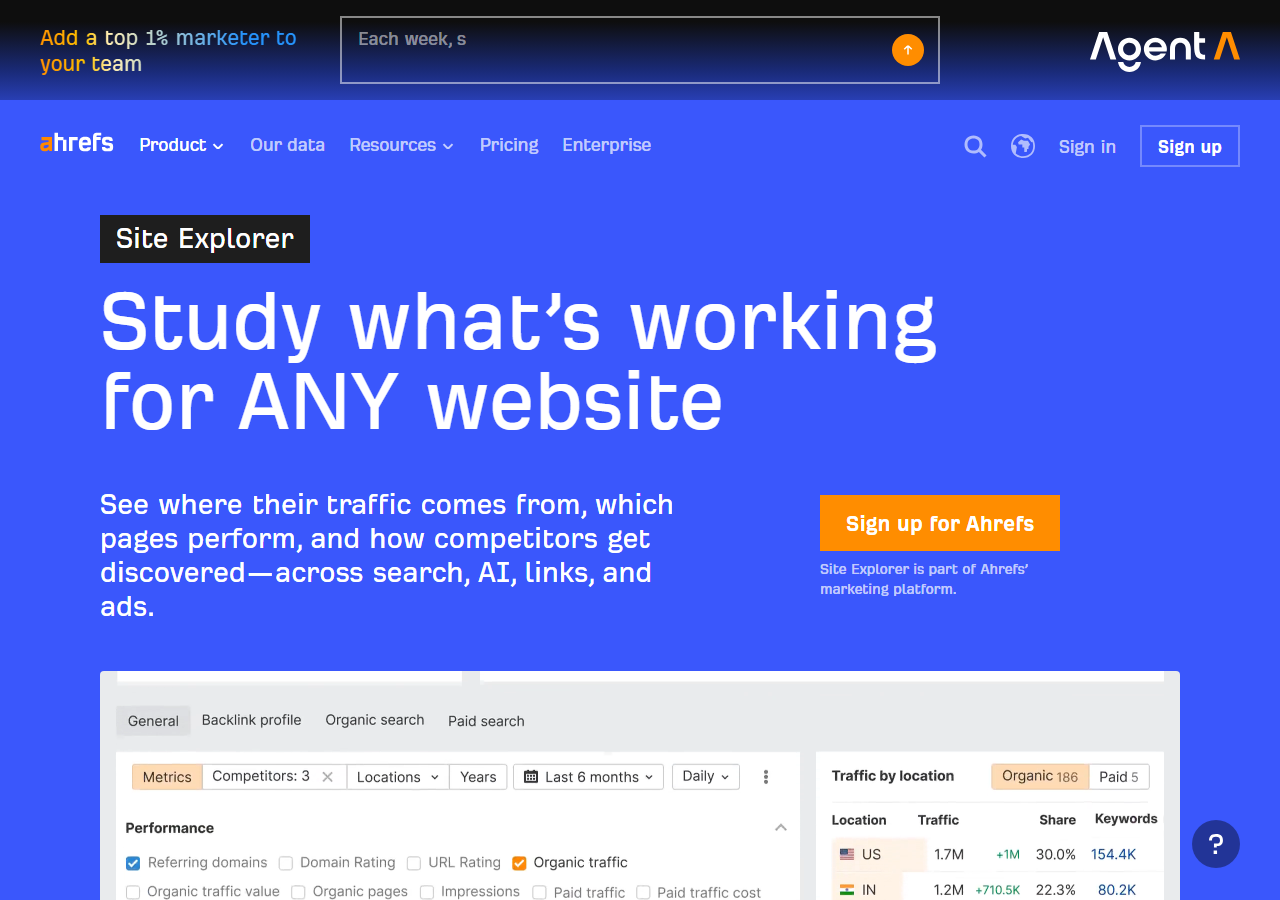
Most link tracking happens inside all-in-one SEO platforms like Ahrefs or Semrush, which offer referring domain reports, anchor text distribution, and traffic estimates tied to backlinks. Both let you tag campaigns, monitor new and lost links, and export data for stakeholder reports. For teams needing custom views, especially those tracking links across multiple clients or experiments, Google Sheets dashboards pulling from APIs offer more flexibility. Ahrefs API and Semrush API can pipe backlink data directly into spreadsheets, where you layer in conversion tracking from Google Analytics or CRM systems to calculate cost-per-acquisition by link source.
The real leverage comes from automation. APIs let you schedule weekly pulls of key metrics, flag drops in referring domain authority, and trigger alerts when anchor text ratios skew too heavily toward exact match. This becomes critical for updating links as strategy evolves, swap out underperforming placements or refresh anchor text without manual audits. For agencies managing dozens of campaigns, automated reporting cuts hours of grunt work and surfaces trends stakeholders actually care about: which links drove demos, which domains correlate with keyword lifts, and where budget should shift next quarter.
Putting It All Together
The most significant shift in modern link building is moving from vanity metrics to measurable outcomes. Instead of reporting “we secured 50 backlinks this quarter,” high-performing teams now tie every link directly to search visibility gains, traffic lifts, and revenue attribution. This requires infrastructure that tracks each link’s contribution over time, not just at placement, and connects backlink data to ranking changes, conversion paths, and customer value.
If measurement is the blocker, the simplest fix is to make it someone else’s job. Our managed link building team ships monthly reports built around the exact metrics in the comparison table above, traffic lift per placement, anchor distribution, assisted-conversion paths, ranking velocity against a control cohort, so the question of whether the program is working stops being a guess your boss makes once a quarter and starts being a number on a dashboard you can defend on Monday morning.
✓
Healthy signal
- ›New referring domains added each month from varied topical clusters
- ›UTM-tagged sessions climbing in absolute count and conversion rate
- ›Target-keyword positions improving faster than your control cohort
- ›Assisted-conversion paths showing link-introduced visitors converting later
- ›Anchor distribution that stays diverse as volume grows
✗
You’re not actually measuring
- ›Reports that only show cumulative link counts going up
- ›“Average DR” as a headline number with no underlying distribution
- ›Proprietary scores that bundle quality signals into one black-box number
- ›Traffic estimates that never reconcile with what GA4 actually records
- ›Quarterly reviews with no baseline export to compare against
And outcome-based reporting is what surfaces which placements actually drive business results versus which merely pad activity dashboards. It exposes low-value link farms, reveals which editorial relationships deliver sustained authority, and lets teams reallocate budget toward tactics with proven ROI. I think this accountability is what transforms link building from a cost center into a defensible growth channel.
Technical enablers like Living Links make this possible by allowing teams to update, track, and measure links long after publication, turning static placements into persistent assets whose performance can be monitored, optimized, and tied directly to pipeline and revenue.
Try it this week
Freeze a baseline. Then run one measurable link-building test against it.
-
1
Export today’s referring domains, anchor distribution, and target-page positions to a dated tab in a sheet. This is your baseline, it never gets edited again. -
2
Pick three target pages. Define one priority keyword each. Set up UTM parameters in a consistent taxonomy you’ll reuse every quarter. -
3
Set a calendar reminder for 90 days out: diff today’s snapshot against the frozen baseline. The delta is your answer.
Most teams skip step 1 and then spend the next year arguing about whether anything changed. Ten minutes now buys a quarter of clarity later.
Related guides
- Quality Guest Post ROI, Stop counting backlinks; start counting revenue per placement.
- PBN Links vs Guest Posts, When private blog networks beat editorial outreach (and when they don’t).
- Niche Edit Mechanics, How insertion-based link placement actually works inside existing articles.


Comments (5)
Bookmarked. The comparison table is going into our QBR template next week. Half our team is going to recognize themselves in the ‘You’re not actually measuring’ column, which is the point i guess.
real talk, most teams dont have the data discipline to run this monthly. we tried to stand up the dashboard described here last year and the project quietly died at the GA4 to BigQuery export step. worth flagging that the prereqs are non-trivial for most non-enterprise teams
Fair callout. The prerequisite stack is real, GA4 BigQuery export, a clean UTM convention, and a control cohort that actually behaves like a control. For teams that can’t get there, even a monthly manual export with three columns (placement, GSC impressions delta, GA4 sessions delta) beats no measurement. The compounding starts whenever you start, even crudely.
attribution always lies in some direction. channel mixing in particular makes link-building ROI look better than it is, since you’re crediting first-touch backlinks for downstream paid-retargeting conversions. the math is guessing by numbers more often than people admit.
tool rec for the control cohort tracking specifically? GSC + GA4 gets us most of the way but the cohort comparison layer feels manual. tried Looker Studio, breaks at scale